Sirius 800 Series User Manual Miscellaneous Door PC 5.6
Iss 5 Rev 7 Page 75 © 2017 SAM
5.6.2 Dial Up Routing (Video)
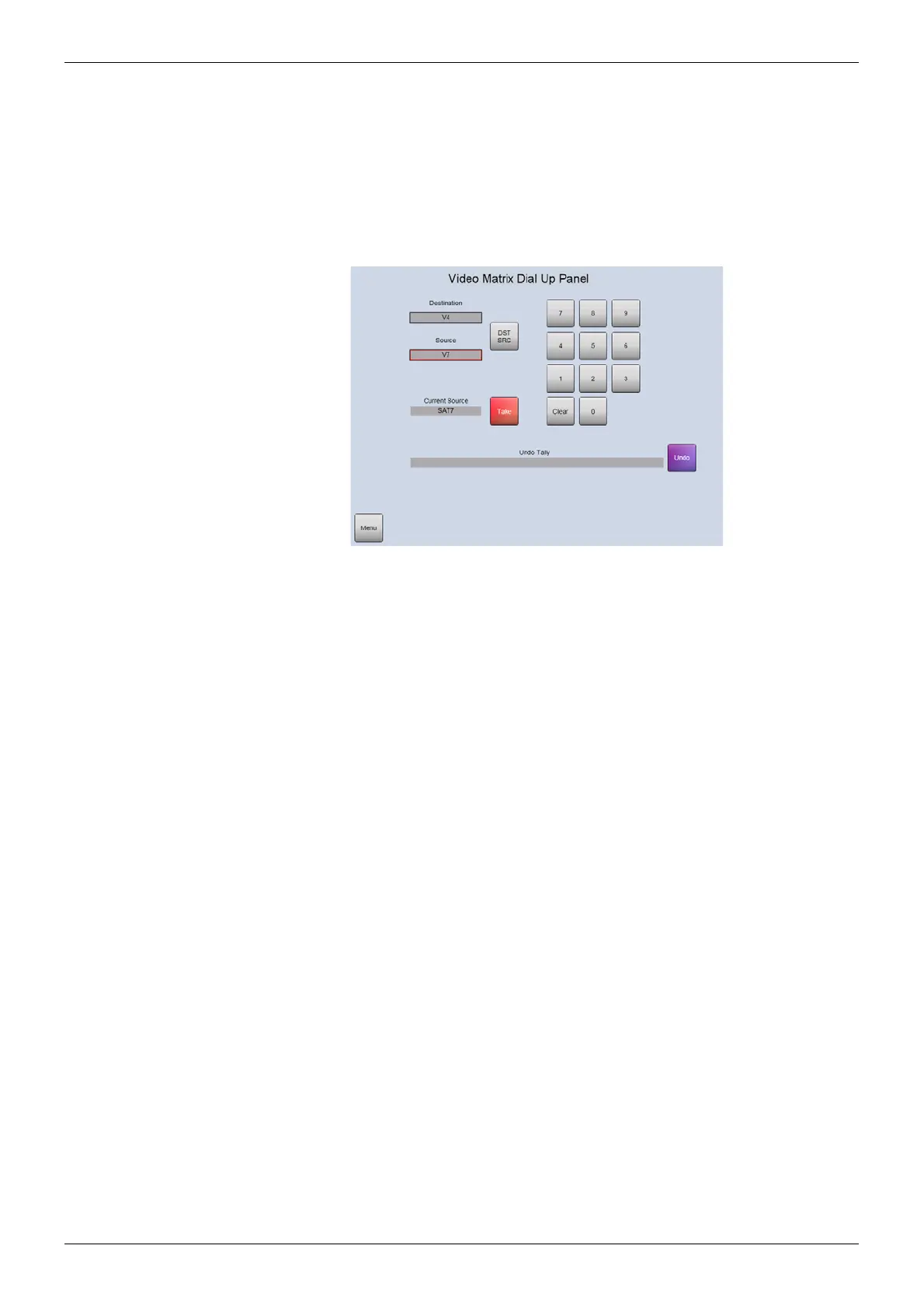
The Dial Up screen shown in Figure 42 is used to route single signals in the video matrix and
cannot be used to route signals in the audio matrix.
Touch the Dial-Up Routing (Video) button from the main menu screen and then touch the
Continue buttons as they are displayed. Finally touch the Dial-Up button when it is displayed
to access the screen. This procedure avoids the dial-up panel being enabled accidentally in a
live environment.
• DST/SRC button - Touch the DST/SRC button to toggle between the Destination and
Source text boxes. The text boxes have a red border to indicate when they are
selected for data entry.
• Destination text box - enter the video destination here. A red border indicates the text
box is selected for data entry.
• Source text box - enter the video source here. A red border indicates the text box is
selected for data entry.
• Current Source text box (read only) - displays the source currently being routed to
the destination entered in the Destination text box.
• Clear button - deletes the contents of the selected text box (destination or source).
• Dial Up keypad number buttons - used to enter the destination and source numbers.
• Take button - touch to complete the routing once the destination and source have
been entered in the text boxes.
• Undo button - touch the Undo button to undo a Take and go back to the previously
selected source.
Figure 42 Dial Up Routing (Video)



 To Next Page