Sirius 800 Series User Manual Status Door PC 5.2
Iss 5 Rev 7 Page 55 © 2017 SAM
5.2.2 Modules
Touch the Modules button on the main menu screen to view details of the modules mounted
in the router (see section 5.1). The most recently viewed module screen will be displayed.
Touch the buttons at the bottom of the screen to navigate to the module screen you want to
display.
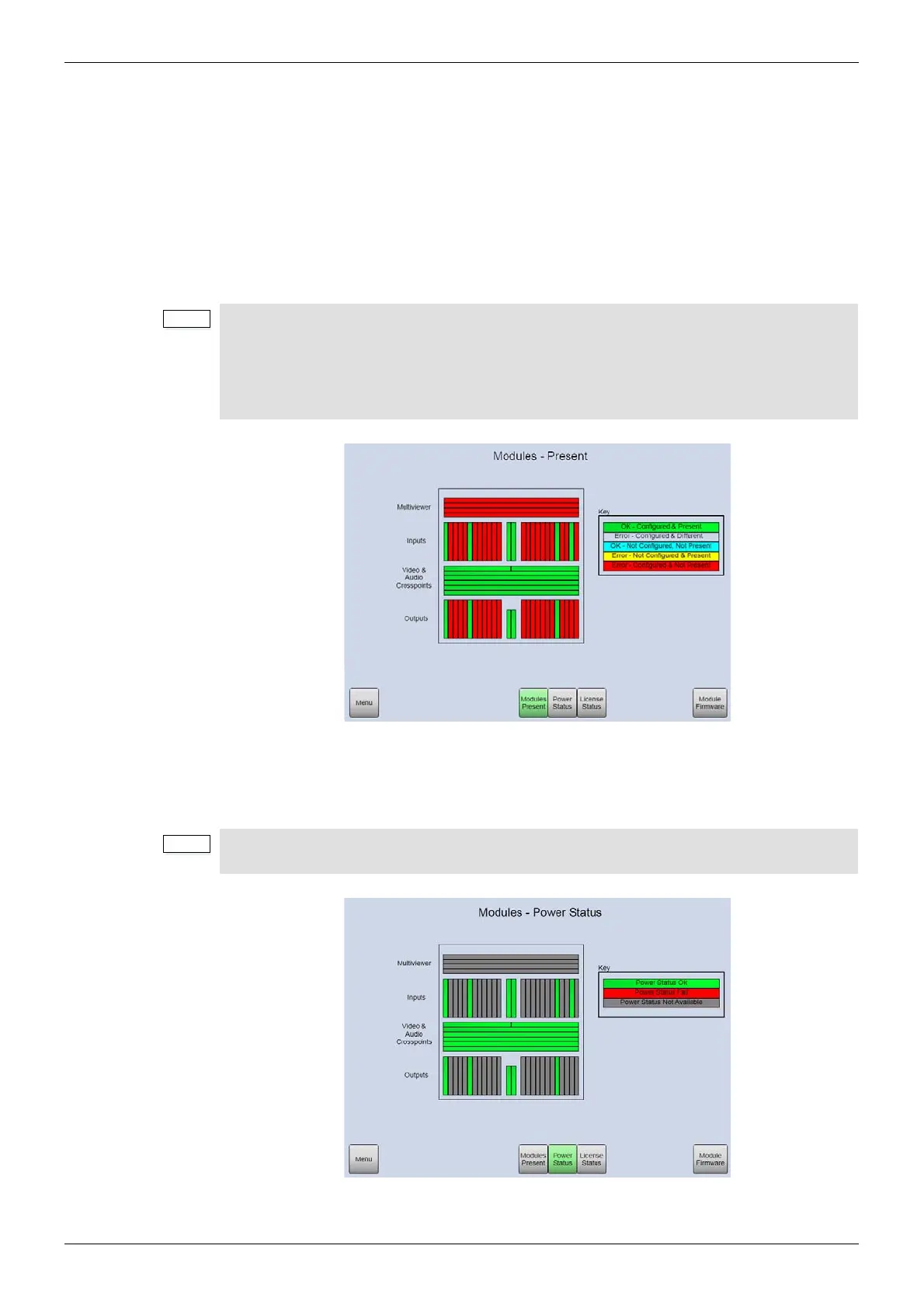
Modules Present
This screen displays the configuration status of each module slot. See the on screen Key for
details.
Module Power Status
This screen displays the power status for each module. See the on screen Key for details.
• Modules are configured from the Local Router hardware tab | Advanced
Configuration | Edit Module Configurations... in Workbench. See the
Workbench manual for full details.
• See the Sirius 800 Maintenance & Upgrade manual for an example of adding one
or more modules to the router.
Figure 23 Modules Present (Sirius 840 Router shown)
Unpopulated slots (configured or unconfigured) are displayed as “Power Status Not
Available”, this is not a fault.
Figure 24 Modules Power Status (Sirius 840 Router shown)



 To Next Page