Sirius 800 Series User Manual Sirius 830 Monitoring and Multiviewer Multiviewer & Input/Output Monitoring Modules 13.2
Iss 5 Rev 7 Page 229 © 2017 SAM
13.2 Sirius 830 Monitoring and Multiviewer
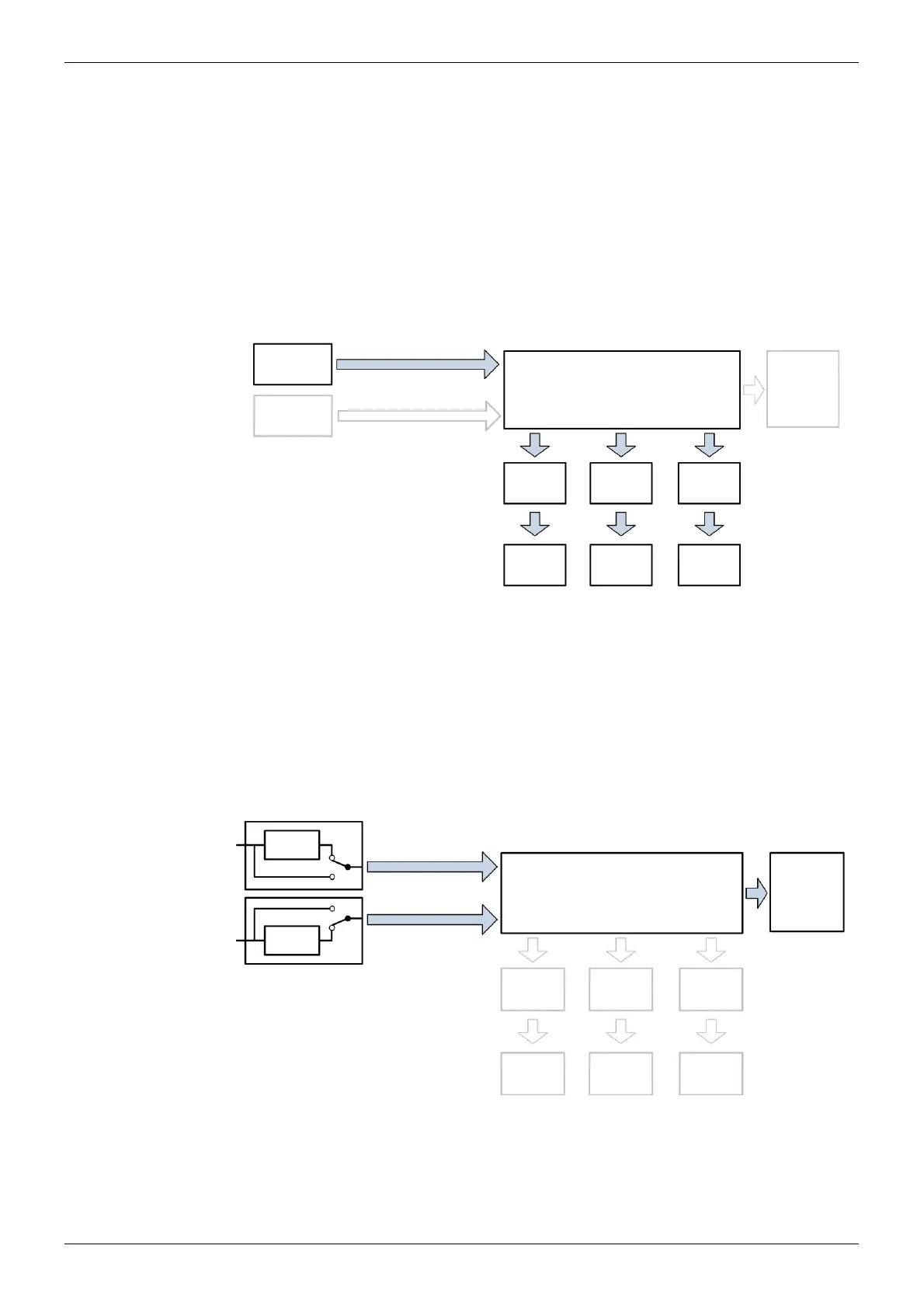
13.2.1 Sirius 830: Multiviewer Outputs Only (no monitoring)
• 5902 (qty 1) Multiviewer Crosspoint Module
• 5931 (qty 1-3) External Multiviewer Output Module(s)
• 1369 rear panel (qty 1-3) External Multiviewer HD BNC Rear panel(s)
• MV-800 (qty 1-2) Integrated Multiviewer
• MV-800-RP (qty 1-2) MV-800 Rear Panel
13.2.2 Sirius 830: Input/output Monitoring Only (no multiviewer outputs)
• 5939 (qty 1) Input/Output Monitoring Card
• 1237 (qty 1) Input/Output Monitoring Rear Panel
Figure 154Multiviewer Outputs Only (No Monitoring) Option (Sirius 830)
5902 Multiviewer Crosspoint
Module, see section 13.5
Video/Audio
Inputs
MV
1 to 48
MV
49 to 96
MV
97 to 140
5931 /
MV-800
5931
5931 /
MV-800
Figure 155 Input/Output Monitoring Only (No Multiviewer Outputs) Option (Sirius 830)
**Video/Audio Inputs
**Video/Audio Outputs
*1237,
Monitor
Output
1 to 4
5939 Input/Output Monitoring
Module, see section 13.7
Process
*For details of the “Monitor 1 to 4” BNC connections see section 13.8.
**Input/Output Monitoring selected from either the input or the output of the module
(pre or post processing). See section 5.6.3 for details on how to configure this using the
router Door PC.
Process



 To Next Page