Sirius 800 Series User Manual Redundant Crosspoint Control Door PC 5.4
Iss 5 Rev 7 Page 65 © 2017 SAM
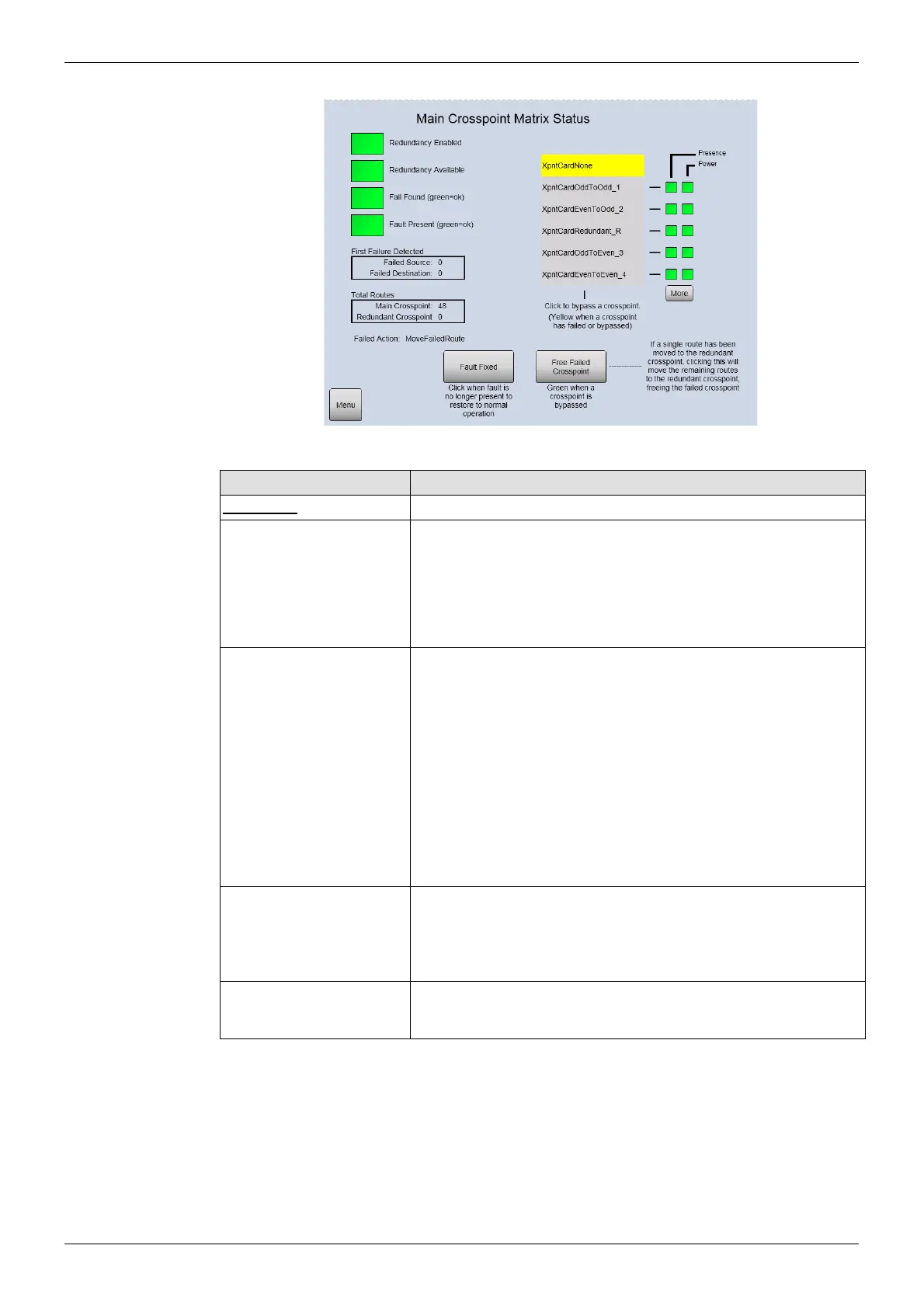
Figure 36 Sirius 840/850 Crosspoint Matrix Status and Crosspoint Switching
Screen Item Description
Indicators
Redundancy Enabled Green = Redundant crosspoint checking enabled.
Red = Redundant crosspoint checking is not enabled.
The video crosspoint redundancy algorithm is disabled by
default. For details on enabling the video crosspoint redundancy
algorithm see section 10.6.
Redundancy Available Green = A full set of crosspoint modules is configured for the
matrix.
Sirius 830 - 1 main and 1 redundant
Sirius 840/850 - 4 main and 1 redundant)
Red = A full set of crosspoint modules is not configured for the
matrix and therefore there is no crosspoint redundancy.
Note: If the Sirius 800 is configured for redundancy and, when
powered up, one or more crosspoint modules are missing or
faulty the indications displayed will be:
Redundancy Available displays Green
Fail Found displays Red
Fail Found
(green = ok)
Green = A failure has not occurred in the crosspoint matrix.
Red = A failure has occurred in the crosspoint matrix. This may
be a failure that has now cleared, check the Fault Present status
to see if the fault is still present in the crosspoint matrix.
Fault Present (green = ok) Green = The crosspoint matrix is currently working correctly.
Red = There is currently a fault present in the crosspoint matrix.
Table 9 Video Crosspoint Matrix Status Screen



 To Next Page