Add Server
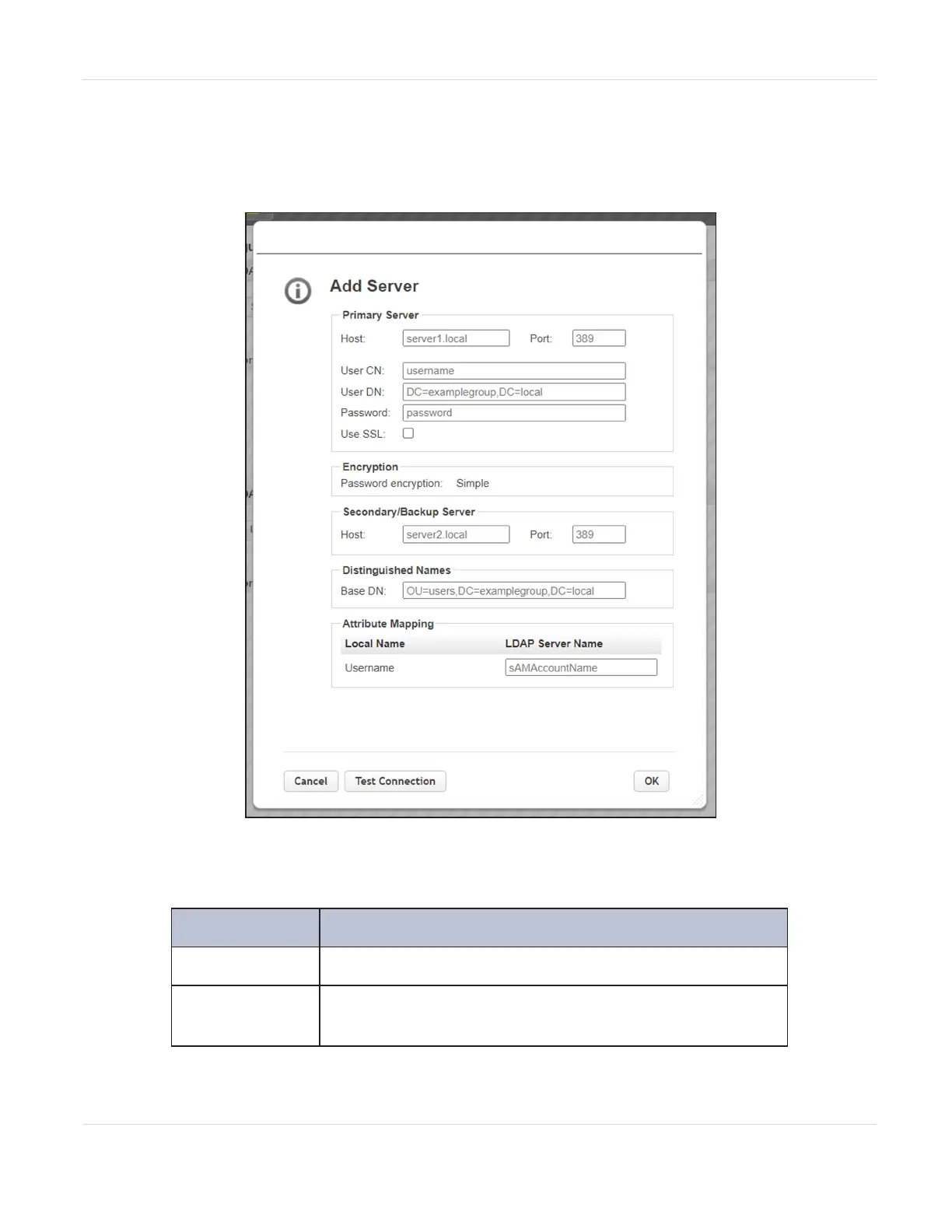
To add an LDAP server, click Add Server, the Add Server dialog box displays.
Figure46 The LDAP Add Server dialog box.
1. Enter the information for the primary server.
Field Description
Host
The IP address for the LDAP server.
Port
The port on which to communicate with the host. The
default is 389.
JANUARY 2023 100
SPECTRA STACK LIBRARY
USER GUIDE
CHAPTER 3 - CONFIGURING THE LIBRARY



 To Next Page