CONFIGURING SNMP
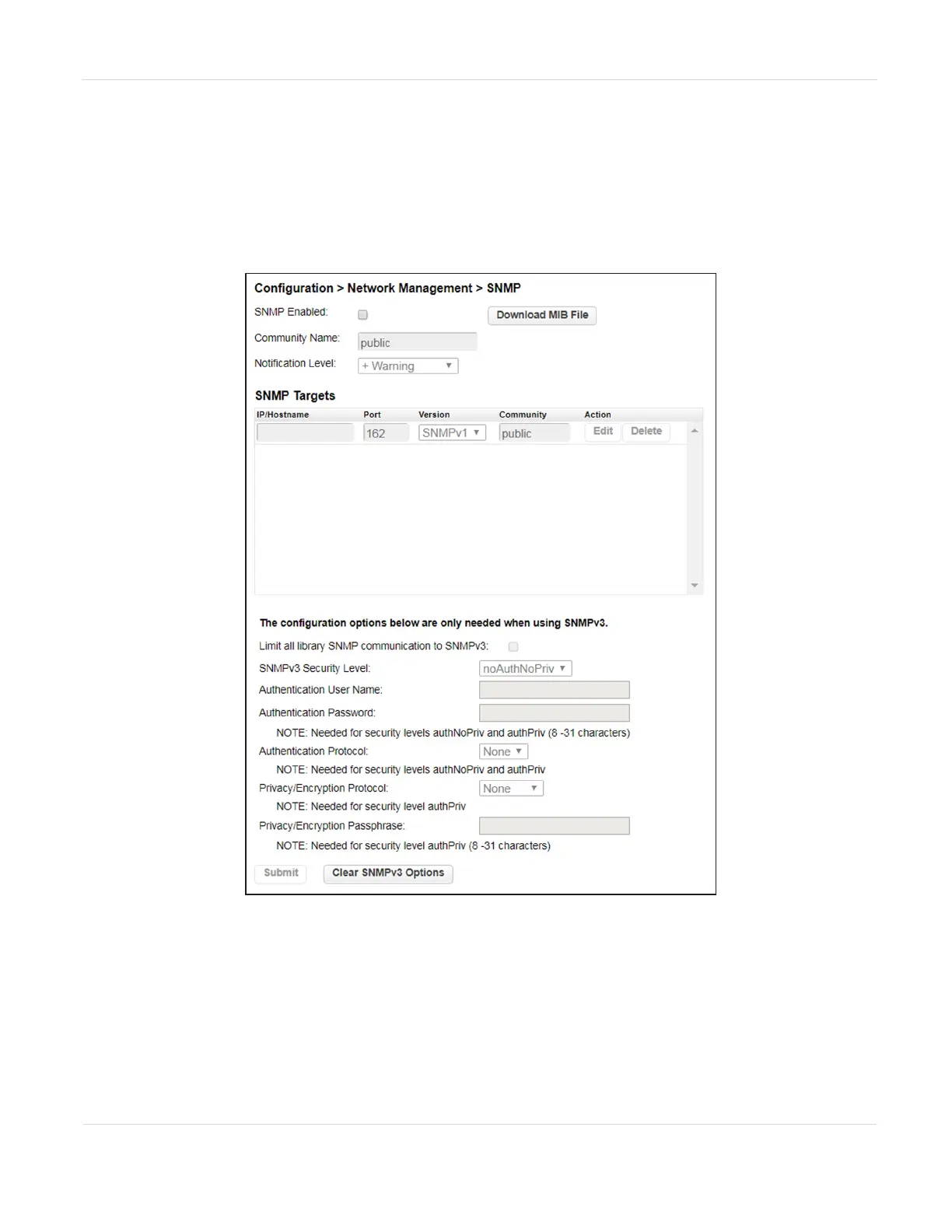
Use the Configuration > Network Management screen to enable and configure SNMP
(Simple Network Management Protocol), which allows applications to monitor the
library. The library supports both SNMP configuration and SNMP traps.
Figure26 The SNMP screen.
1. Select the SNMP Enabled check box to enable SNMP. When selected, the
configuration entry fields become accessible.
JANUARY 2023 76
SPECTRA STACK LIBRARY
USER GUIDE
CHAPTER 3 - CONFIGURING THE LIBRARY



 To Next Page