USING THE LIBRARY MAIN SCREEN
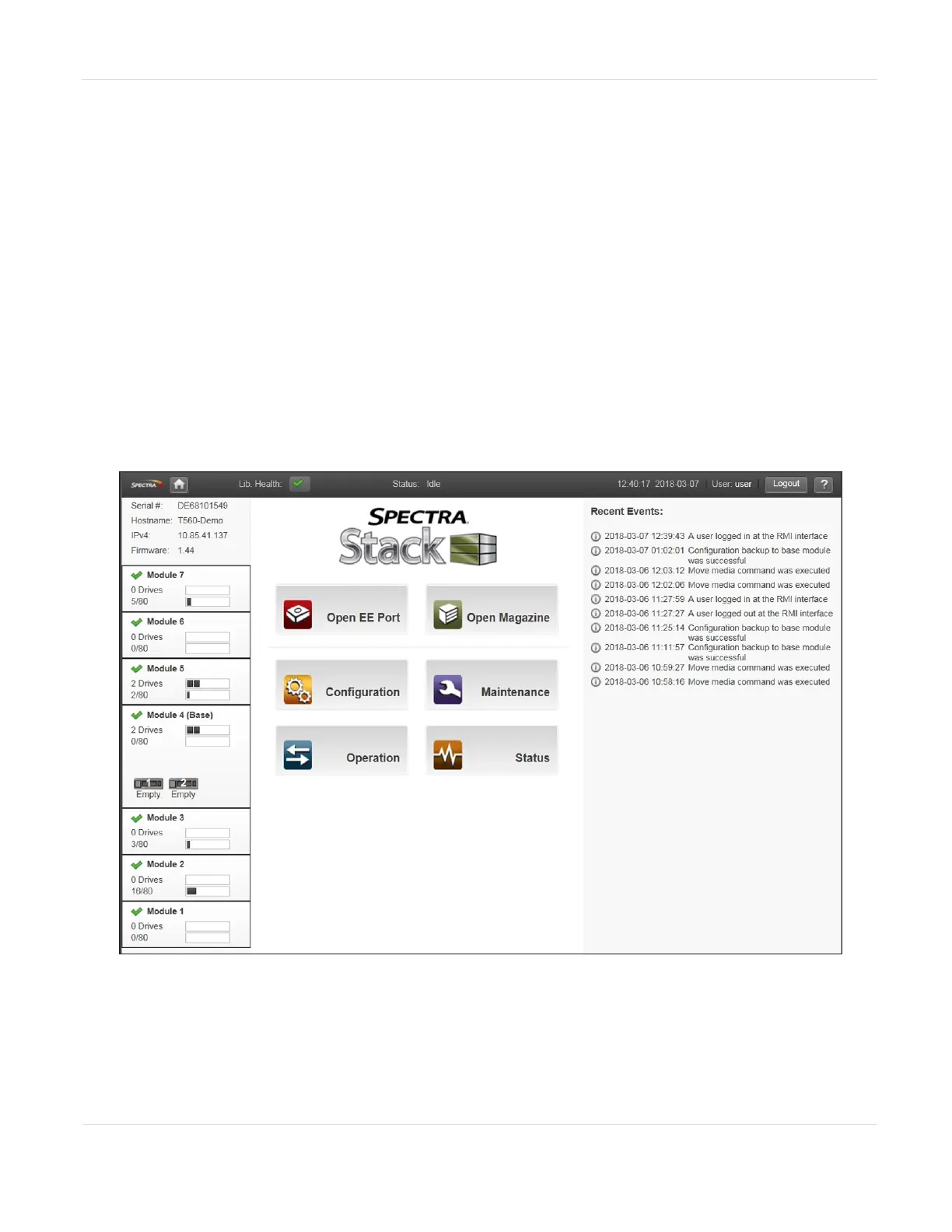
The library main screen is organized into the following regions:
• Top Banner - Contains the home button and displays the overall library status and
information about the library and the current user. See Top Banner Elements on
the next page.
• Left Pane - Displays the library identity and all module statuses. See Left Pane
Elements on page54.
• Right Pane - (RMI only) Displays a log of recent events or a navigation menu after
clicking one of the center buttons. See Right Pane Elements on page56.
• Center Pane - Provides access to operate and configure the library, and to view
additional status information. See Center Pane Elements on page56.
Figure10 Spectra Stack main screen.
JANUARY 2023 52
SPECTRA STACK LIBRARY
USER GUIDE
CHAPTER 2 - USING THE BLUEVISION INTERFACE



 To Next Page