Import the Required Key Into the Library
If the encryption key required for a specific set of encrypted data is not present in the
library, the library prompts you with the moniker of the key that is required to
decrypt the data. Use the key moniker to identify the required encryption key and
then import the key into the library as described in this section. After you assign the
imported key to the partition containing the encrypted cartridge, the data on the
cartridge is decrypted when read from tape.
IMPORTANT
In addition to the file containing the exported key, you need the key
password in order to import the key into the library. Without the key
password, you are not able to import the encryption key.
Note: If an encryption key is already stored in the library, you must first delete that key as
described in Deleting an Encryption Key from the Library on page135. You can then
import another key.
Use the following steps to import a key from the RMI or a USB device:
1. If you are importing the key from a USB device, plug the USB device containing
the exported encryption key you want to import into the Controller Module.
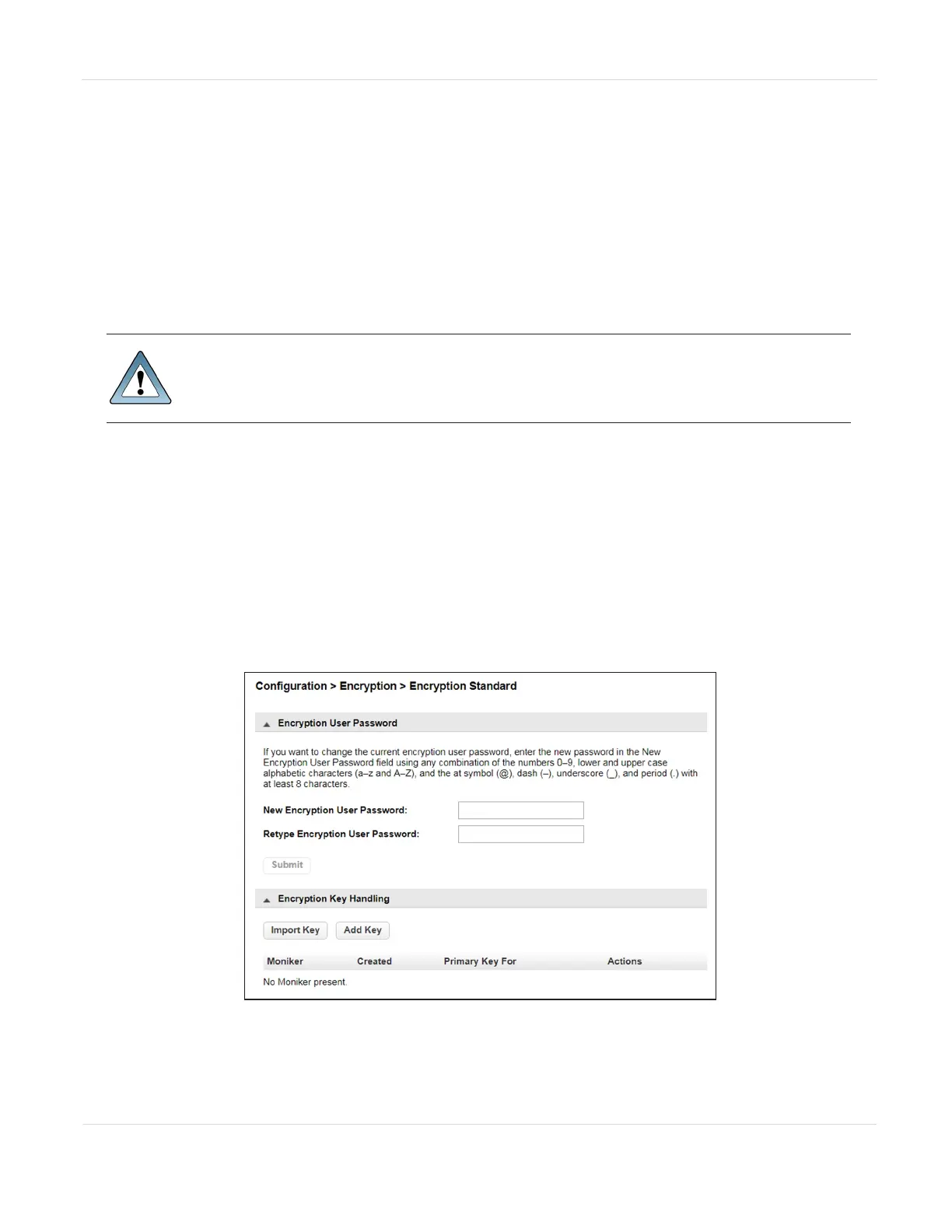
2. Access the encryption feature (see Log Into Encryption Standard on page119).
The Configuration > Encryption > Encryption Standard screen displays.
Figure75 The Encryption Standard screen.
JANUARY 2023 133
SPECTRA STACK LIBRARY
USER GUIDE
CHAPTER 3 - CONFIGURING AND USING ENCRYPTION



 To Next Page