VIEWING ENCRYPTION STATUS
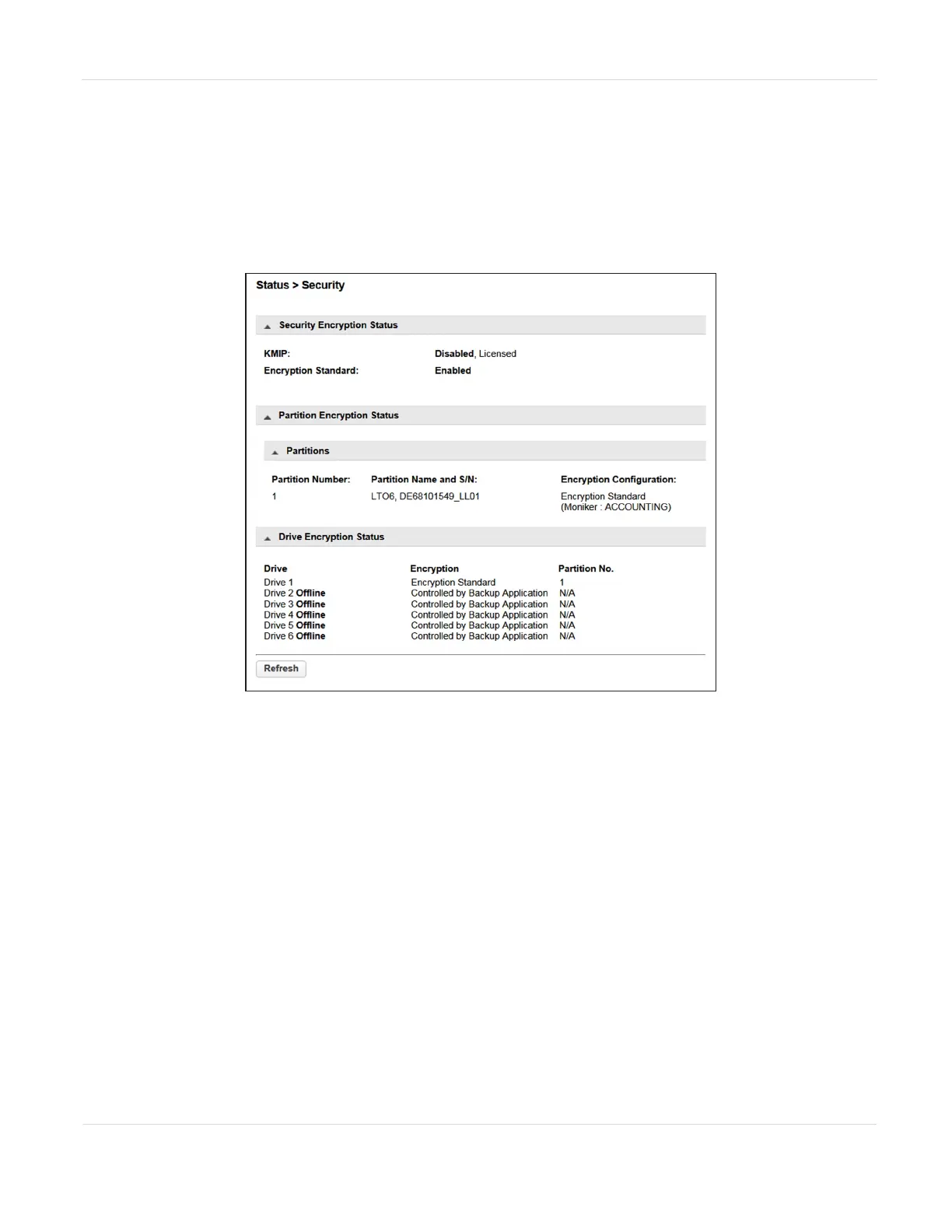
Navigate to the Status > Security screen to see the status of any key management
servers configured for use with the library, as well as the encryption status of the tape
drives and partitions.
Figure99 The Status > Security screen.
The Security Encryption Status pane shows what types of encryption are available in
the library, and whether each type is enabled or disabled.
The Partition Encryption Status pane shows what type of encryption is used by each
partition and configured Monikers or KMIP servers as applicable. Click Connectivity
Check (not shown) to initiate a KMIP server connectivity check.
The Drive Encryption Status pane shows whether a drive is configured to encrypt
data using an Encryption Standard key or a key from the KMIP key server configured
for the drive’s partition.
JANUARY 2023 168
SPECTRA STACK LIBRARY
USER GUIDE
CHAPTER 5 - VIEWING LIBRARY STATUS



 To Next Page