Configure Local User Accounts
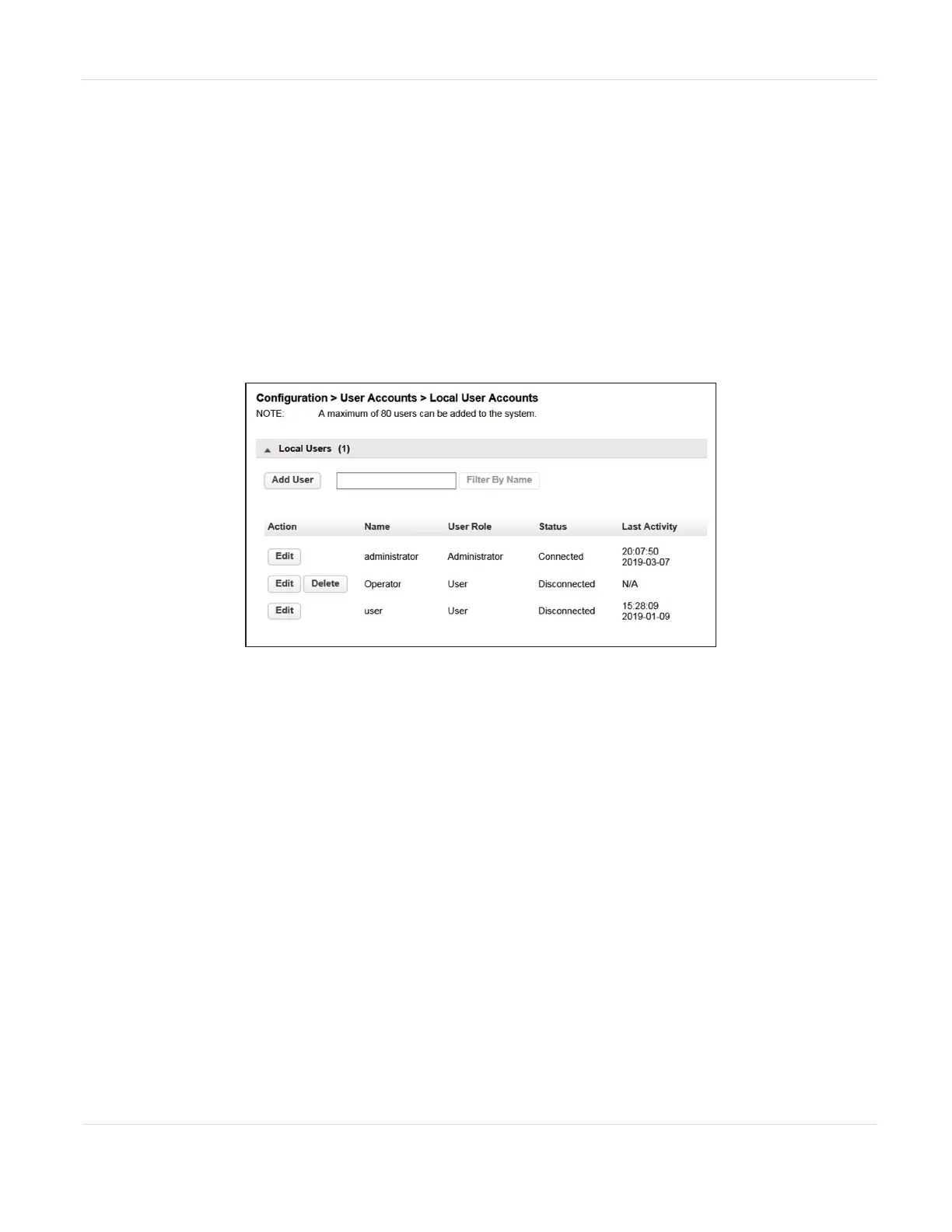
From the Configuration > User Accounts > Local User Accounts screen you can add
local users or set a new password for the user, administrator, or security accounts.
Notes: l An Administrator user can add a user or change the password for a user with
an administrator or user role.
l A Security user can add a security user or change the password for a security
user.
l A user with the user role cannot access this screen.
Figure42 The Local User Accounts screen (Administrator
logged in).
Change Passwords
1. Click Edit next to the user for which you want to change the password. The
Modify User Password dialog box displays.
Notes: l A password is not required for the default user account.
l The library initially has a null administrator password. A password must be set
using the OCP before the Administrator can access the library from the RMI.
Once the Administrator password has been set from the OCP, it can be
changed by the Administrator user from either the OCP or RMI.
l The default password for the Security user is security. The password must be
modified using the OCP before the Security user can access the library from
the RMI. Once the Security password has been set from the OCP, it can be
changed by the Security user from either the OCP or RMI.
JANUARY 2023 97
SPECTRA STACK LIBRARY
USER GUIDE
CHAPTER 3 - CONFIGURING THE LIBRARY



 To Next Page