Disabling Encryption in a Partition
How you disable encryption in a partition depends on whether you are a security
user or an administrator user with permissions to configure partition encryption using
the Expert Partition Wizard.
Note: All of the partitions in the library go offline while partitions are configured. Ensure
that host operations for all partitions are idle before running the partition wizard.
Security User
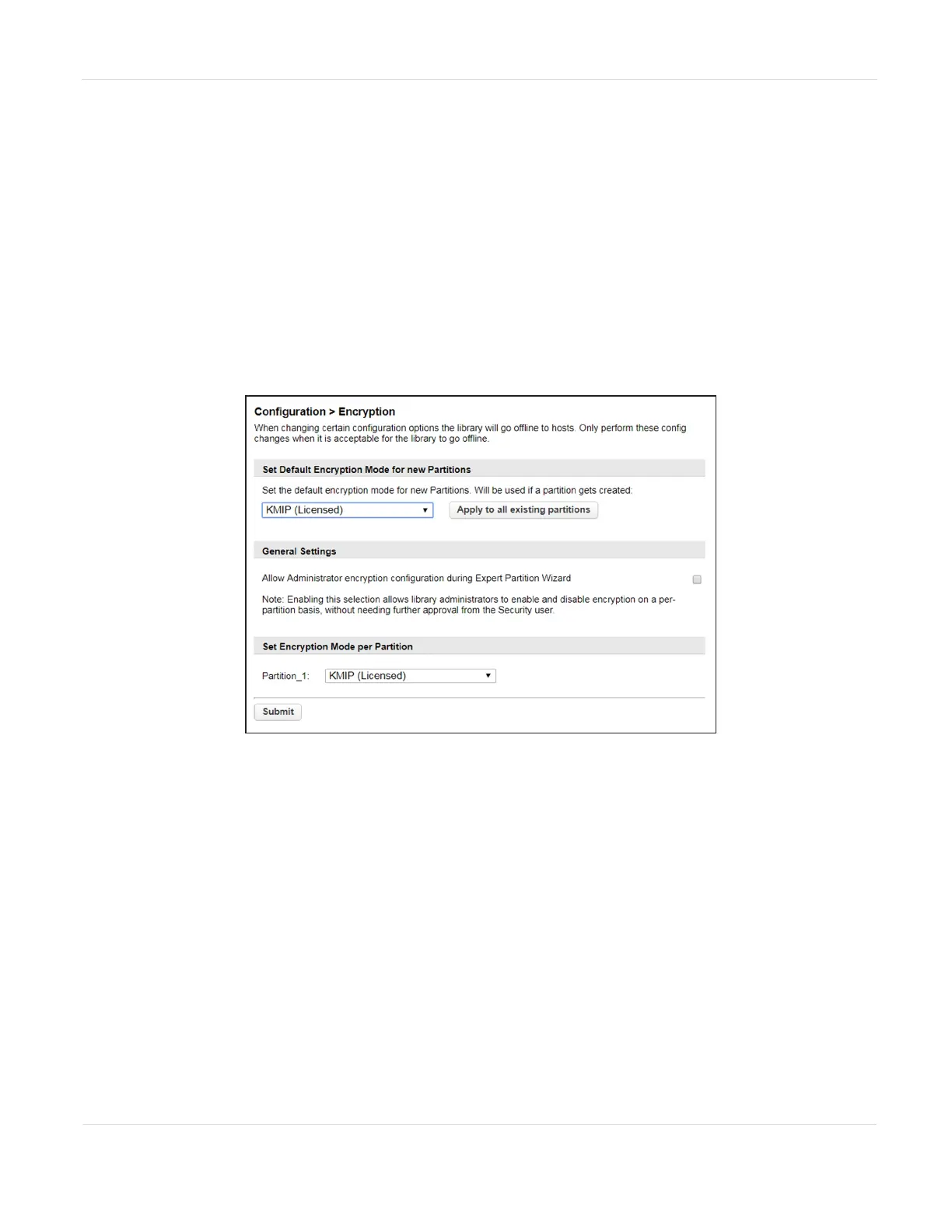
1. Navigate to Configuration > Encryption to access the main encryption screen.
Figure80 The Encryption screen.
2. In the Set Encryption per Partition pane, select Controlled by Backup
Application next to the partition for which you want to disable encryption and
click Submit. The partition is updated.
—OR—
If you want to disable encryption in all partitions, select Controlled by Backup
Application as the default encryption mode, click Apply to all existing
partitions, and click Submit.
JANUARY 2023 137
SPECTRA STACK LIBRARY
USER GUIDE
CHAPTER 3 - CONFIGURING AND USING ENCRYPTION



 To Next Page