Setting the Time Zone
1. On the Date and Time Format screen, if necessary, click Time Zone to expand
the section.
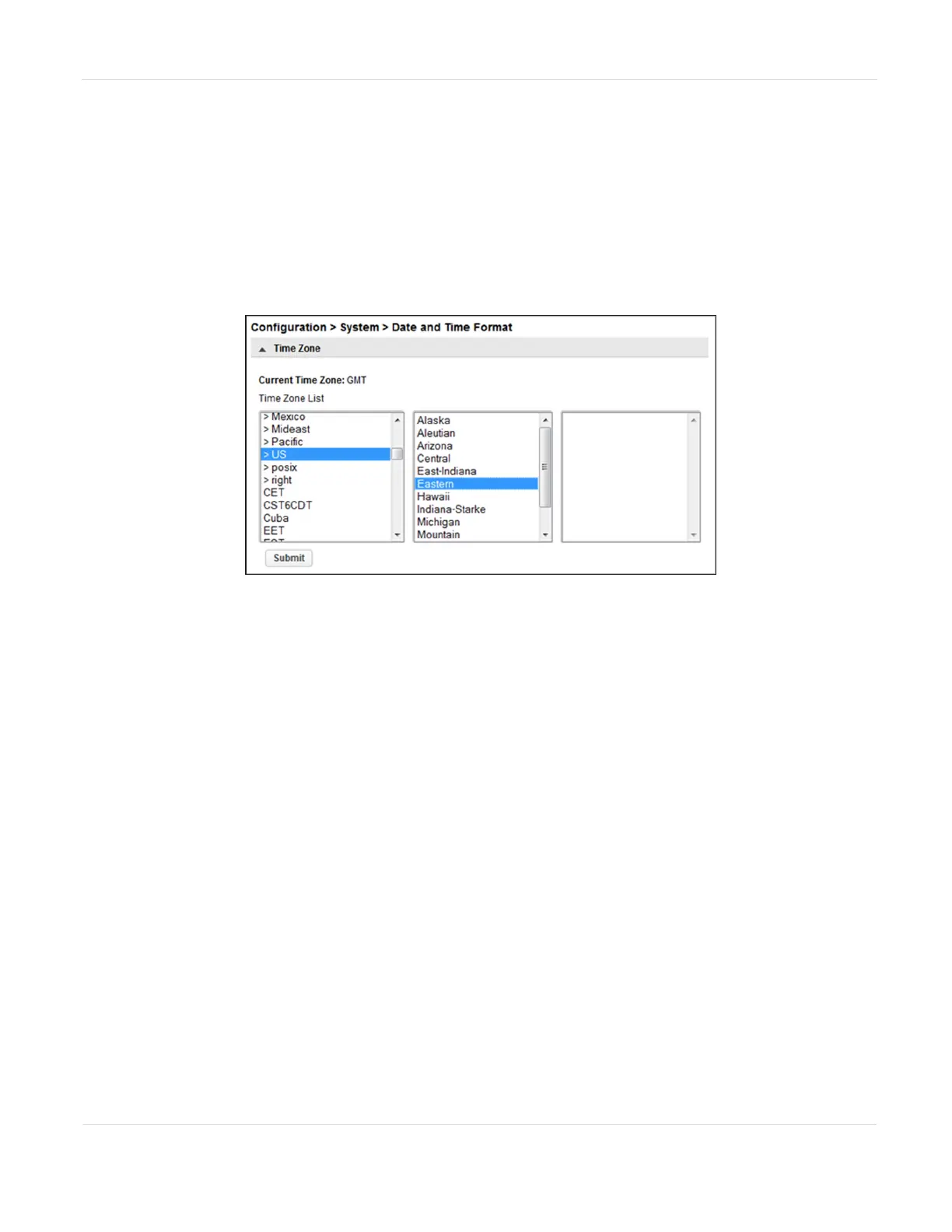
A list of continents, countries, and regions is displayed. When an item
proceeded with '>', for example ‘>US’, is selected, a submenu is displayed in the
next column.
Figure16 Select the time zone.
2. Expand the time zone list, as necessary, until a location with the appropriate
time zone is visible.
3. Select a location with the appropriate time zone.
4. Click Submit.
JANUARY 2023 66
SPECTRA STACK LIBRARY
USER GUIDE
CHAPTER 3 - CONFIGURING THE LIBRARY



 To Next Page