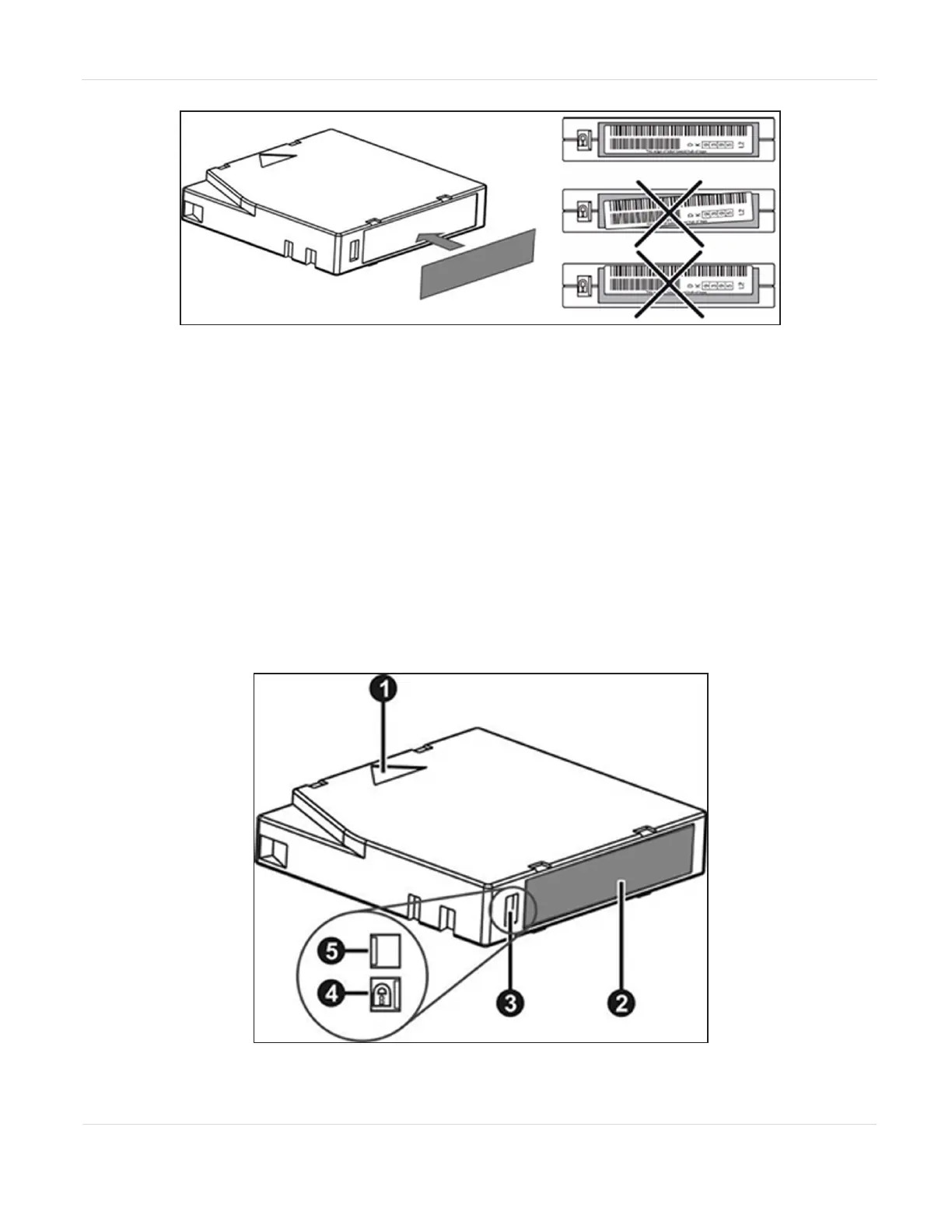
Figure7 Tape cartridge barcode location.
Note: For detailed information on tape barcode specifications, see Barcode Label
Specifications on page273.
Write Protecting Tape Cartridges
All rewriteable data cartridges have a write-protect switch to prevent accidental
erasure or overwriting of data. Before loading a cartridge into the library, make sure
the write-protect switch on the front of the cartridge is in the desired position.
• Slide the switch to the left to allow the drives to write data to the cartridge.
• Slide the switch to the right to write-protect the cartridge. An indicator, such as a
red mark or small padlock, is visible showing that the cartridge is write-protected.
Figure8 Tape cartridge features.
JANUARY 2023 45
SPECTRA STACK LIBRARY
USER GUIDE
CHAPTER 1 - PRODUCT OVERVIEW



 To Next Page