VIEWING DRIVE STATUS
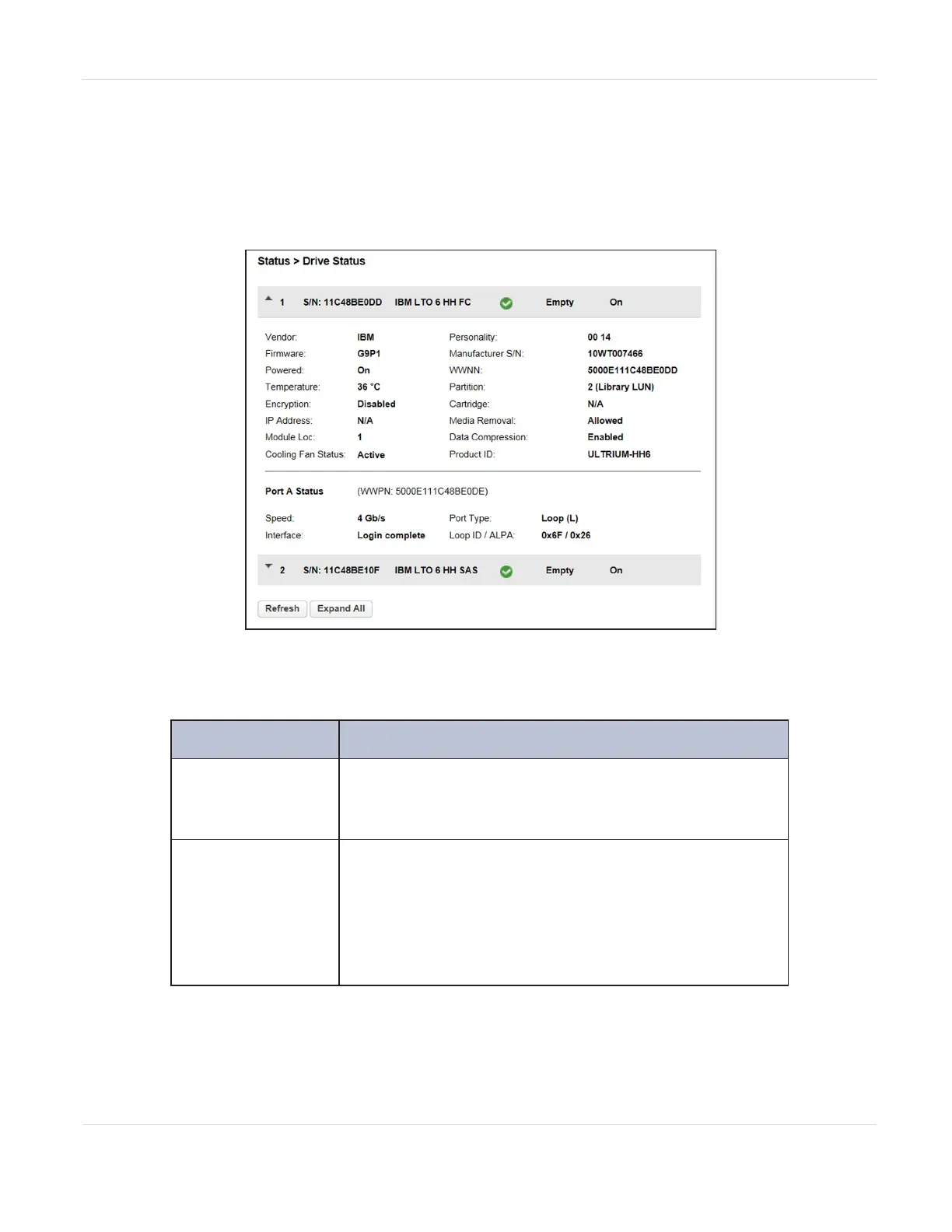
In the Status > Drive Status screen you can see the configuration and status of each
drive installed in the library.
Figure97 The Drive Status screen.
In the Drive Status screen you can see:
Field Description
#
The drive number. Drives are numbered logically from
the bottom of the library up to the top beginning with
“1”.
S/N
The serial number assigned to the tape drive by the
library. This serial number is reported to host
applications. The serial number cannot be modified.
Note: This is not the serial number assigned to the drive
by the manufacturer; the serial number assigned by the
manufacturer is shown in Manufacturer S/N.
JANUARY 2023 162
SPECTRA STACK LIBRARY
USER GUIDE
CHAPTER 5 - VIEWING LIBRARY STATUS



 To Next Page