5. Click OK to close the message. The Open Magazine screen shows that the
magazine is now unlocked. Close the magazine access door after reinserting a
magazine.
Note: If not removed, the magazines and the EE port relocks after 30 seconds.
Using the Manual Release
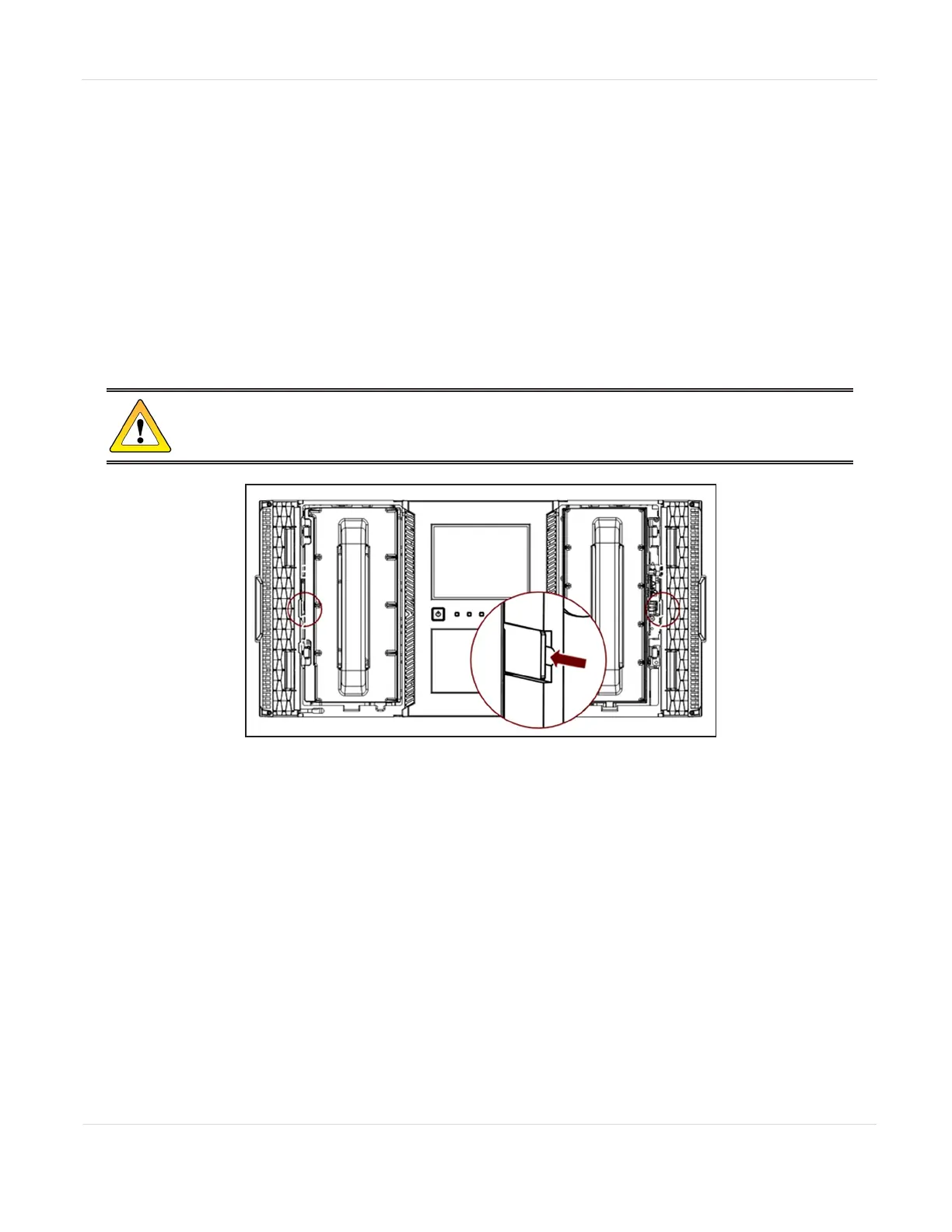
1. Open the magazine access door.
2. Insert a small flat head screwdriver or Torx driver into the appropriate
magazine release hole and gently push the tab in.
CAUTION
Do not exert force once you encounter resistance. Doing so can damage the device.
Figure132 The magazine release.
3. Close the magazine access door after reinserting a magazine.
UNLOADING A STUCK TAPE
If a tape is stuck in a tape drive, eject the tape from the drive from the Operation >
Force Drive Media Eject screen.
If a tape is stuck in a magazine, open the magazine (see Unlocking the Magazine on
the previous page), grasp the cartridge, and pull it out of the storage slot.
JANUARY 2023 225
SPECTRA STACK LIBRARY
USER GUIDE
CHAPTER 8 - LIBRARY TROUBLESHOOTING



 To Next Page