USING PARTITION MAP GRAPHICAL VIEW
To see the elements organized by logical library or partition, navigate to Status >
Partition Map > Graphical View.
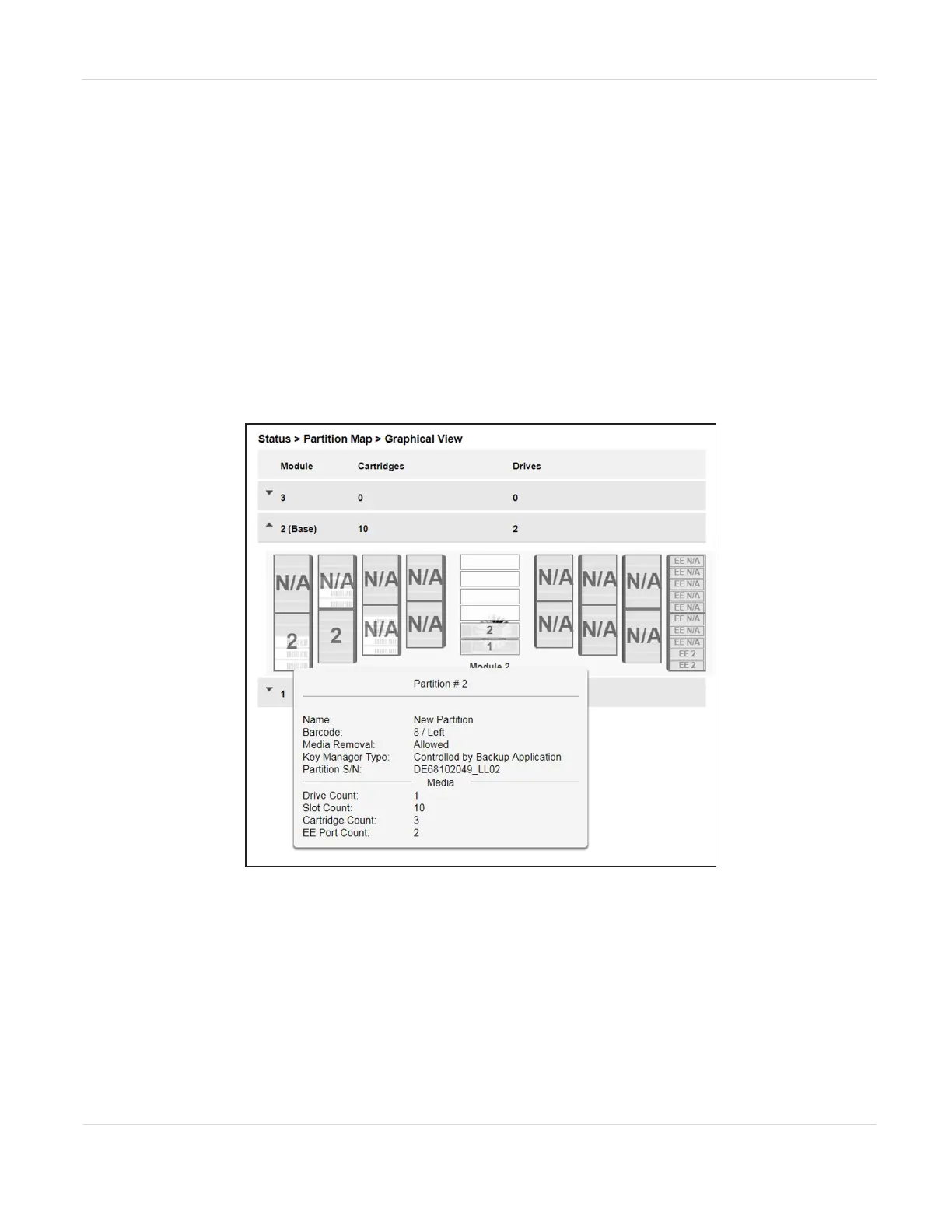
For each module, the graphical view of the partition map, from left to right, displays
the left magazine banks from front to back, the drives in the module, and the right
magazine banks from back to front. Storage slots display in groups of five. If the EE
port in the module is enabled, the right most bank displays single slots with slot
numbers preceded by the letters “EE”. If an element is configured in a partition, the
partition number displays on the element. To determine the partition name associated
with the partition number, move the mouse over the partition number.
Figure95 The Partition Map Graphical View screen.
Moving the mouse over a partition or drive displays additional information in a pop-
up window:
JANUARY 2023 158
SPECTRA STACK LIBRARY
USER GUIDE
CHAPTER 5 - VIEWING LIBRARY STATUS



 To Next Page