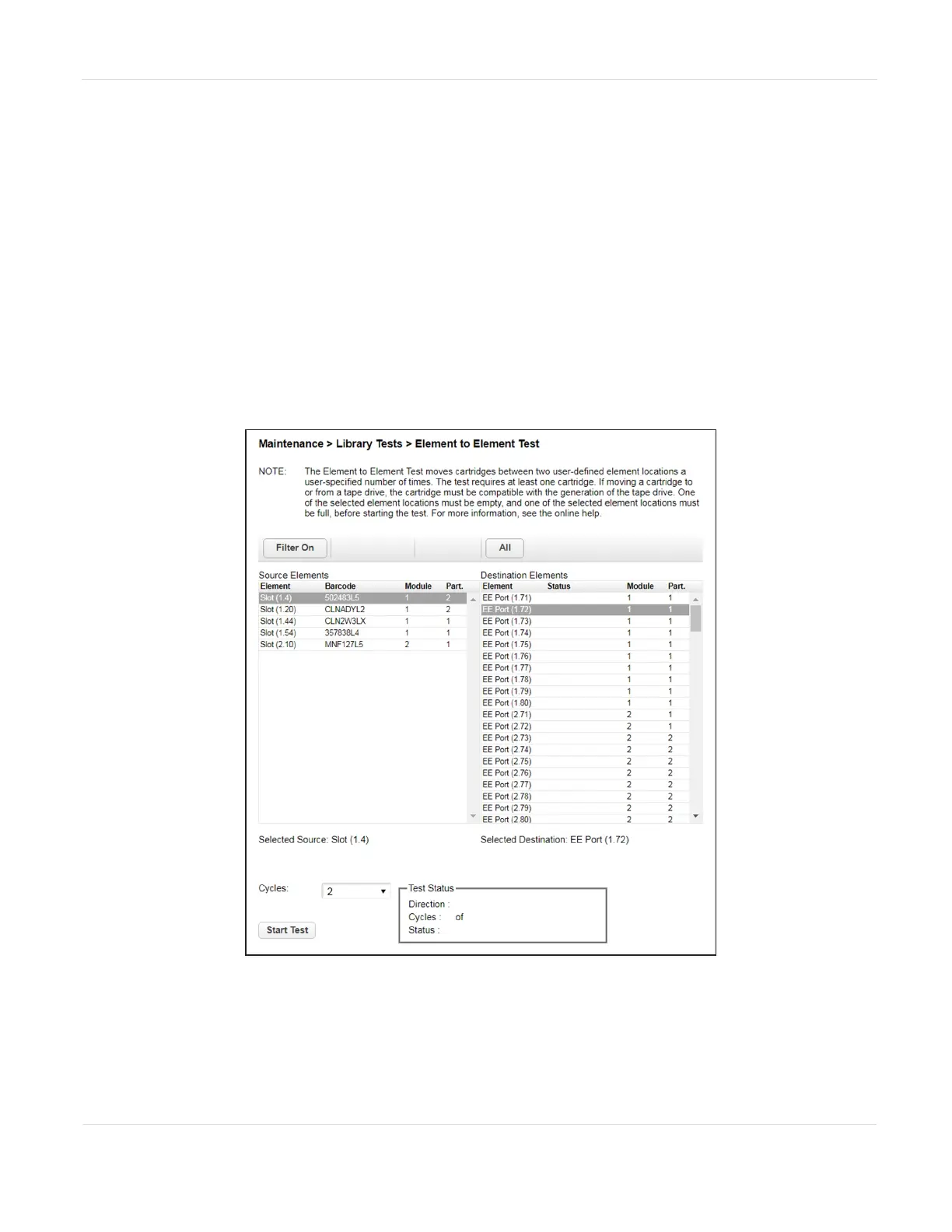
Element to Element Test
The element to element test moves a selected cartridge to a selected slot or tape drive,
and then returns it to the original slot. If the selected destination is a tape drive, the
tape is loaded and unloaded before it is returned. You can select the number of times
to move the selected cartridge to the destination location and back.
The element to element test is intended to show that the library is operating correctly.
To diagnose problems with the robotic assembly or verify that it has been correctly
replaced, use the Robotics Test on page194.
To run the element test:
1. Navigate to the Maintenance > Library Tests > Element to Element Test screen.
Figure107 The Slot to Slot Test screen.
JANUARY 2023 190
SPECTRA STACK LIBRARY
USER GUIDE
CHAPTER 7 - MAINTAINING THE LIBRARY



 To Next Page