CONFIGURING THE LIBRARY NETWORK SETTINGS
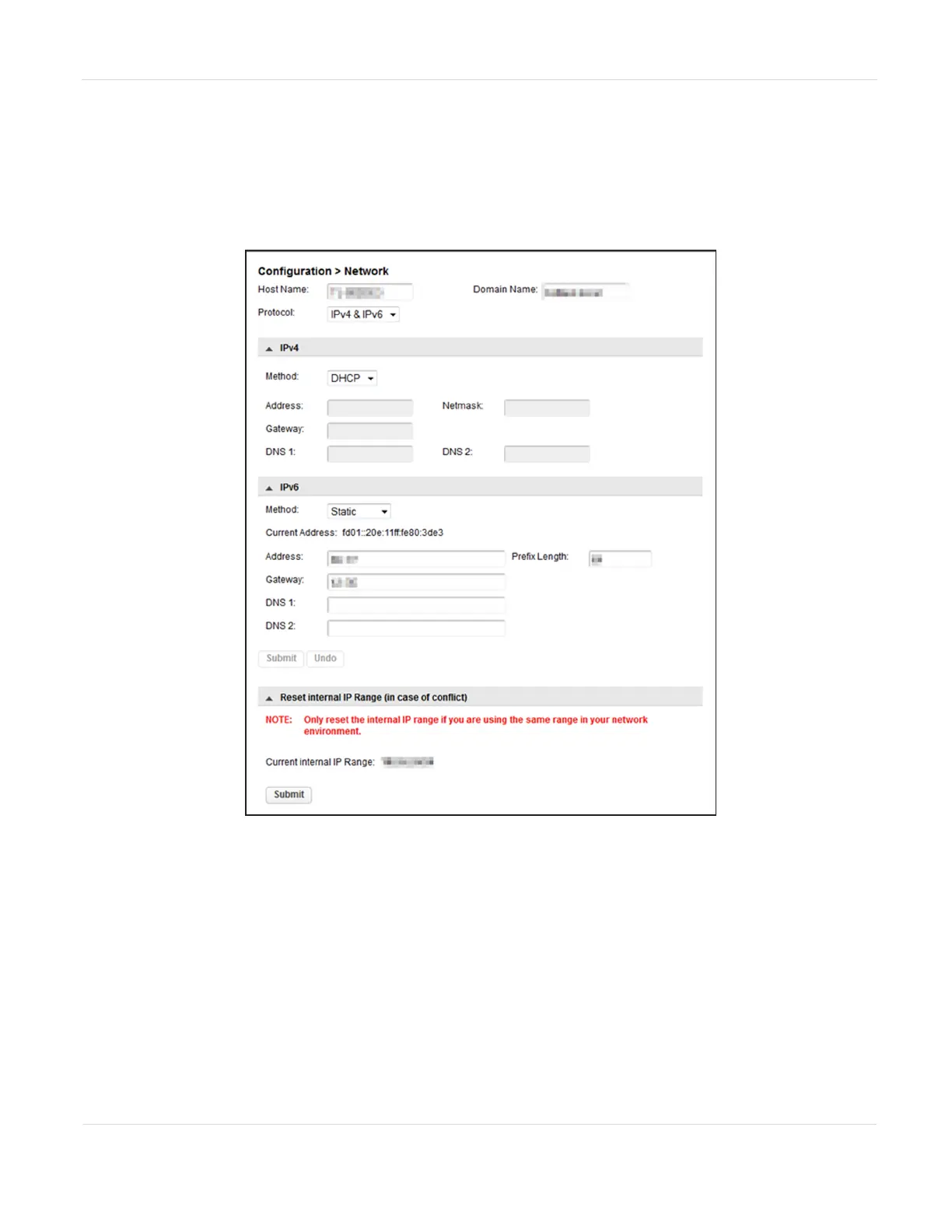
You can configure the library network settings from the Configuration > Network
screen.
Figure23 The Configuration > Network screen.
Note: It may be helpful to have your System Administrator assist you in configuring the
network settings.
1. If desired, enter a new Host Name.
2. If desired, enter a Domain Name.
JANUARY 2023 72
SPECTRA STACK LIBRARY
USER GUIDE
CHAPTER 3 - CONFIGURING THE LIBRARY



 To Next Page