3. Enter a name for the encryption key in the Moniker field. Make sure that the
moniker meets the following requirements:
• A moniker can be any combination of the numbers 0–9, lower and upper case
alphabetic characters (a–z and A–Z), and the at symbol (@), dash (–),
underscore (_), and period (.) characters, with a maximum of 32 characters. To
improve readability, use an underscore to separate words. Do not use any
space characters.
• Each moniker must be a unique string of characters not used for any other
encryption key.
• Recommended—Make a habit of using a single case (all upper or all lower) for
monikers. After the encryption key is created and exported, the library ignores
the case used in the moniker.
• For example, the library interprets Spectra1, spectra1, and SPECTRA1 as the
same moniker when importing a key. However, the key generated by each
variation is unique.
CAUTION
If you create two monikers that are identical except for case, you are not able to
retrieve your data after importing or creating a key using a different variation of
the moniker.
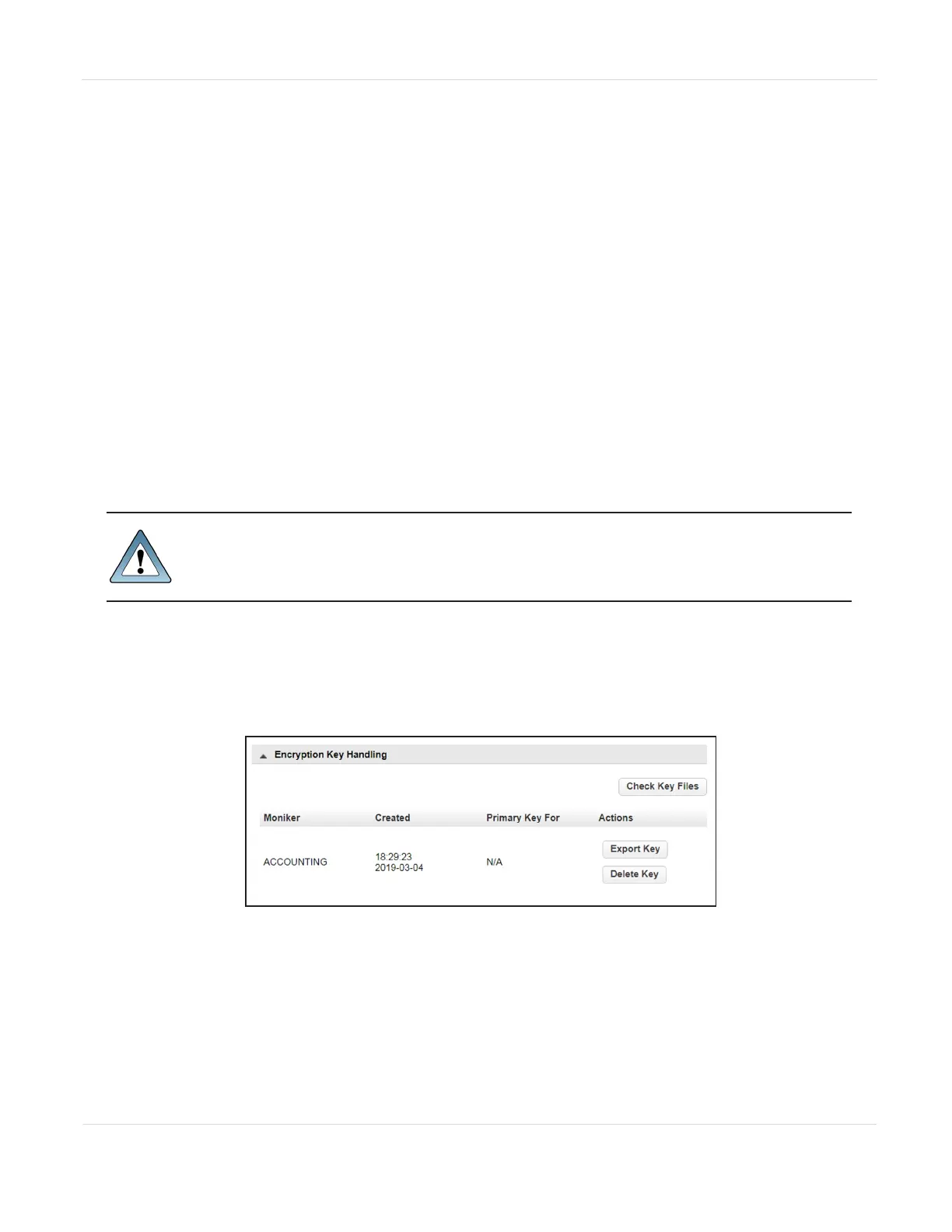
4. Click Submit. The Configuration > Encryption > Encryption Standard screen
displays showing the moniker for the newly created encryption key.
Note: If the key is not yet assigned to a partition, N/A displays in the Primary Key For
column.
Figure70 The new encryption key is listed in the
Encryption Key Handling pane.
JANUARY 2023 121
SPECTRA STACK LIBRARY
USER GUIDE
CHAPTER 3 - CONFIGURING AND USING ENCRYPTION



 To Next Page