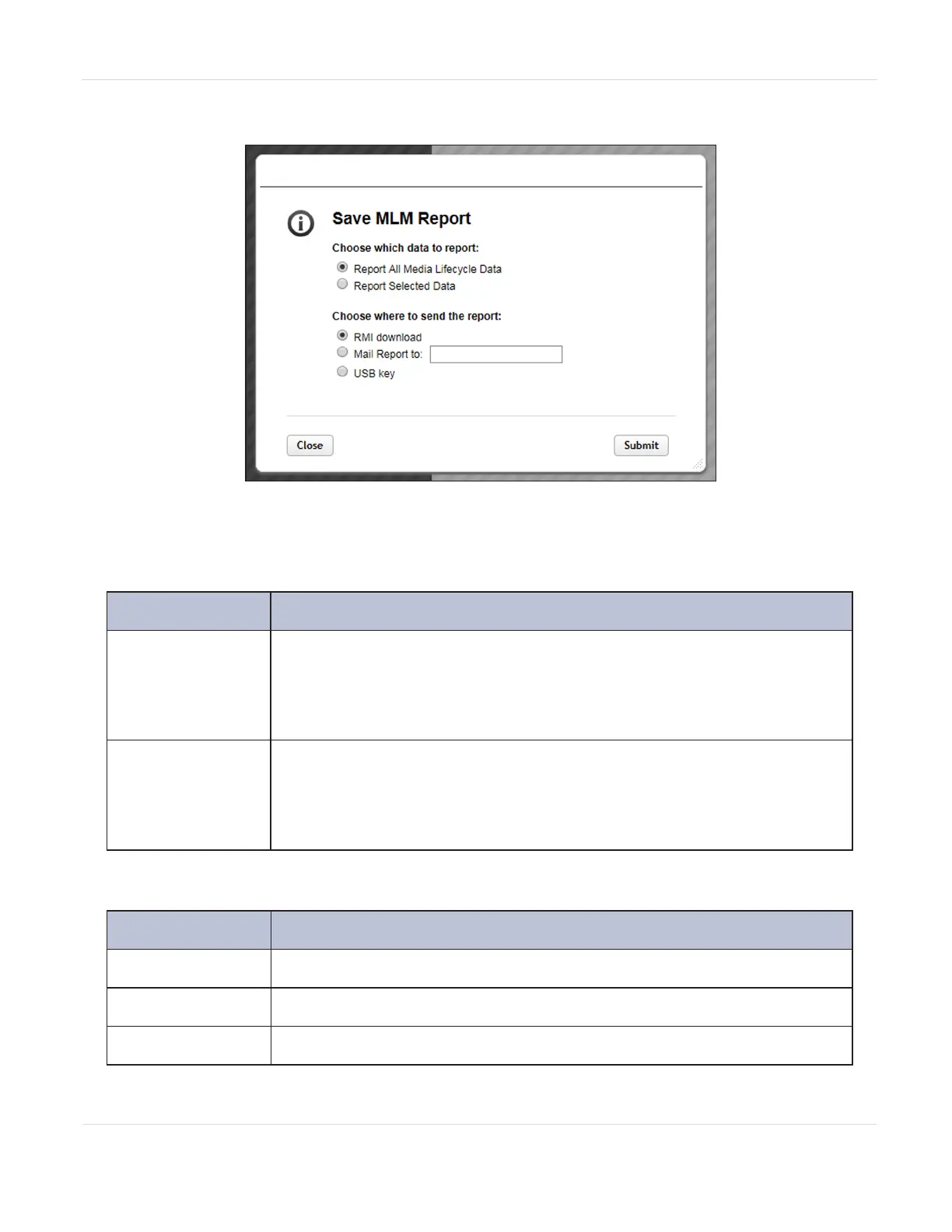
3. Click Save to display the Save MLM Report screen.
Figure102 Select the desired options on the Save MLM
Report screen.
4. Select the data to include in the saved report.
This option... Saves...
Report All Media
Lifecycle Data
A report containing all of the available detailed MLM data for MLM-
enabled media in the total library.
Note: Depending on the number of cartridges in the selected location, this
report can be quite large.
Report Selected
Data
Only the fields displayed in the report that you selected on the MLM
Reports screen (Figure100 on page177).
Note: The headings in the saved report reflect the fields displayed in the
report you selected in the MLM Reports screen.
5. Select how you want the report saved
Selection Destination
RMI download
Download the report to your host computer.
Mail Report to
Enter an email address to which the report is sent.
USB key
Save the report to the USB device.
JANUARY 2023 181
SPECTRA STACK LIBRARY
USER GUIDE
CHAPTER 6 - CONFIGURING AND USING MEDIA LIFECYCLE MANAGEMENT



 To Next Page