SVAN 948 USER MANUAL _
5 - 40
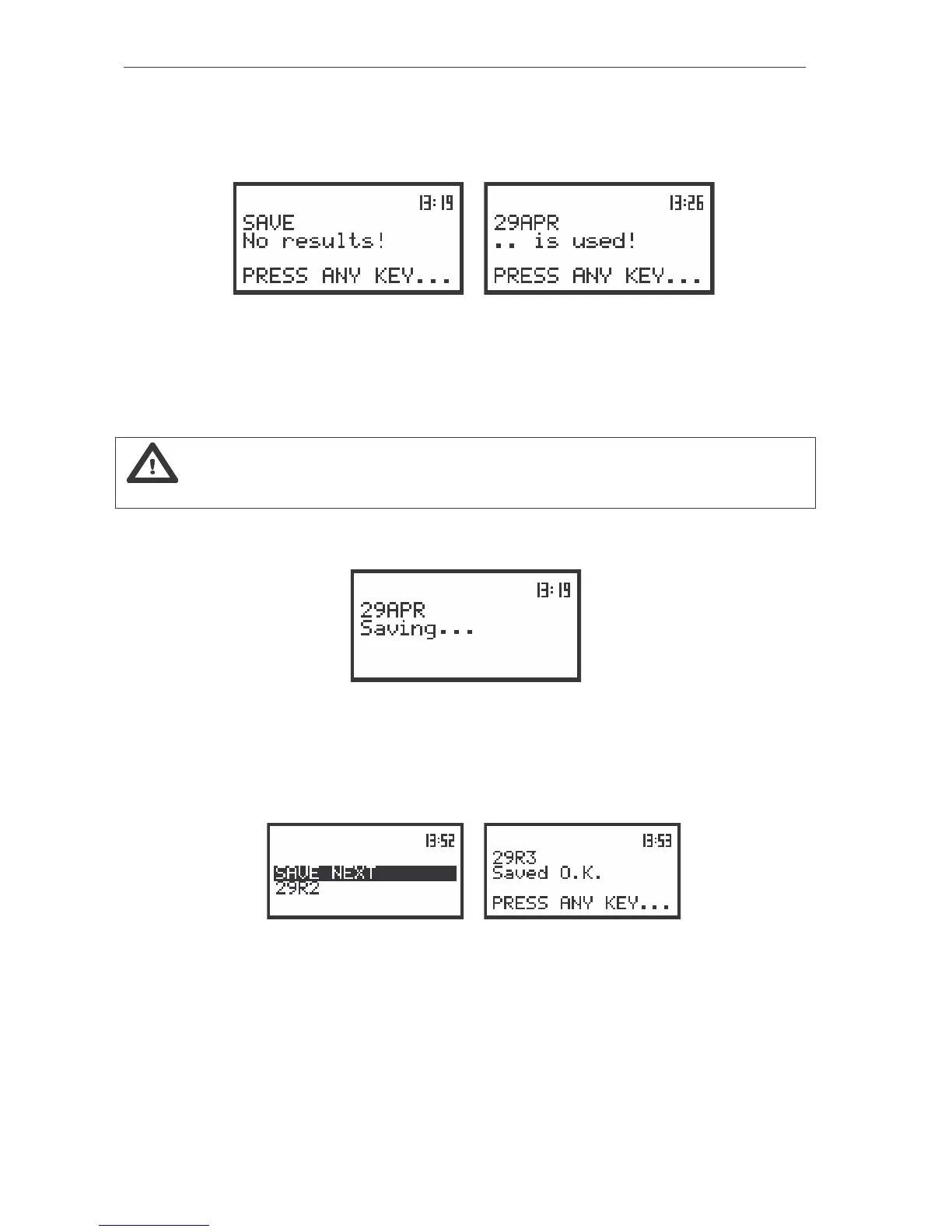
performed and there are no results to be saved. The operation can not be done also in a case when the
file of the selected name already exists in the instrument’s memory (Fig. b). The instrument then waits for
the reaction of the user (any push-button should be pressed except the <SHIFT> one) and after pressing
a push-button it returns to the SAVE position.
a)
b)
The view of the displays after the SAVE operation when the results for storing are not available (a) and the
file with the selected name already exists in the instrument’s memory (b)
The data are saved in the file with the name increased by one in relation to the name displayed
after SAVE NEXT text after pressing the <ENTER> push-button (if the instrument is not measuring and
there are the results to be stored).
Notice: In the SAVE NEXT function it is possible to save a file (pressing the <ENTER> push-
button) skipping the full or simplified edition of the file’s name.
The following message containing the name of the file and the operation performed is displayed
during the file’s saving:
The view of the display during the execution of the SAVE operation
Another message is displayed after successful saving of the file in the memory and then the
instrument waits for the reaction of the user (any push-button should be pressed except the <SHIFT>) and
after pressing a push-button it returns to the FILE list. The assumptive file’s name is displayed after
repeated enter to the SAVE position of the FILE list (after pressing the <ENTER> push-button).
a)
b)
The displays with the SAVE NEXT function (a); after saving the file with the increased name (b) and after
repeated enter to the SAVE NEXT function (c)
It is not possible to store the data in the file, which already exists, when the REPLACE position is
not active ([ ]). The presented below message is displayed after pressing the <ENTER> push-button in
the case when during the name edition process the user selected the name which was used before. The
instrument then waits for the reaction of the user (any push-button should be pressed except the <SHIFT>
one) and after pressing a push-button it returns to the FILE list.



 To Next Page