SVAN 948 USER MANUAL .
3 - 24
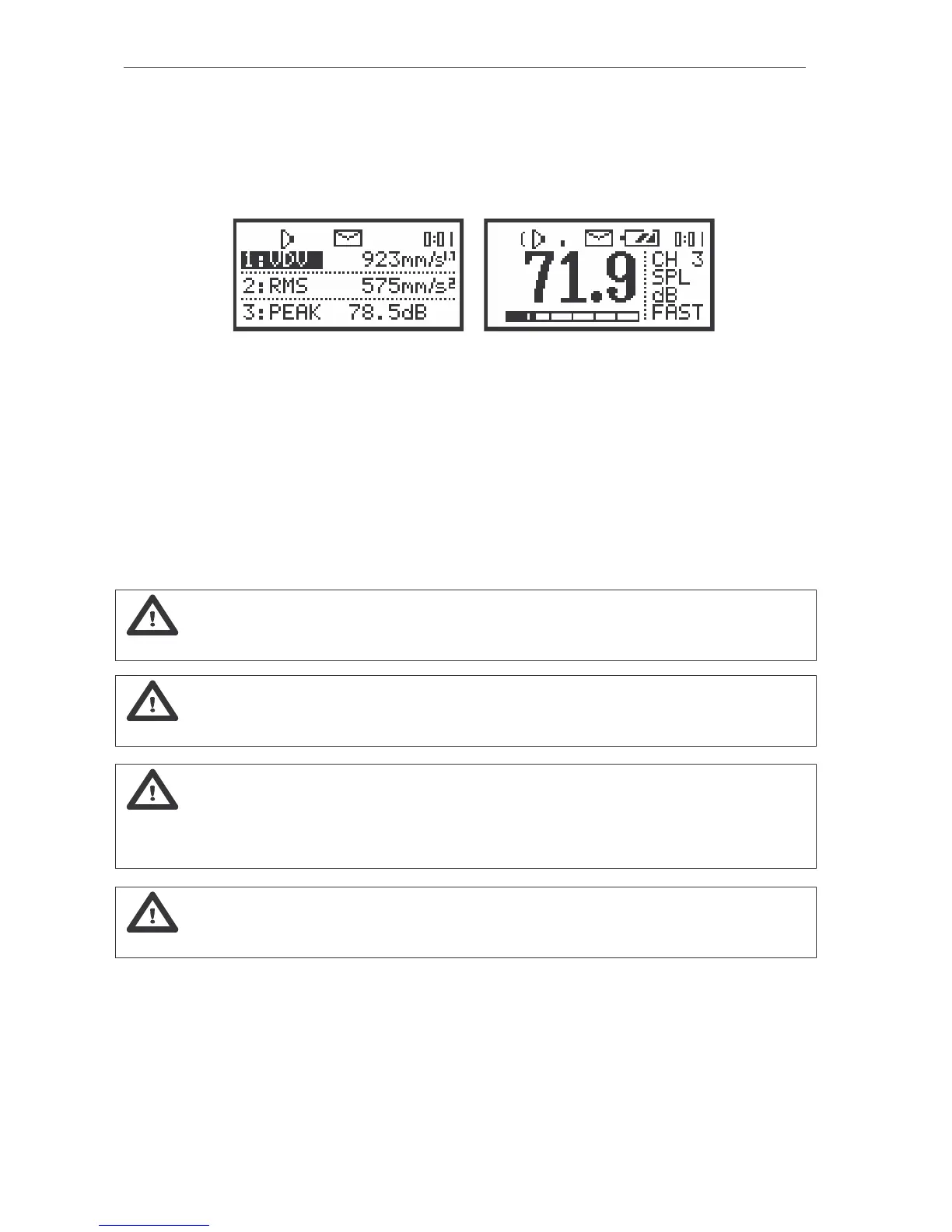
- “Envelope” icon is presented when the current measurement results are logged in the instrument’s
buffer. Together with this icon the “Loudspeaker” icon is always displayed. In the case when the
“Envelope” icon starts flashing, it means that the whole buffer of the instrument is filled. The new
measurement result is not saved in it. If the user wants to save these results, he has to execute first the
CLEAR BUFFER function from the FILE list which removes from the buffer memory all saved there
results.
a)
b)
The view of the display with the icons: “Envelope” and with internal real time clock (a); “Battery” (b)
- “Battery” icon corresponds to the internal battery state.
- “Clock” icon displays the internal clock state (the current time) when the colon is flashing or the current
time of the measurement (set in the INT. TIME). In the latter case the colon is displayed without flashing.
The current time of the measurement is displayed after the start of the measurement and is shown also
during its pausing (after pressing the <PAUSE> push-button). In the case of the cutting off the last
results (cf. the <PAUSE> push button description) the indicator is also updated. When the 2nd Func.
mode is selected (cf. the description of the SHIFT MODE sub-list of the SETUP list) instead of the clock
the text 2n dF is flashing. This flashing lasts from the pressing of the <SHIFT> push button till the
pressing of any other one.
Notice: The time of the measurement is displayed in minutes and seconds in the range
from 1 sec. to 39 minutes and 59 seconds. After this limit the hours and minutes are shown (i.e. 00:40).
Notice: In all modes of the instrument the “Clock” icons are always displayed on the
display.
Notice: In SVAN 948 “Battery’ Icon is displayed if we use an internal battery device (4AA
batteries). When the meter is powered by external power supply the “Battery” icon is not displayed
on the screen. (* most of the pictures in this manual were made when the meter was powered by external
power supply, that’s why there aren’t the “Battery” icons on them)
Notice: THE USER DYNAMICALLY MODIFIES THE DEFAULT SETUP. The last set-up of
the instrument (during the power off) is stored and is available after power on.



 To Next Page