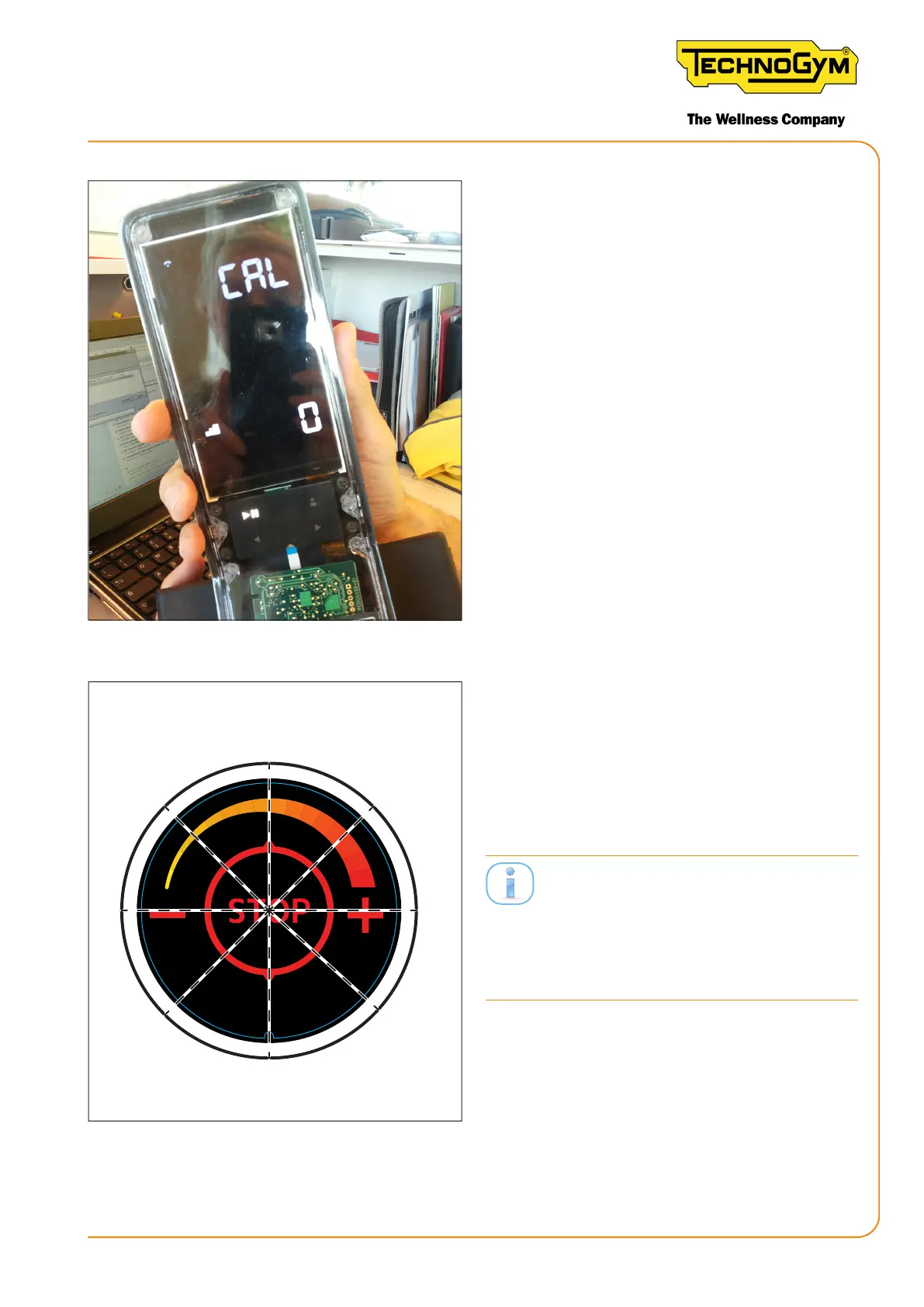
Figure 40
1. Remove the console, without disconnect-
ing it, to access the USB socket and power
it (PC, baery charger, power bank).
2. Press PLAY + LEFT ARROW + RIGHT
ARROW together for 4 seconds. The cali-
bration screen will appear.
3. Press PLAY to store point 0.
4. The display will blink for two seconds,
then the lower number will increase by
one unit.
0°
45°
90°
(1/8)
(1/8)
(1/8)
(1/8)
(1/8)
(1/8)
(1/8)
Figure 41
5. Turn the knob 1/8 of a full rotation and
press PLAY.
6. Turn the knob 1/8 of a full rotation and
press PLAY, repeat the operation until the
END screen appears.
There are 36 levels to be stored, and 20 are
shown during equipment operation. There-
fore, the calibration is more accurate than
what the customer views while using the
device.
New Group Cycle (D92):
Technical Service Guide - Rev. 5.1
Document uncontrolled when printed
Page 65














 To Next Page