Chapter 11 - Using System Tools Specifying Optional Settings
Terason t3000 / Echo Ultrasound System User Guide 244
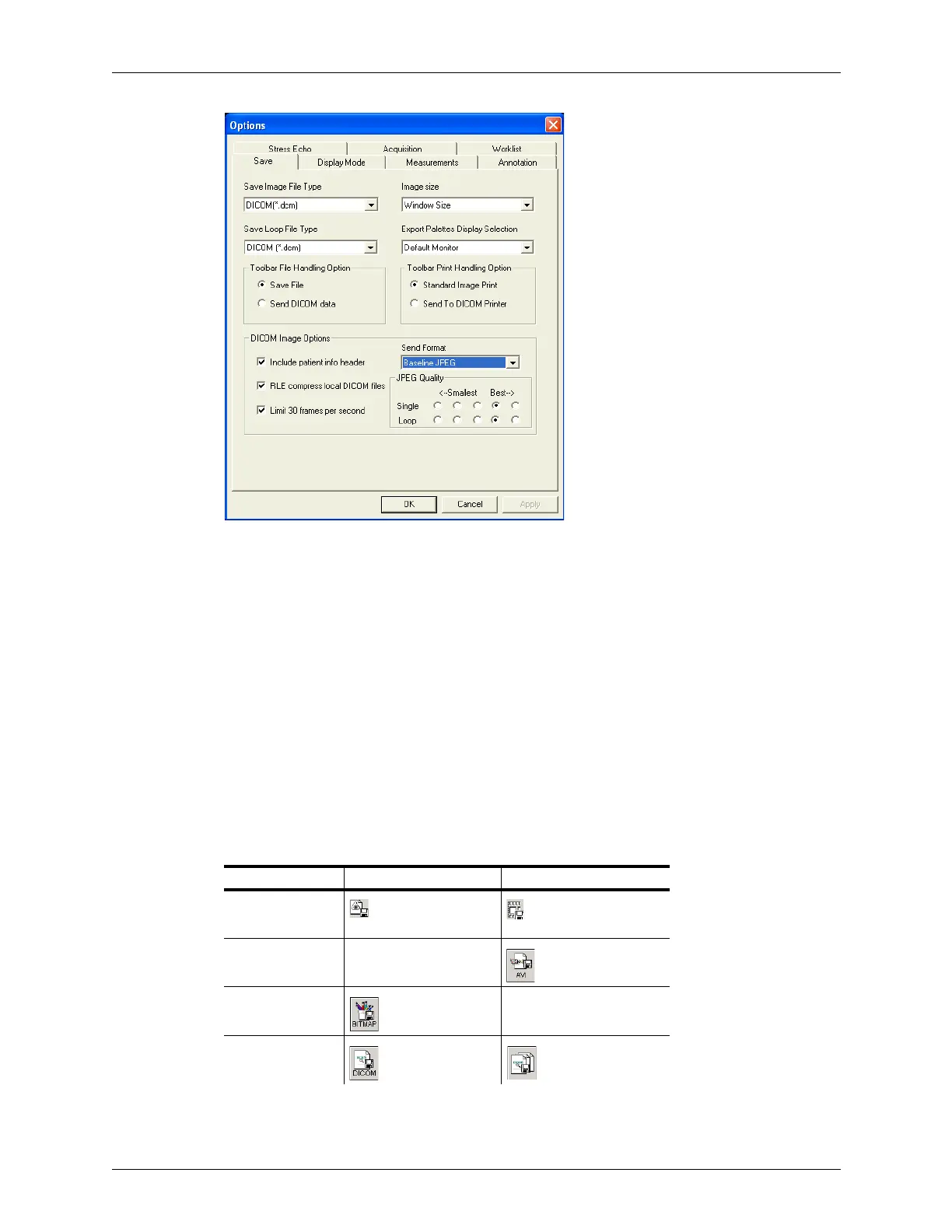
Save Tab on Options Window
These options let you set defaults for:
• Save Image File Type, see page 244
• Toolbar File and Print Handling Options, see page 245
• DICOM Image Format, see page 246
Save Image File Type
By default, the Terason software uses its own file format when saving image files and
loops. You can choose a different format as the default for images or loops
When you set a different file type as the default, the Terason software changes the Save
Image and Save Loop buttons to show the file type that will be used. You can select a
different default file type for images and loops. The following table shows the icons for all
file types.
Available File Types for Saving Images and Loops
Image Format Save Image Button Save Loop Button
Terason (.ult)
AVI Not available
Bitmap Not Available
DICOM



 To Next Page