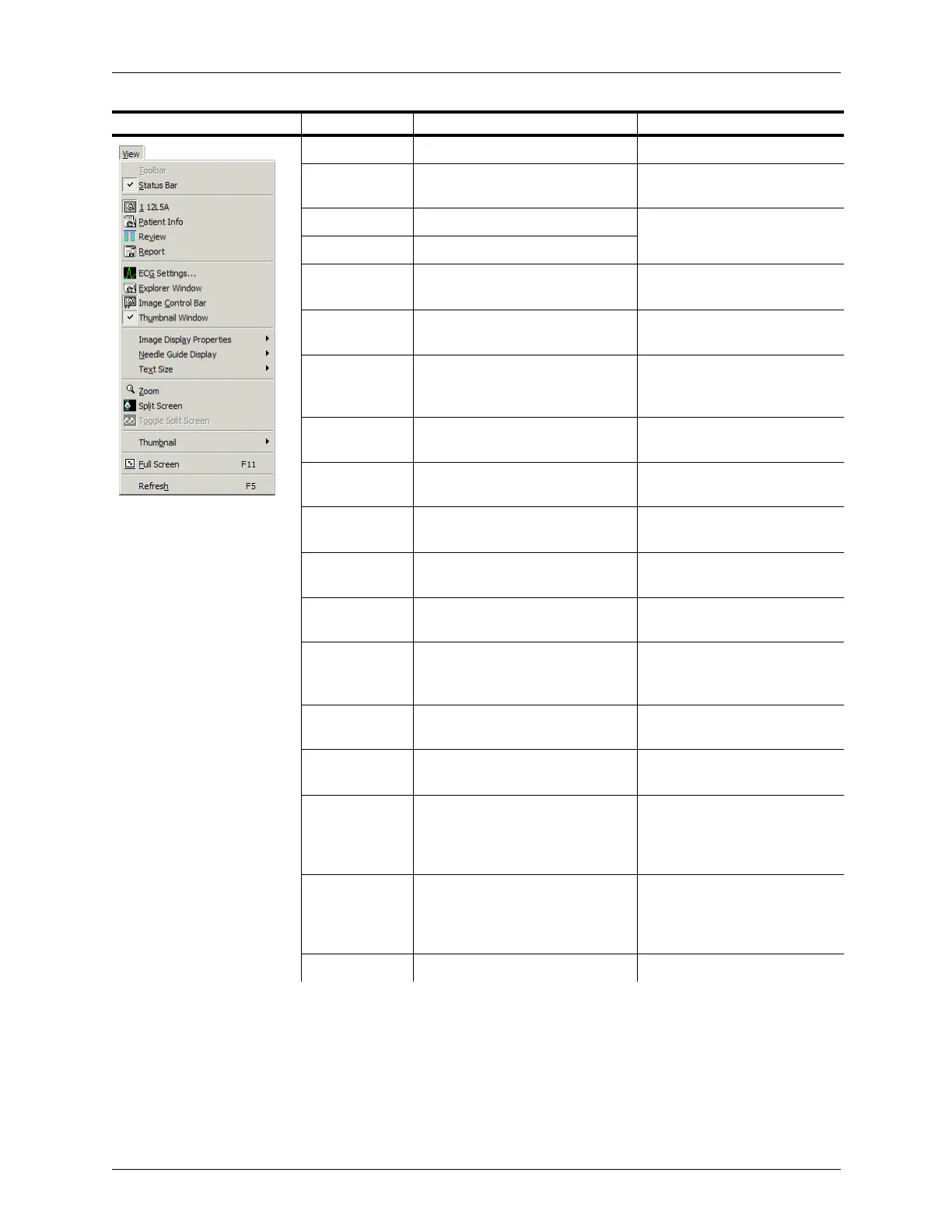
Appendix B - Menu and Toolbar Reference Menu Reference
Terason t3000 / Echo Ultrasound System User Guide 304
Status Bar Shows or hides the Status bar Hiding Windows on page 75
Active Probe Shows the current probe that is
attached
Hiding Windows on page 75
Patient Info Shows the Patient Info window Hiding Windows on
page 75Hiding Windows
Review Shows the Review window
Report Shows the Report window Restoring All Measurement
Groups to Defaults on page 201
ECG Control Opens a control panel for ECG
exams
Features of the Stress Echo
Scanning Window on page 209
Explorer
Window
Shows or hides the Terason
Explorer window
Terason Explorer Window on
page 33Terason Explorer
Window
Image Control
Bar
Shows or hides the Image Control
Bar
Image Control Bar/Measure
Tabs on page 34
Thumbnail
Window
Shows or hides the Thumbnail
Window
Hiding Windows on page 75
Image Display
Properties
Shows or hides guides on the
Image Display window
Adding Guides to the Image
Display on page 77
Needle Guide
Display
Shows or hides needle guide lines
(used for biopsies only)
Selecting a Needle Guide on
page 104
Text Size Sets the size of text in the Image
Display window
Changing the Text Size on
page 78
Zoom Enlarges a selected area of the
image in the Image Display
window
Enlarging an Area of the Image
on page 73
Split Screen Splits the Image Display window
into two screens
Using Split Screen Mode on
page 79
Toggle Split
Screens
Makes the opposite screen the
active screen
Using Split Screen Mode on
page 79
Thumbnail When checked, specifies large
thumbnails in the Review window,
otherwise small thumbnails are
used
Finding Files in the Review
Window on page 139
Full Screen Enlarges the Image Display
window to cover the entire
computer’s screen, hiding all other
windows and toolbars
Displaying the Image in Full
Screen on page 75
Refresh Updates the thumbnail list
Menu Menu Item Description Where Described in Guide



 To Next Page