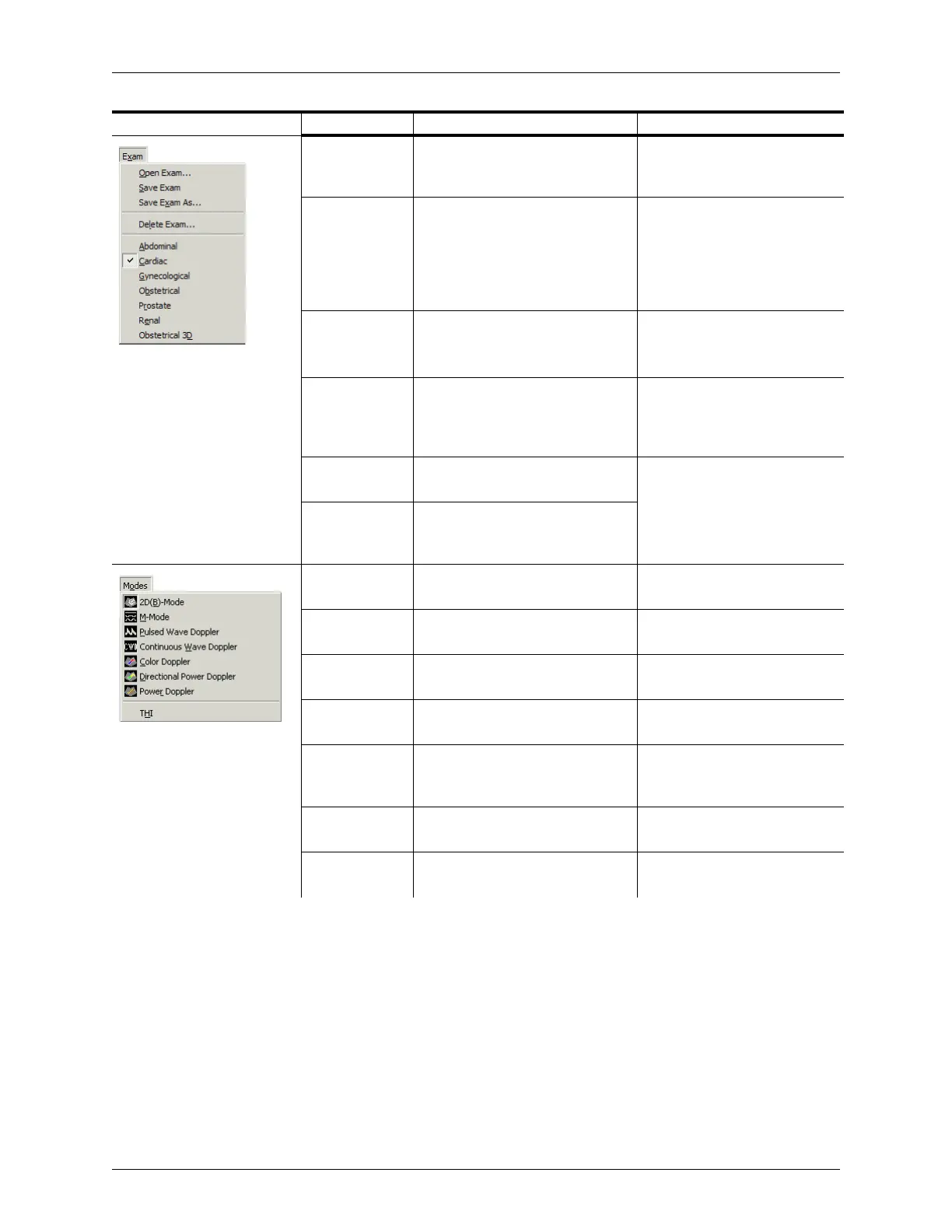
Appendix B - Menu and Toolbar Reference Menu Reference
Terason t3000 / Echo Ultrasound System User Guide 305
Open Exam Opens a dialog box where you can
select an exam type for the current
exam
Opening an Exam on page 215
Save Exam Saves any edited settings
(changes made to preset values in
the Image Control window) to the
exam; you cannot save changes to
any of the Terason-provided
exams
Creating Custom Exams on
page 215
Save Exam As Saves the current set of Image
Control settings to a new Exam
type
Creating Custom Exams on
page 215
Delete Exam Deletes a custom exam type. You
can only delete exam types you
created; you cannot delete any of
the Terason-provided exam types
Deleting Custom Exams on
page 216
[Exam Type] Opens the selected exam; lists the
Terason-provided exams
Opening an Exam on page 215
# [Exam Name] Opens the selected custom exam;
lists the custom exams for the
connected transducer
2D Activates 2D scanning and starts a
live image
2D Mode on page 23
M-Mode Activates M-Mode scanning and
starts a live image
M-Mode (Motion Mode) on
page 23
Pulsed-Wave
Doppler
Activates Pulsed-Wave Doppler
scanning and starts a live image
Pulsed-Wave Doppler on
page 27
Color Doppler Activates Color Doppler scanning
and starts a live image
Color Doppler on page 25
Directional
Power Doppler
Activates Directional Power
Doppler scanning and starts a live
image
Directional Power Doppler on
page 26
Power Doppler Activates Power Doppler scanning
and starts a live image
Power Doppler on page 24
THI Toggles tissue harmonic imaging
on and off
Tissue Harmonic Imaging (THI)
on page 98
Menu Menu Item Description Where Described in Guide



 To Next Page