Using 2D Guidance in the Field 4
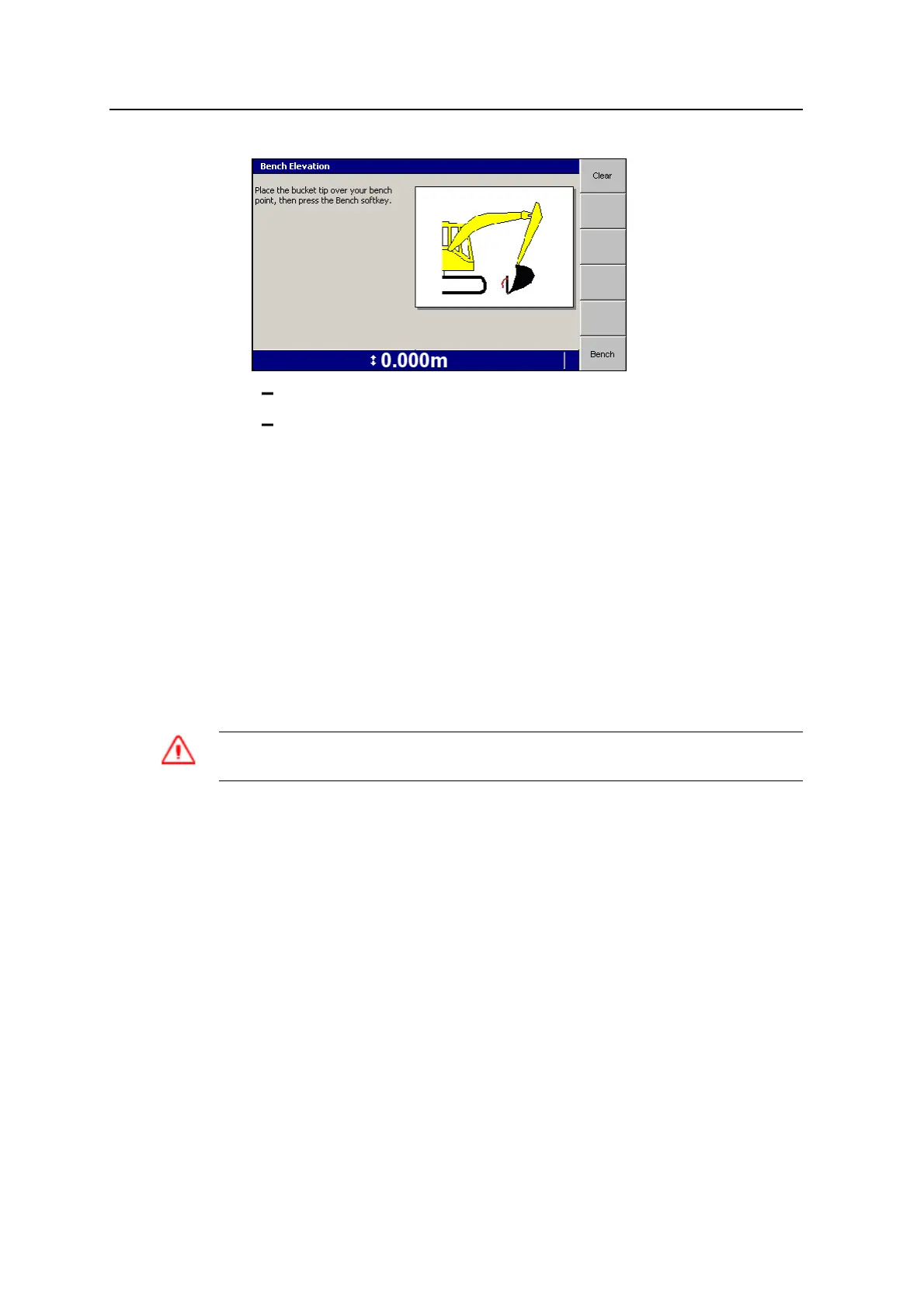
To clear the existing bench, press Clear.
Press Bench to bench the system relative to the bucket tip.
4.6.2 Using a laser plane as the reference elevation
Note – This feature is not available with profiles.
If you have a depth model selected, check with your site supervisor to make sure
the laser plane is level.
If you have a depth and slope model selected, check with your site supervisor to
make sure the laser plane has been set up so that the:
l Slope of the laser plane is parallel to the mainfall of the surface
l Slope is the same as the slope used on the machine (for example, if the
machine slope is 15% the laser grade must also be 15%)
WARNING — Do not stare into the laser beam when the laser transmitter is operating. For
more information, refer to the documentation that came with your laser.
To use a laser plane as the reference elevation:
1. Place the machine in a convenient location to work the surface. If using a slope
model, orient the machine with the arm parallel to the mainfall of the slope.
2. If you have previously benched the system, press and hold Bench Elevation to
open the Bench Elevation dialog.
GCS900 Grade Control System for Excavators Operator's Manual 101



 To Next Page