Using theControl Box and Lightbars 2
To access the files and data in system memory, they need to be transferred from the
control box onto a USB flash drive. The files and data on the USB flash drive can
then be directly accessed from a laptop, an office computer, or SiteVision Office
software.
Note – When you insert a USB flash drive into the control box, system operation is
temporarily disabled. System operation resumes when the USB flash drive is
removed.
The USB flash drive folder structure:
l At the root directory level is a “Machine Control Data” folder.
l Within the “Machine Control Data” folder are machine specific folders based
on machine names, which contain machine specific data.
Note – If folders do not exist when files are transferred to the USB flash drive, the
system will create them.
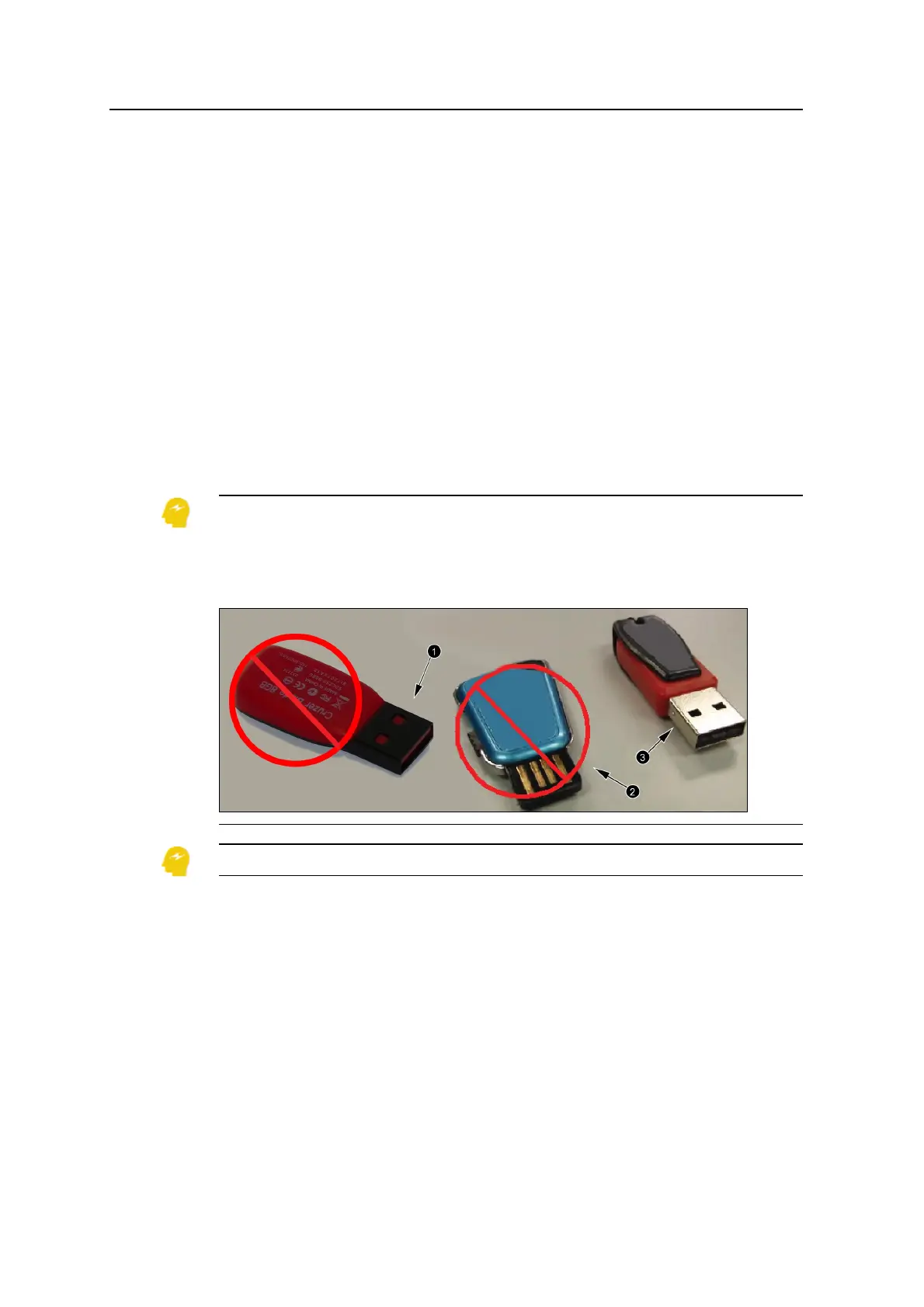
ATTENTION — Only use a USB flash drive with a metal surround on the connector (1),
similar to the USB flash drive supplied with the product.
When using a USB flash drive with plastic surrounding the connector (2), the control box
may fail to recognize the drive.
When using a USB flash drive with no metal surround on the connector (3), the drive can be
inserted upside down, contact can be broken and the file transfer process can be interrupted.
ATTENTION — The system only supports USB flash drives formatted as FAT32.
2.4.3 Transferring data to and from the control box
1. Start the control box.
2. Insert the USB flash drive into the control box USB port. The File Transfer
GCS900 Grade Control System for Excavators Operator's Manual 23



 To Next Page