3 Preparing to Work
ATTENTION — Always check the Bucket Wear dialog. The machine cutting edge may have
worn (or been renewed) since the machine settings were saved.
When you restore a machine settings file, a dialog warns you to check the bucket
wear setting. To learn how to do this, see 3.3.9 Checking bucket wear.
Changes take effect immediately.
The following problems may occur when you try to restore machine settings:
Problem Action
Invalid machine settings file The machine settings file is corrupt.
The machine settings are for the wrong machine type.
Consult your site supervisor.
No settings suitable for your machine The machine settings data is incorrect.
Consult your site supervisor.
3.3.2 Switching guidance modes
You can use a variety of guidance modes even if the sensors required for a
particular configuration are not detected.
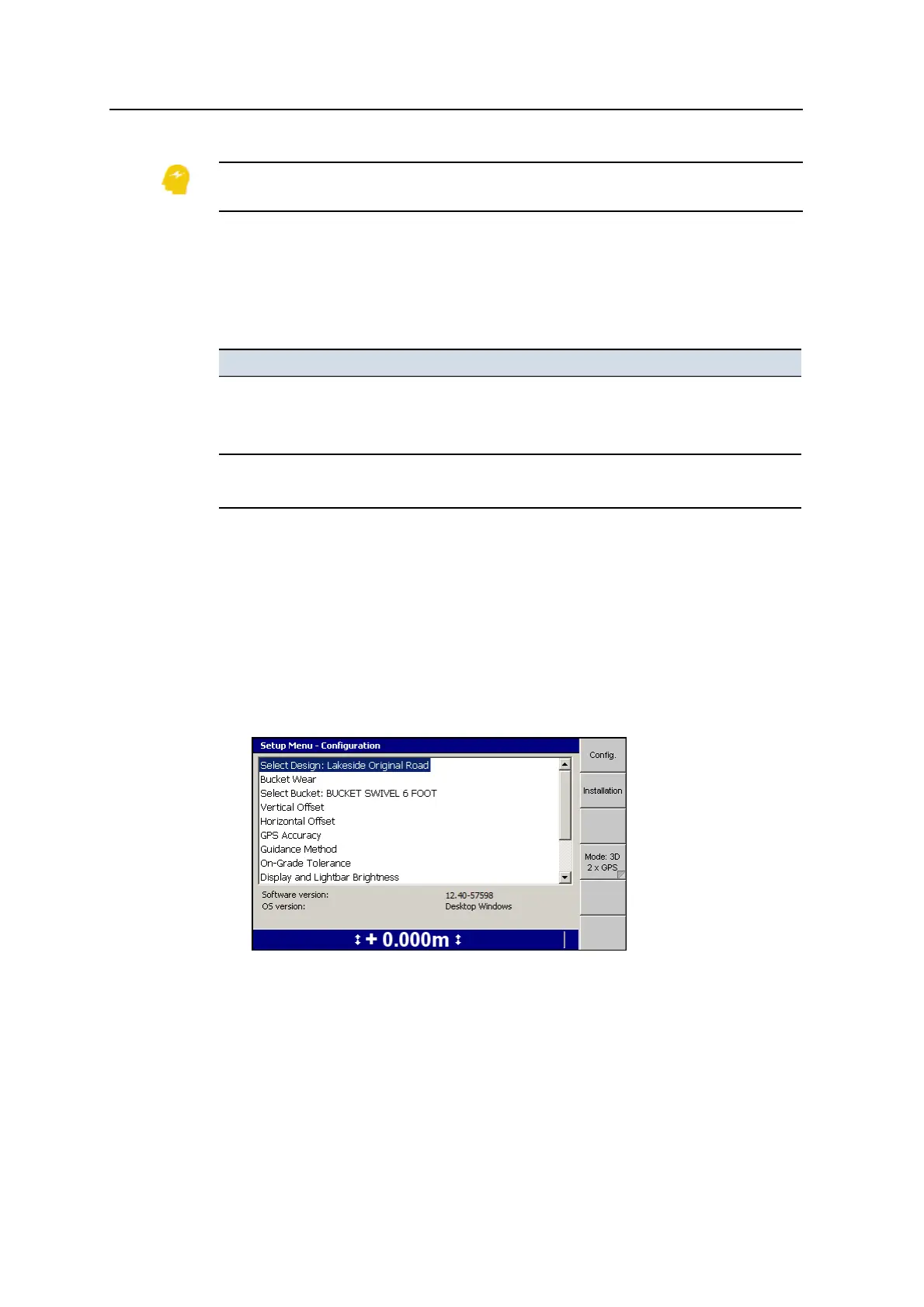
Use the Mode softkey to switch between systems, as an alternative to using multiple
machine settings files:
1.
From any guidance screen, press M. The Mode:<value> softkey indicates the
current guidance mode.
2. If required, press Mode:<value> to switch to a different mode. When a new
sensor or device is added to or removed from the machine, the system
automatically updates the mode values.
Note – To choose from a list of available systems or to enable / disable specific
systems, press and hold Mode:<value>.
52 GCS900 Grade Control System for Excavators Operator's Manual



 To Next Page