2 Using the Control Box and Lightbars
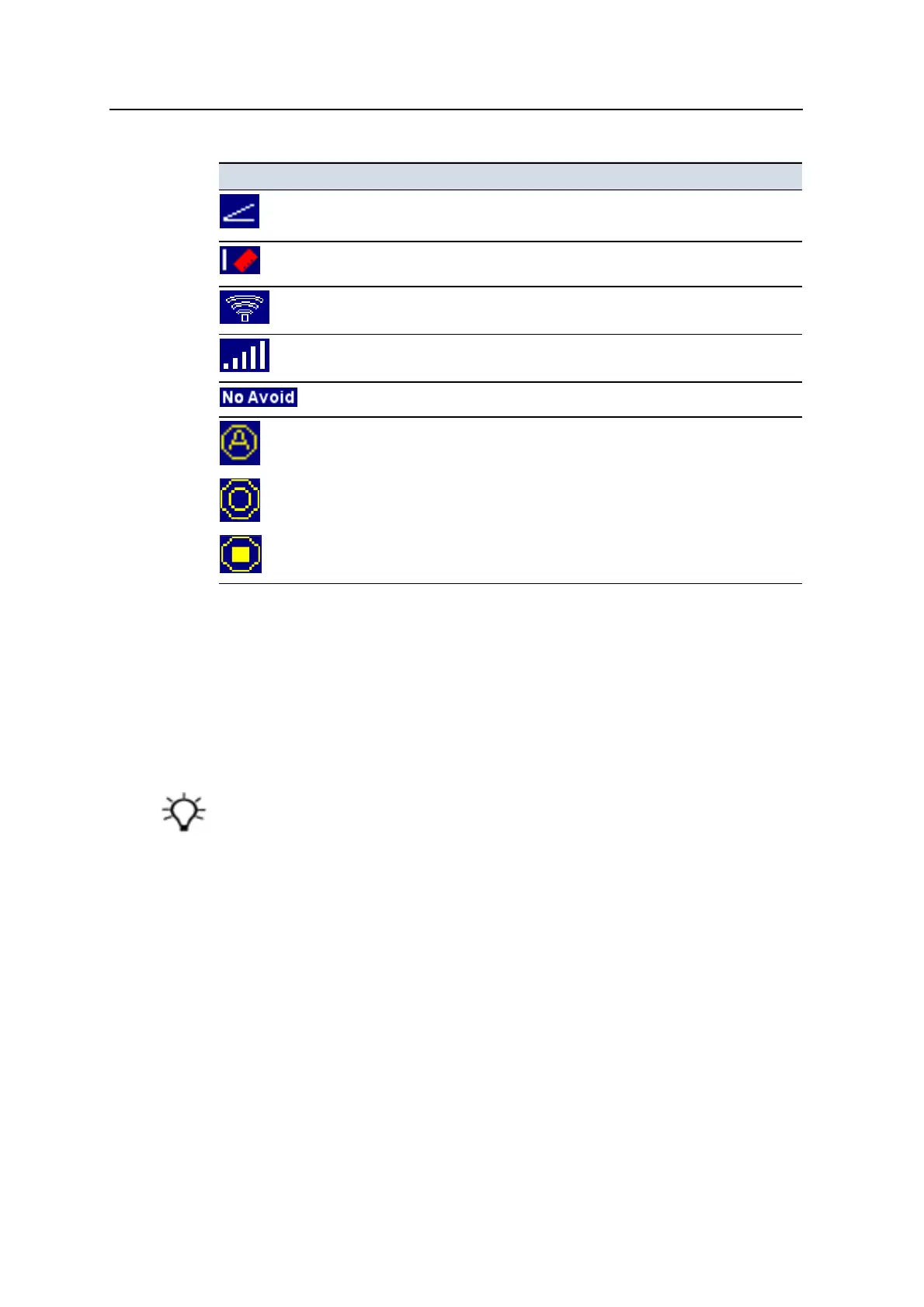
Guidance setting icon Meaning
Slope guidance is available.
Note – The icon illustrated indicates positive slope.
Reliable bucket tilt data is temporarily unavailable, typically due to
radial movement of the arm or curling of the bucket.
Wi-Fi signal strength. No signal is indicated by a cross.
Cellular signal strength. No signal is indicated by a cross.
No avoidance zone guidance is available.
Auto
On
Off
Mapping/Recording status.
Zooming the view
l
Press + to zoom in on the current view.
l
Press - to zoom out of the current view.
l
Press and hold + to zoom the machine.
l
Press and hold - to zoom out as much as possible.
Tip – The system saves the sizes of the views when you turn off the control box. The views
automatically load at their previous size when you next use the system.
2.5.3 Guidance views
Guidance views enable you to view the machine guidance in a variety of ways.
Press N repeatedly to cycle through the guidance views.
36 GCS900 Grade Control System for Excavators Operator's Manual



 To Next Page