4 Using 2D Guidance in theField
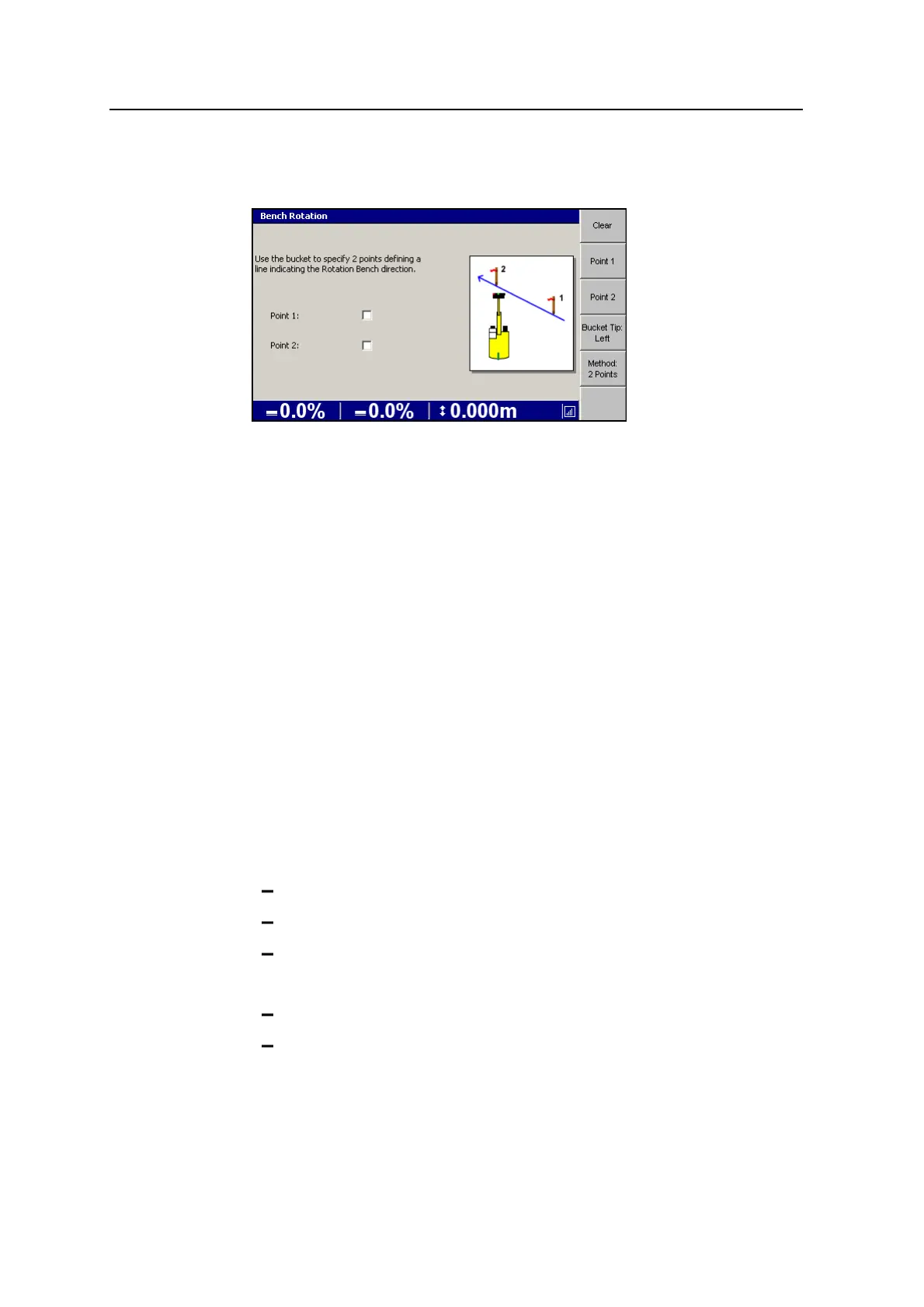
2. Press Method:Direction. The Bench Rotation dialog re-appears, showing the
Method:2 Points screen.
3. Use the bucket to specify two points defining a line indicating the rotation
bench direction.
a. Place the bucket tip on the first point and press Point 1.
b. Place the bucket tip on the second point and press Point 2.
4. If required, press Bucket Tip:<value> to change the bucket tip position used.
5. If required, press Clear to clear the bench.
6.
Press \ to bench the rotation; press = to exit without saving.
4.3 Cab Rotation Support
Cab Rotation Support is an add-on for 2D excavator systems and supports the use of
the HS410 heading sensor for 2D excavation. The heading sensor is designed to
measure the excavator body sensor relative to the Earth's magnetic field, and
incorporates a heading sensing unit. The system uses the heading sensor to measure
the excavator body rotation.
When using the depth dual slope guidance method:
l The grade icon shows that:
the grade of the slope is in the direction in front of the machine
a positive grade is up and away from the cab
a negative grade is down and away from the cab
l The cross slope icon shows that:
a positive slope is up to the right
a negative slope is down to the right
To enable Cab Rotation Support, see your site supervisor.
80 GCS900 Grade Control System for Excavators Operator's Manual



 To Next Page