Preparingto Work 3
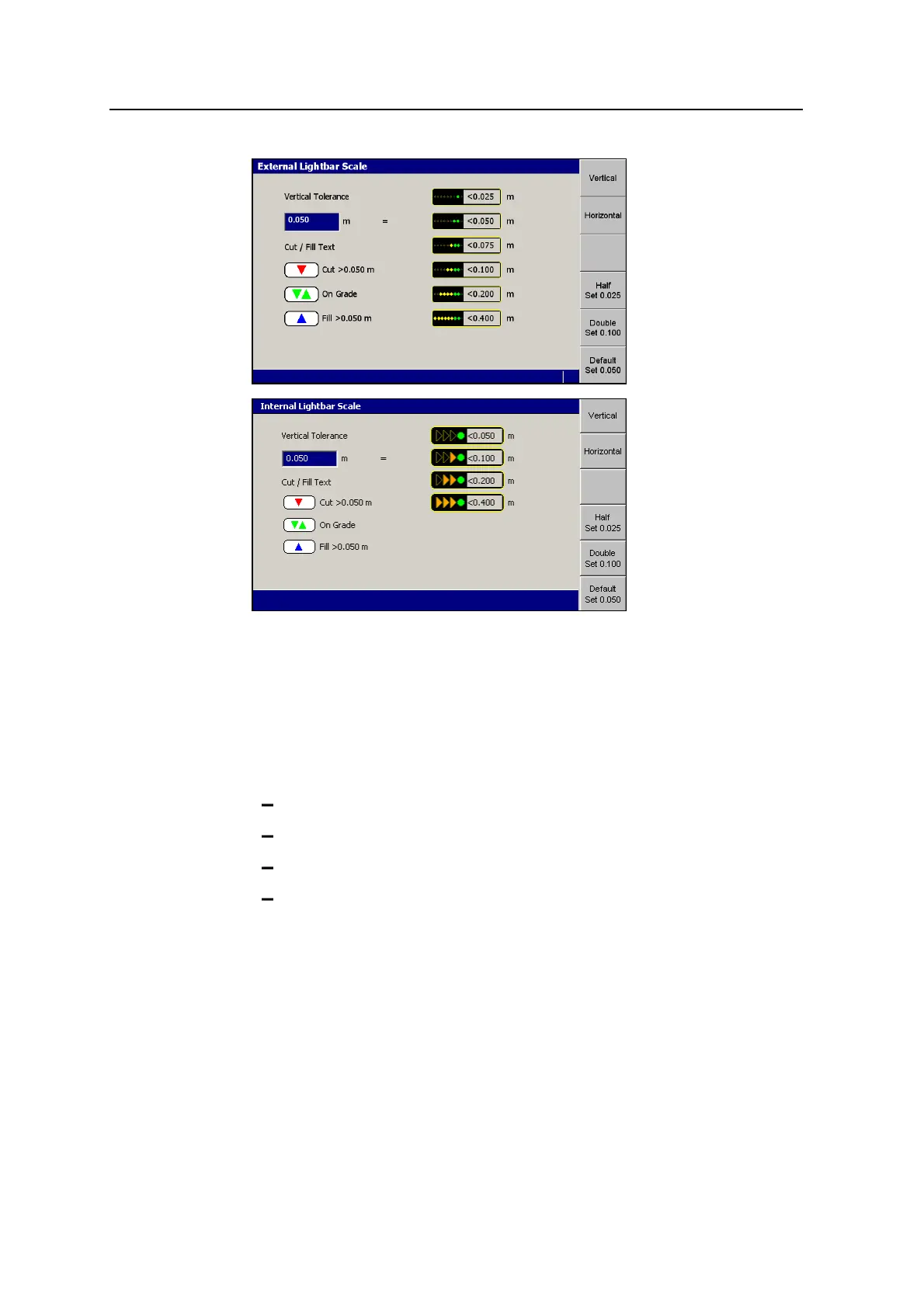
3. Press either Vertical or Horizontal to view the current vertical or horizontal
tolerance settings respectively.
Note – The tolerances for both vertical lightbars are set to the same value.
When a Depth and Slope guidance method is selected, only the left (cut/fill)
lightbar is affected by the settings in the Lightbar Scales dialog.
4. If required, use the following tools to set the off grade distance at which the
green LED(s) are lit. The value must be between 0m and 12.5m (41ft):
Edit the Vertical Tolerance or Horizontal Tolerance field directly.
Press Default Set <value> to set the tolerance to the default value.
Press Half Set <value> to set the tolerance to half of the current value.
Press Double Set <value> to set the tolerance to twice the current value.
Note – The remaining threshold values are calculated automatically, and
appear in the dialog. The values shown on these softkeys will change,
depending on the current tolerance value.
5.
To confirm the settings, press\; to exit without saving the changes, press
=.
Any changes take effect immediately.
GCS900 Grade Control System for Excavators Operator's Manual 57



 To Next Page