4 Using 2D Guidance in theField
Note – You can also access Depth Dual Slope Memories from the Guidance
Method dialog.
2.
Press J until the highlight bar moves past the last item in the current list. A
new depth dual slope model is created.
3. Use any of the following tools to set the grade and cross slope:
Edit the Grade and Cross slope fields directly.
Press +1:100.00 or –1:100.00 to increment or decrement the grade and
cross slope values.
Note – The actual softkey labels displayed depend on the
increment/decrement values that have been set and the units selected. For
more information on setting the increment/decrement values, see 3.9
Setting depth and slope increment values.
Press Level to level the grade or cross slope values.
4.
To confirm the changes, press \; to exit without saving the changes, press
=.
Bench rotation
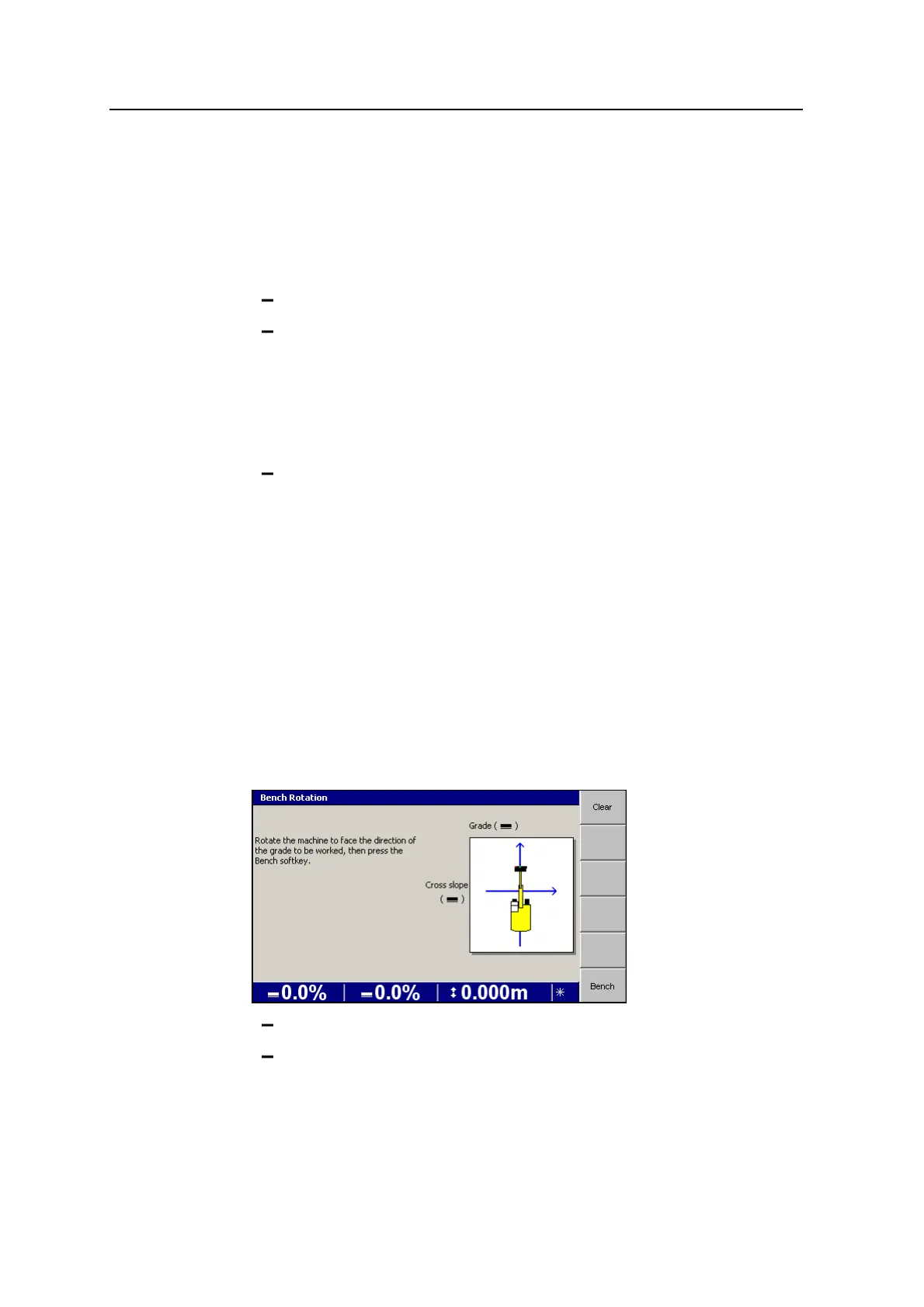
Bench rotation benches the machine rotation so the system knows the direction of
the main grade slope.
To bench the cab rotation sensor:
1. To bench the rotation on the current direction that the machine is facing, press
Bench Rotation.
2. To clear the rotation bench or to establish a new rotation bench facing in a
different direction, press and hold Bench Rotation.
To clear the existing bench press Clear.
To bench the system on a new position, rotate the machine to face the
direction of the grade to be worked and press Bench.
86 GCS900 Grade Control System for Excavators Operator's Manual



 To Next Page