Motion Coordinator Technical Reference Manual
Support Software 10-49
Control Panel
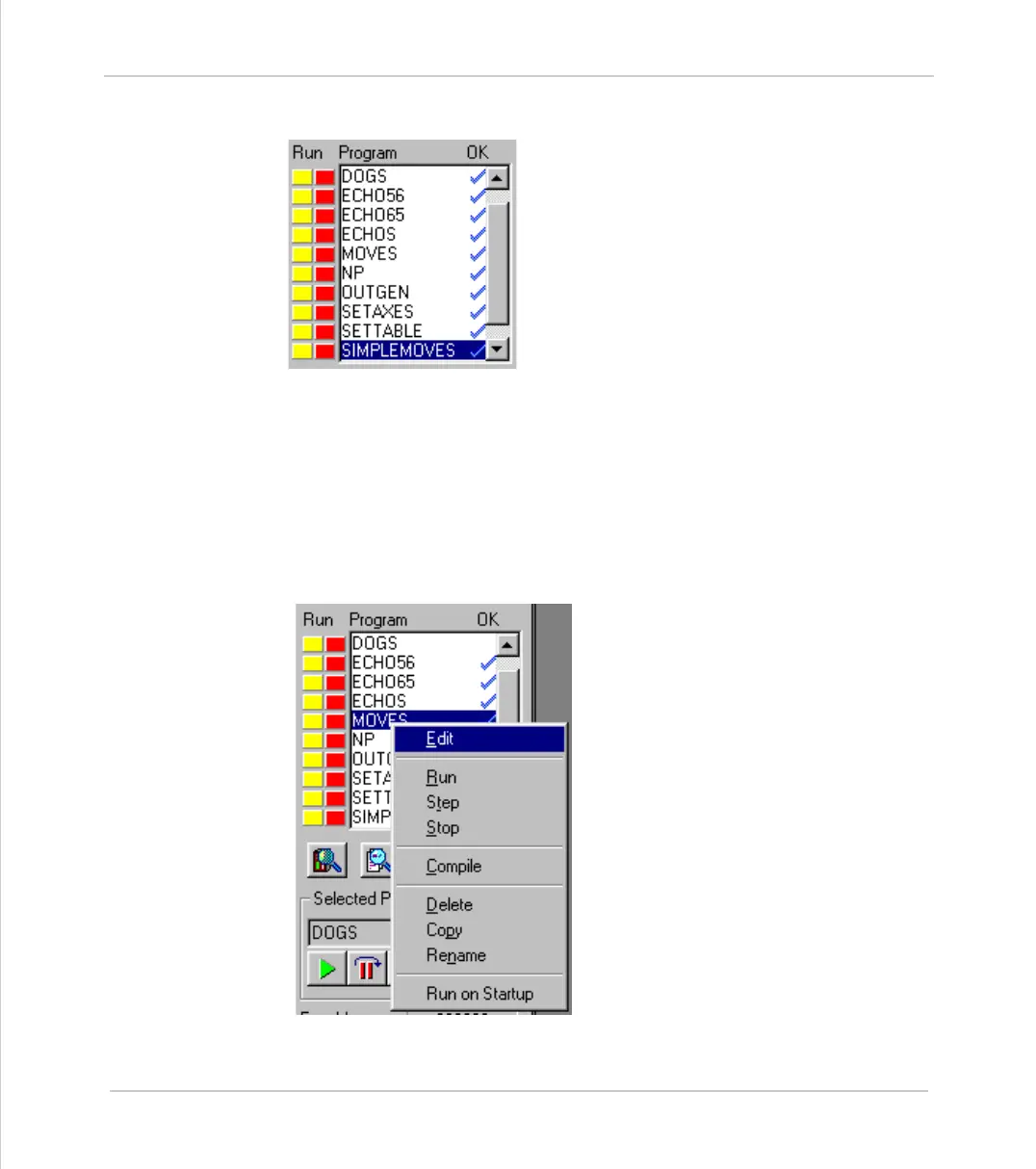
Program directory
This is a scrollable list of the programs on the con-
troller. The list shows the program name followed
by two optional indicators. The first is a number
which specifies which process that program is run-
ning on. If it is not running then this space is blank.
The second indicator shows the status of the pro-
gram. If it has a tick then the program has been
compiled successfully and is ready to be run. If it
has a cross then there was an error during the com-
pilation of the program and it cannot be run.
If it is blank then it has not been compiled.
If a program name is clicked then it will become the selected program if there
are no programs running. If there are programs running the select will be
ignored.
If a program name is double clicked then it will be opened for editing assuming
that there are no programs running. If there are programs running then the edit
will be ignored.
The names of programs which are currently running are displayed in italics.
Right clicking on an entry in the program
list causes a pop-up menu to appear allow-
ing easy access to operations commonly
performed on programs. The right click
operation highlights the entry in the pro-
gram list under the cursor whilst the pop-
up menu is visible. It reverts to the pro-
gram which is currently selected on the
controller when the menu is closed.



 To Next Page