User Guide Ver. 7.1.0 2100 Cap Inspector Quick Start • 77
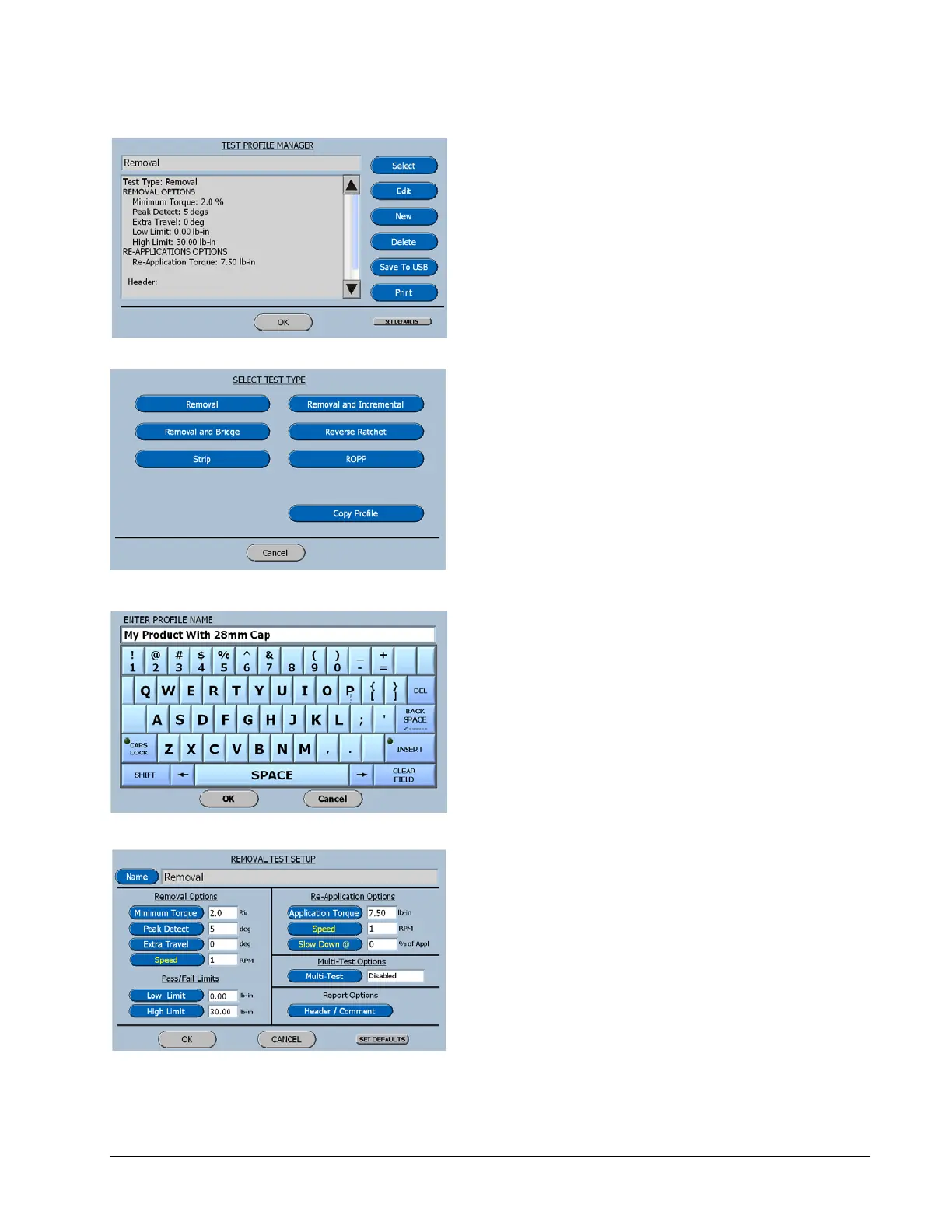
On the Test Profile Manager screen select
New.
On the Select Test Type screen select
Removal.
Enter a name for the test that relates to the
product or the specification.
Then press OK.
On the Removal test setup screen select Low
Limit.



 To Next Page