78 • Quick Start User Guide Ver. 7.1.0 2100 Cap Inspector
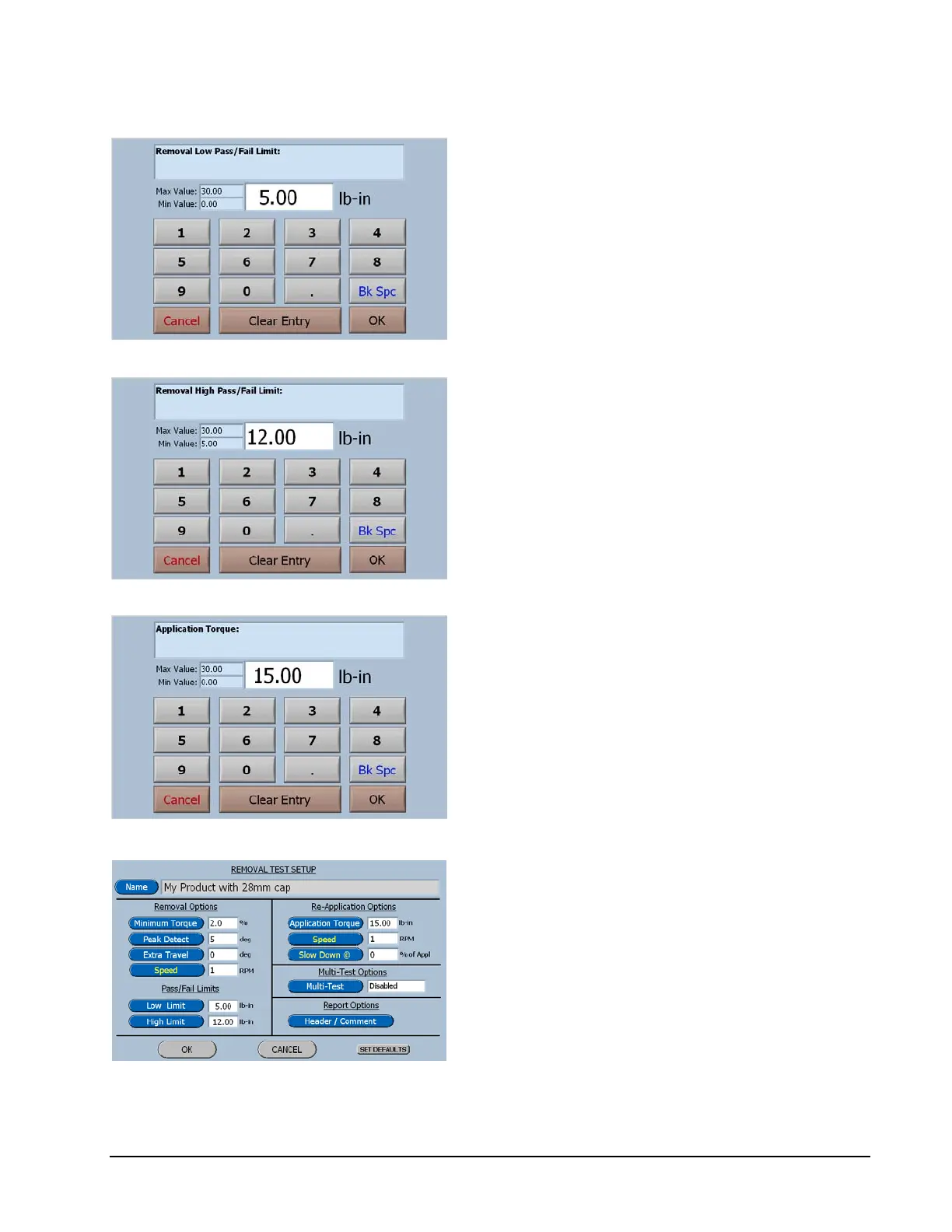
Now select Clear Entry and then enter 5.00.
Press Ok and the software will return to the
Removal Test Setup screen.
On the Removal test setup screen select High
Limit.
Now select Clear Entry and then enter 12.00
Press Ok and the software will return to the
Removal Test Setup screen.
On the Removal test setup screen select
Application Torque.
Now select Clear Entry and then enter 15.00.
Press Ok and the software will return to the
Removal Test Setup screen.
The Removal Test Setup screen now displays
the values that have just been entered.
Select Ok and the profile will be saved in
memory and software will return to the Test
Profile Manager screen.



 To Next Page