94 • Gold Standard Verification User Guide Ver. 7.1.0 2100 Cap Inspector
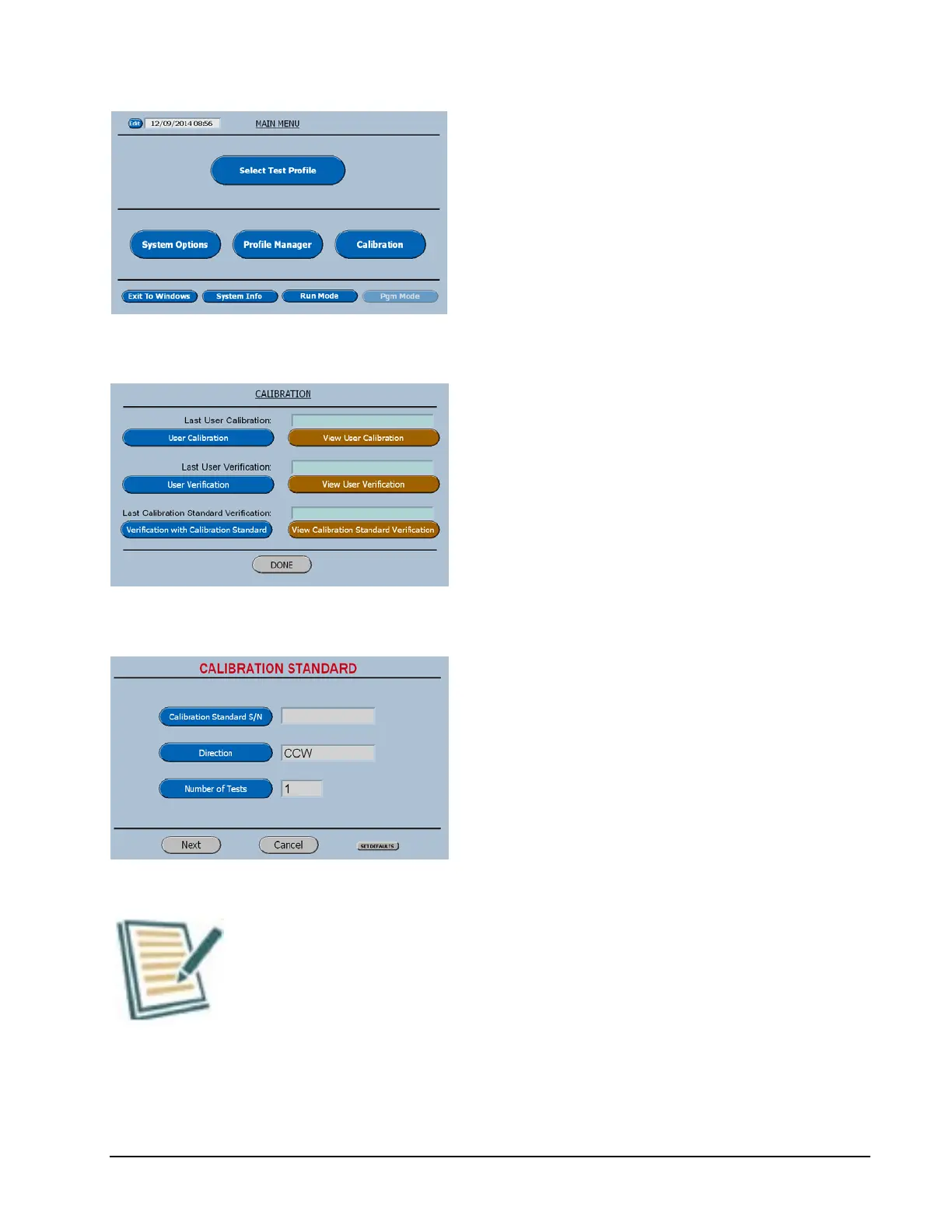
On the Main Menu press the button titled
Calibration
The complete Calibration menu will be
displayed as shown below.
Now select the Blue Button titled Verification
with Calibration Standard.
The software will now advance to the series of
menus that will guide the user through the
process by just following the steps on the
screen.
As a step is selected the appropriate input
screen will be displayed.
The direction key acts as a toggle.
The Next key will advance the software to the
screen shown below.
It is a good idea to run at least 5 tests. This enables the user
to verify the repeatability of the system.



 To Next Page