HIGH SPEED DIGITAL WEIGHT INDICATORS
10
M2000 USER FUNCTIONS
M2000 functions are accessible via the keypad. To prevent accidental misuse,
some functions may need to be enabled upon installation. Additional fine-tuning
may also be recommended to maximize a weighing systems performance. To
help your customer get the most out of the M2000, discuss specific system
requirements with them prior to installation.
SELECTING SCALE CHANNELS
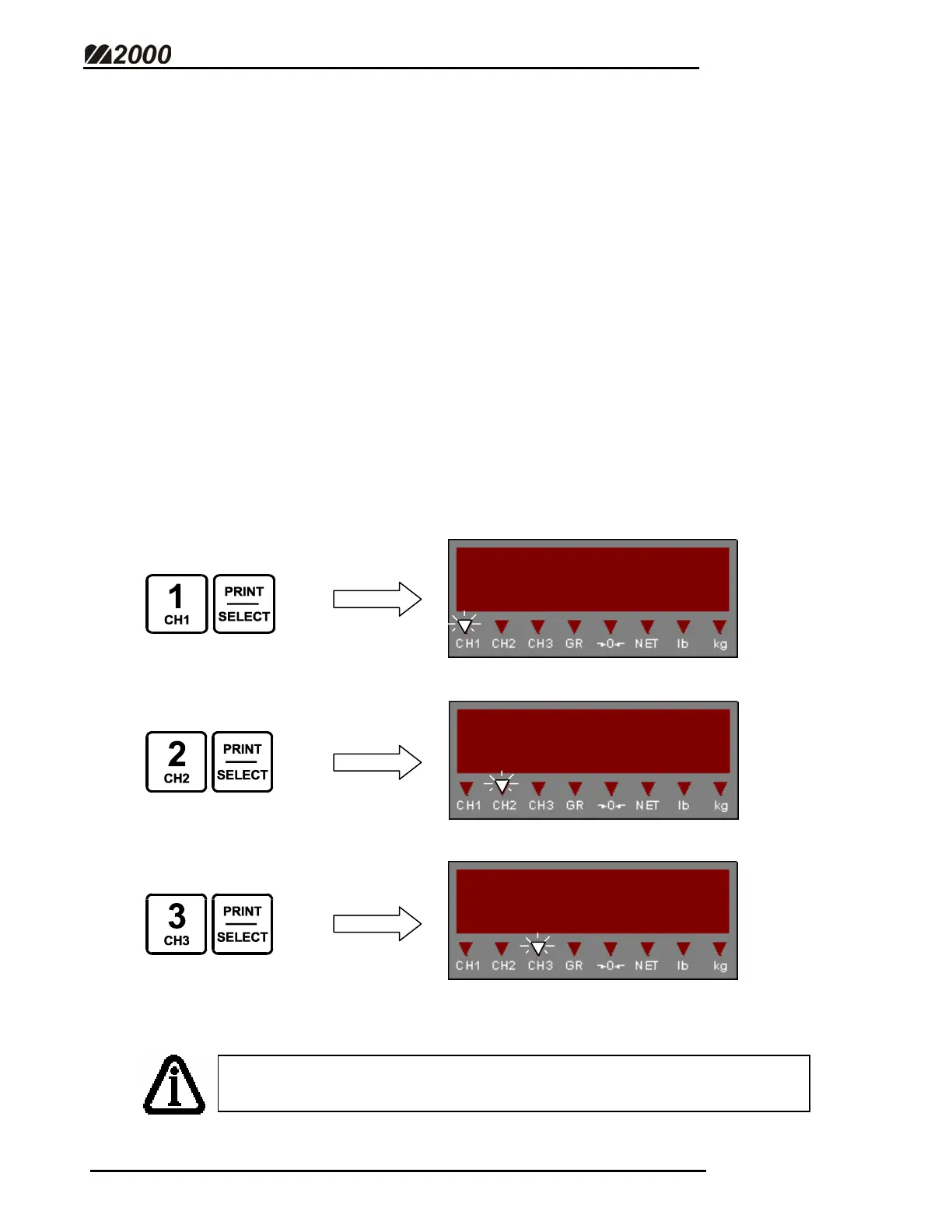
• M2000 Indicators utilize 3 independent scale channels. Channel 1 is the
default scale channel.
• To view the weight display for the desired channel, press the channel
number on the numeric keypad followed by the [PRINT/SELECT] key.
• Note the appropriate Scale Channel LED indicator will illuminate.
Scale Channels 2 & 3 must be enabled in Calibration/Set-up Mode.
(See Enable Scale Channel – Page 44)



 To Next Page