HIGH SPEED DIGITAL WEIGHT INDICATORS
68
MANUALLY SETTING UP HYPER TERMINAL FOR THE M2000
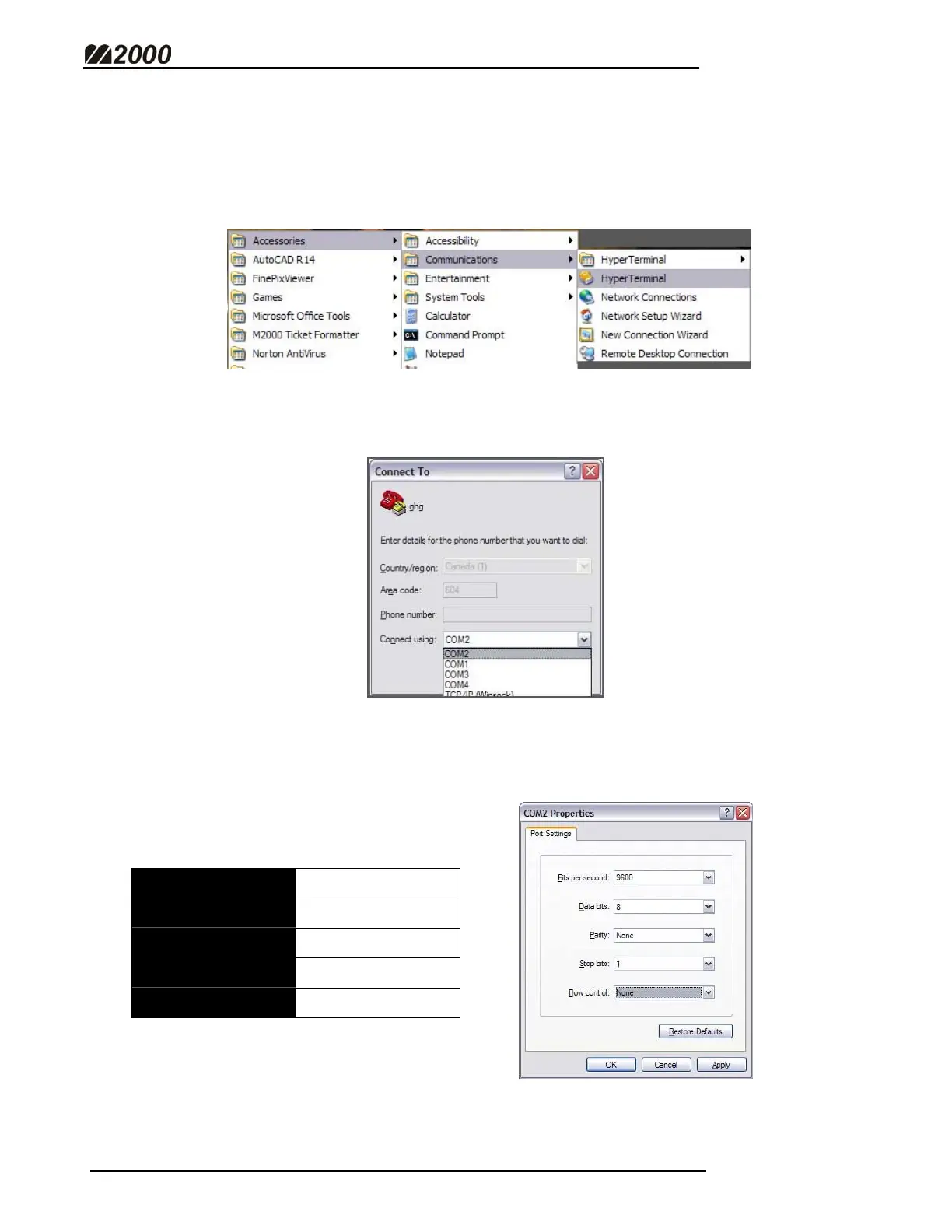
• Hyper terminal can be found in Windows under “Accessories” and then
“Communications” on practically all PC computer installations. Click on
Hyper Terminal to start the program.
• Select the appropriate COM Port on your computer.
• Hyper Terminal needs to be setup to operate with the M2000. The default
M2000 Communications settings are:
Baud rate:
9600
Parity:
None
Data Bits:
8
Stop Bits:
1
Flow Control:
None
Hyper Terminal must also be configured to these settings.



 To Next Page