HIGH SPEED DIGITAL WEIGHT INDICATORS
72
RECEIVING CALIBRATION INFORMATION (DOWNLOADING)
RECEIVE CALIBRATION INFORMATION FROM PC - PARAMETER 76
Description: Captures calibration information as an ASCII data dump from the
designated serial port. The data structure is protected by a CRC
checksum embedded inside the data. The ASCII string can be
captured from any serial terminal program.
PARAMETER VALUE ACTION
1 Capture calibration data via COM1
2 Capture calibration data via COM2
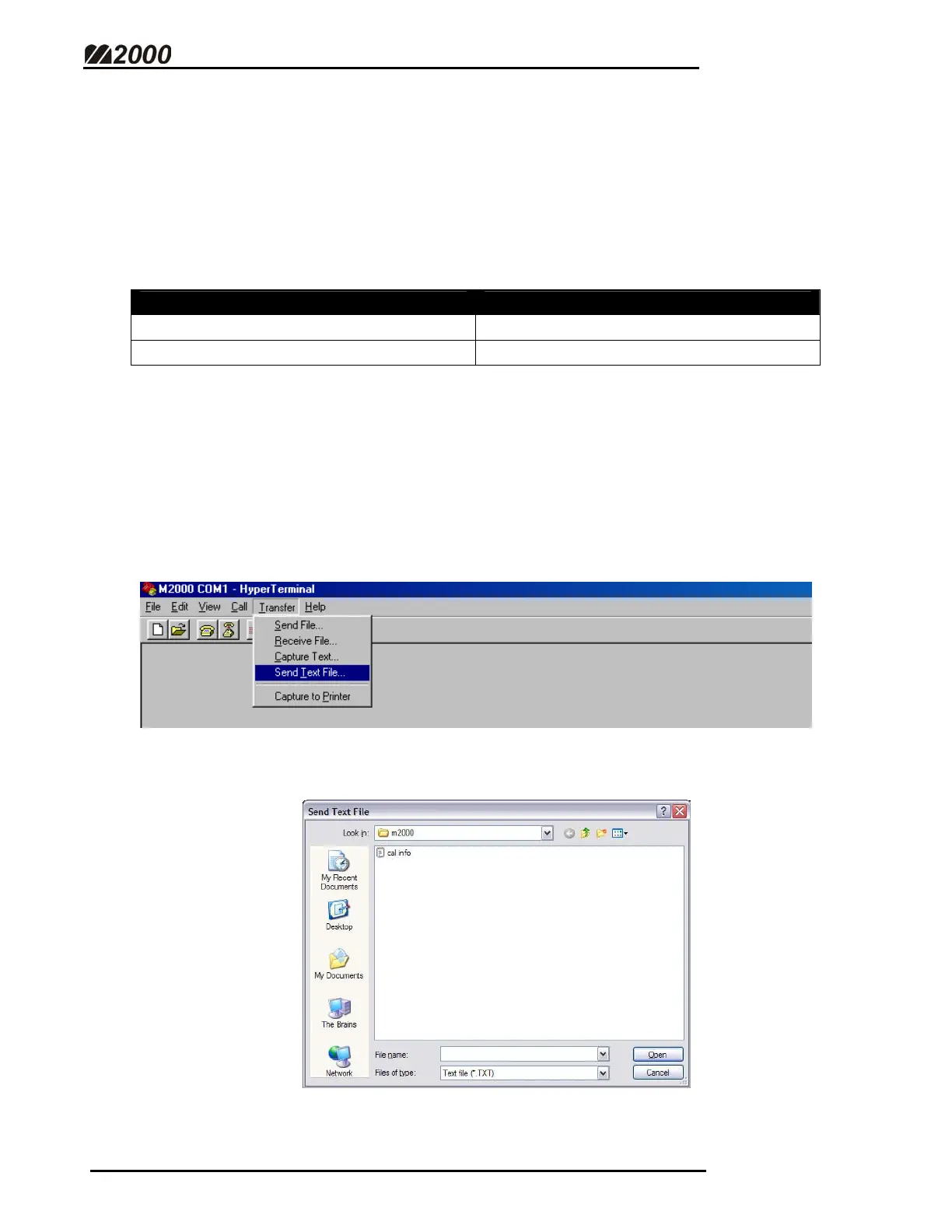
SENDING DATA TO THE M2000 USING HYPER TERMINAL
This feature is useful for capturing and saving the Calibration Information or
Ticket Buffer Information from the M2000 for creating back-ups.
• Click on the “TRANSFER” menu and then click on “SEND
TEXT FILE” as shown below.
• Select the file to send.
• The contents of the file will be transmitted from the PC.



 To Next Page