HIGH SPEED DIGITAL WEIGHT INDICATORS
80
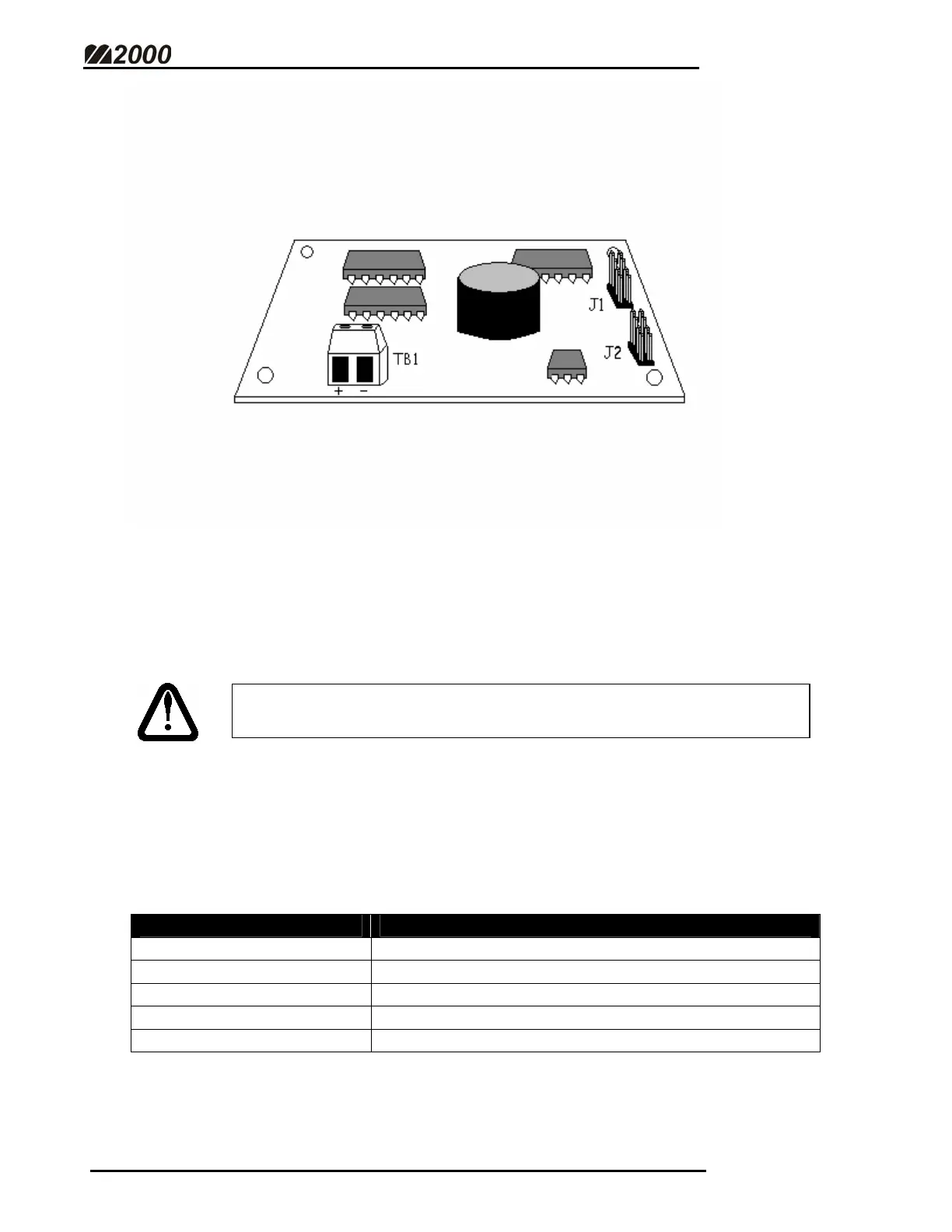
4-20 mA OPTION BOARD
The M2000 has a 16bit, 4-20mA current loop board that connects to the
SMARTWIRE Bridge Interface Board. This standard industrial sensor is useful
for a wide variety of applications.
CONNECTING THE 4-20 mA BOARD
• Using the ribbon cable provided, connect J1 or J2 on the 4-20 mA board
to J1 on the SMARTWIRE Bridge Interface board.
• Make sure the boards have adequate clearance between them.
• Make sure the SMARTWIRE Bridge Interface board has been wired
properly to the SMARTWIRE terminal (See page 78).
PARAMETER 60 - SELECT SCALE CHANNEL TO CONNECT TO CURRENT LOOP
Description: Assigns the current loop to one of the M2000’s 3 Scale Channels.
PARAMETER VALUE ACTION
0 (default) Current Loop Interface not connected
1 Current Loop Interface connected to Channel 1
2 Current Loop Interface connected to Channel 2
3 Current Loop Interface connected to Channel 3
4 Current Loop Interface connected in Total Mode
FOR THE 4-20 MA BOARD TO WORK, PARAMETER 59 MUST
BE ENABLED!



 To Next Page