HIGH SPEED DIGITAL WEIGHT INDICATORS
84
4-20 MA EXAMPLE: SET UP THE 4-20 MA BOARD FOR A 5000 LB. CAPACITY
SCALE ON CHANNEL 1. SET THE 20 MA OUTPUT FOR
FULL SCALE CAPACITY. THE SCALE OPERATES IN
GROSS WEIGHING MODE.
1. Make sure that SMARTWIRE is enabled (Parameter 59 set to 1).
2. Select the Scale Channel (Channel 1) that the 4-20 mA board is to read
(Parameter 60).
60P 1P
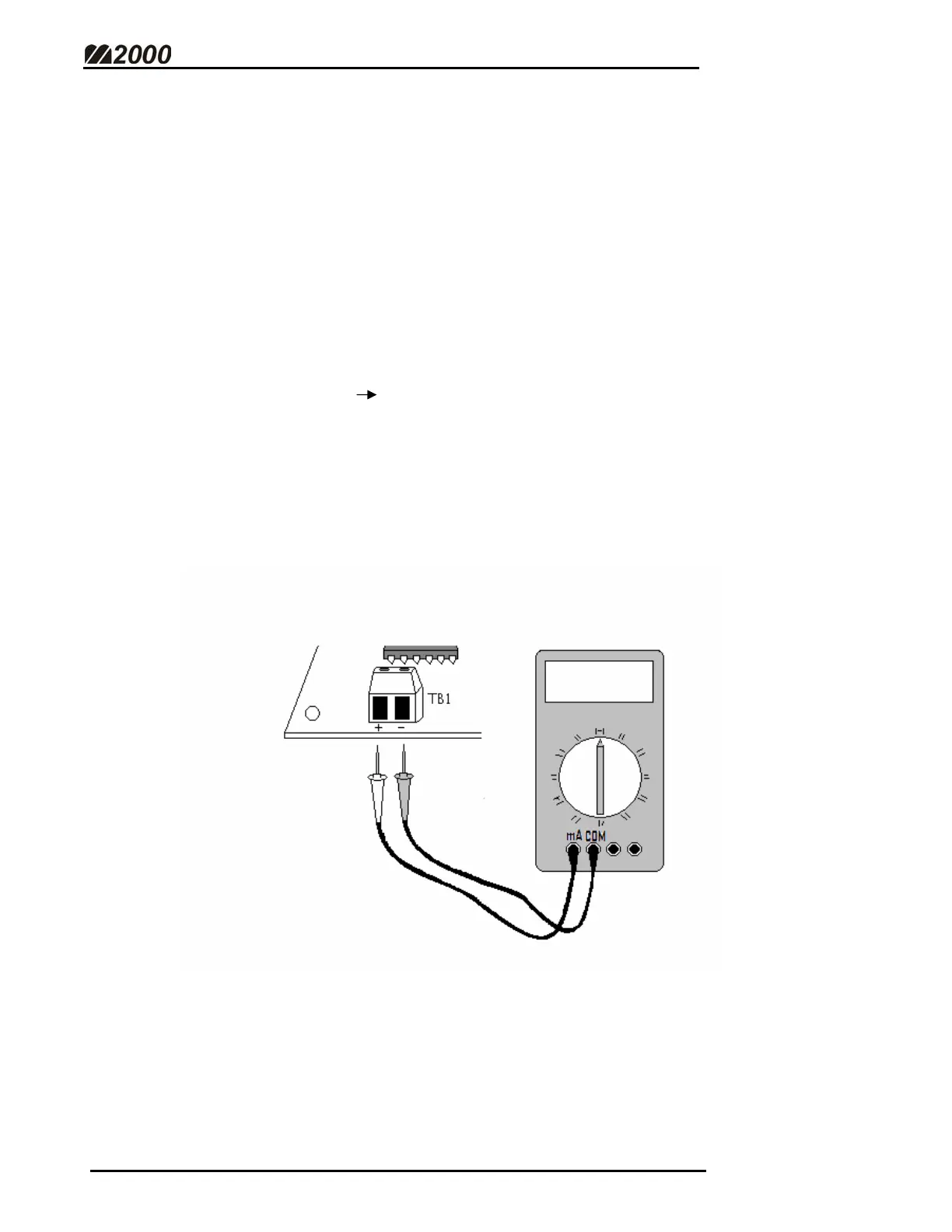
3. Connect an Amp-meter (in series) to the 4-20 mA board.
• Place the COM lead in the terminal marked “-“ on TB1.
• Place the mA lead in the terminal marked “+”.
• Select the appropriate meter range ( ~ 100 mA on most models).



 To Next Page