127
Chapter 4 PLAY Mode
Chapter 4
EFFECT Function
EFFECT - EdType (Effect Edit Type)
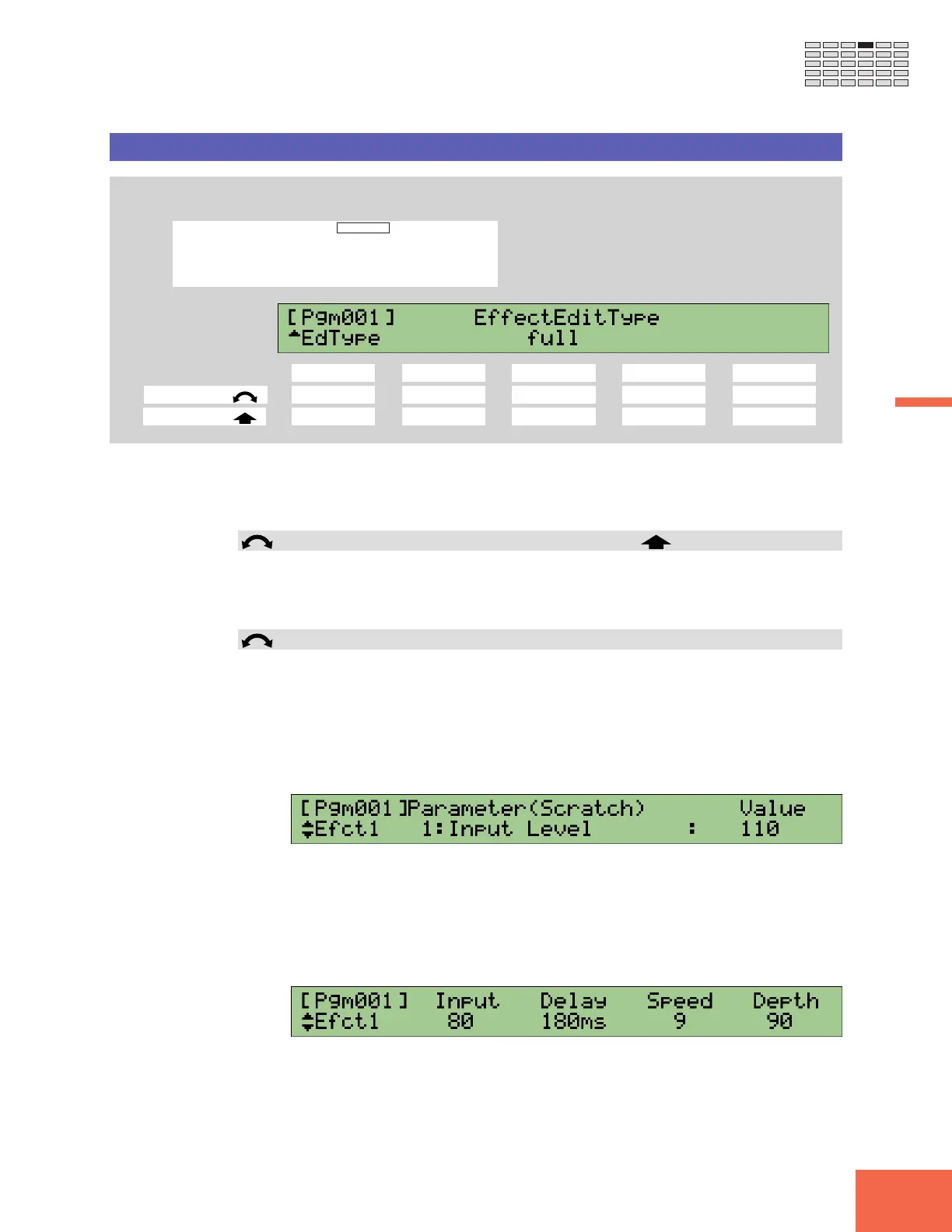
Selects the effect-edit method: either “full” or “favorite.”
PROGRAM
TRIM / LOOP
RECORD
PROGRAM
TOTAL EQ
PLAY
EDIT
REC
DISK
UTILITY
SAMPLE
MAP / OUT
SETUP
SAMPLE
PANEL PLAY
EASY EDIT
FILTER
METER
SEQUENCE
SEQUENCE
EFFECT
EG
EFFECT
VOLUME
MASTER
SETUP
LFO
EXT CTRL
DISK
SYSTEM
CONTROL
MIDI / CTRL
MONITOR
IMPORT
MIDI
Turn Knob 1 to select EdType.
Knob 1 Knob 2 Knob 3 Knob 4 Knob 5
Turn action ✔ - ✔ --
Push action ✔ ----
Use this page to select the method for editing at the Efct1, Efct2, and Efct3 pages (☞125).
Note that this page does not let you edit parameter values themselves. You must use the
Efct1, Efct2, and Efct3 pages to access and change the values.
Knob 1 Change Page Select P/S
• Turn the knob to change to a different page within the EFFECT function. Available
pages are: EfType, Efct1, Efct2, Efct3, In&Out, and EdType (this page).
• Push the knob to move to the Program/Sample Selection screen. (☞95)
Knob 3 EffectEditType = full, favorite
Turn the knob to select the editing method used at the Efct1, Efct2, and Efct3 pages.
Methods are as follows.
full At the edit page, you select each parameter by turning Knob 1 to
cycle through the parameter list. This method gives you rela-
tively easy access to all parameters, but may increase the time it
takes for you to locate the parameters you want to set. The “full”
edit page appears as follows.
favorite The edit page gives you immediate access to four “favorite” pa-
rameters. This makes it very easy to edit these four parameters,
while making it slightly more complicated to access the many
other parameters. Under factory defaults, the edit page shows
the four most important (influential) parameters, although you
are free to change the “favorite” selection while working at that
page. The “favorite” edit page looks like this.



 To Next Page