290
Chapter 8 UTILITY Mode
TOTAL EQ Function
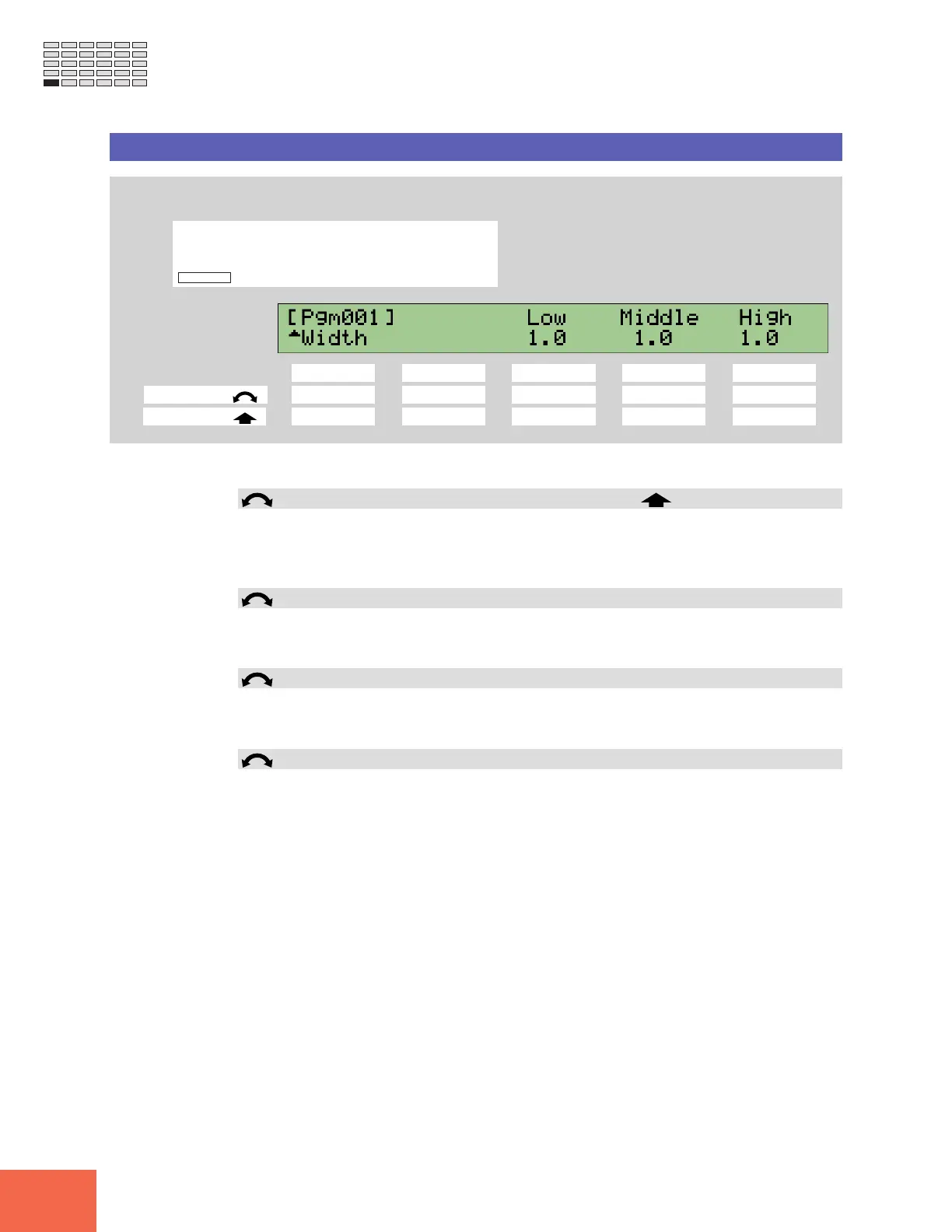
TOTAL EQ - Width
Sets the equalizer band widths.
PROGRAM
TRIM / LOOP
RECORD
PROGRAM
TOTAL EQ
PLAY
EDIT
REC
DISK
UTILITY
SAMPLE
MAP / OUT
SETUP
SAMPLE
PANEL PLAY
EASY EDIT
FILTER
METER
SEQUENCE
SEQUENCE
EFFECT
EG
EFFECT
VOLUME
MASTER
SETUP
LFO
EXT CTRL
DISK
SYSTEM
CONTROL
MIDI / CTRL
MONITOR
IMPORT
MIDI
Turn Knob 1 to select Width.
Knob 1 Knob 2 Knob 3 Knob 4 Knob 5
Turn action ✔ - ✔✔✔
Push action ✔ ----
Use this page to set the equalizer’s low, middle, and high band widths.
Knob 1 Change Page Select P/S
• Turn the knob to change to a different page within the TOTAL EQ function. Available
pages are: Gain, Freq, and Width (this page).
• Push the knob to move to the Program/Sample Selection screen. (☞95)
Knob 3 Low = 1.0,...,12.0
• Sets the band width for low-frequency equalization.
• Note that lower values produce greater width.
Knob 4 Middle = 1.0,...,12.0
• Sets the band width for mid-frequency equalization.
• Lower values produce greater width.
Knob 5 High = 1.0,...,12.0
• Sets the band width for high-frequency equalization.
• Lower values produce greater width.



 To Next Page