242
Chapter 6 RECORDING Mode
EXT CTRL Function
EXT CTRL - CD-DA
Controls CD playback.
PROGRAM
TRIM / LOOP
RECORD
PROGRAM
TOTAL EQ
PLAY
EDIT
REC
DISK
UTILITY
SAMPLE
MAP / OUT
SETUP
SAMPLE
PANEL PLAY
EASY EDIT
FILTER
METER
SEQUENCE
SEQUENCE
EFFECT
EG
EFFECT
VOLUME
MASTER
SETUP
LFO
EXT CTRL
DISK
SYSTEM
CONTROL
MIDI / CTRL
MONITOR
IMPORT
MIDI
Turn Knob 1 to select CD-DA.
Knob 1 Knob 2 Knob 3 Knob 4 Knob 5
Turn action ✔✔✔ --
Push action ✔ ---✔
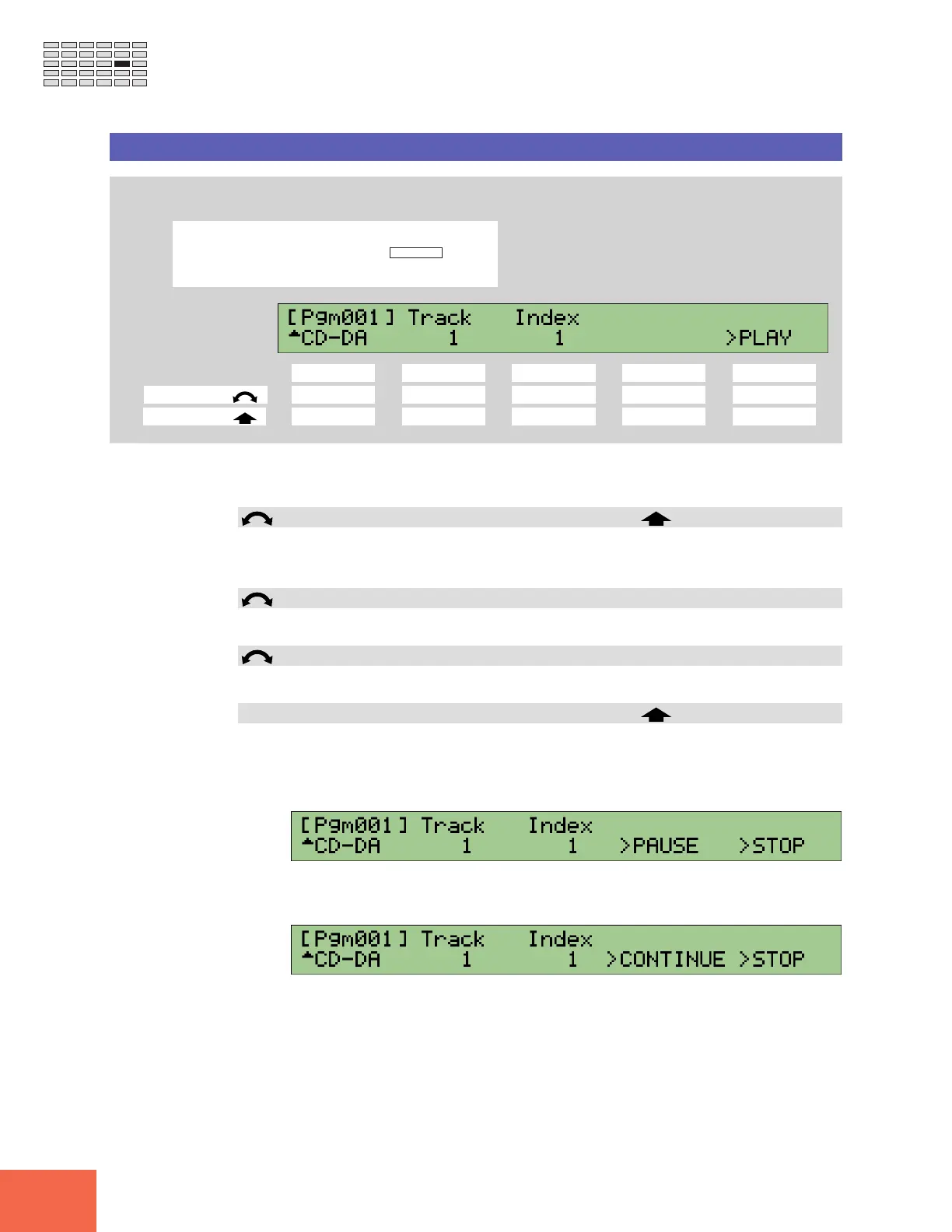
Use this page to set up playback from the audio CD mounted in the selected CD-ROM
SCSI drive.
Knob 1 Change Page Select P/S
• Turn the knob to switch between the function’s CD-ROM and CD-DA pages.
• Push the knob to move to the Program/Sample Selection screen. (☞95)
Knob 2 Track = 1,...
Selects the track at which playback starts.
Knob 3 Index = 1,...
Selects the index location (within the selected track) at which playback starts..
Knob 5 >PLAY
• Push this knob to start CD playback. Playback begins at the track and index location
selected by Knobs 2 and 3.
• The following screen appears while playback is in progress. You can push Knob 5
(>STOP) to stop the playback, or push Knob 4 (>PAUSE) to pause the playback.
• If you push Knob 4 (>PAUSE) at the above screen, the A3000 pauses the play and
displays the following screen. You can then resume play by pushing Knob 4 (>CON-
TINUE), or end it by pushing Knob 5 (>STOP).



 To Next Page