174
Chapter 5 EDIT Mode
MAP/OUT Function
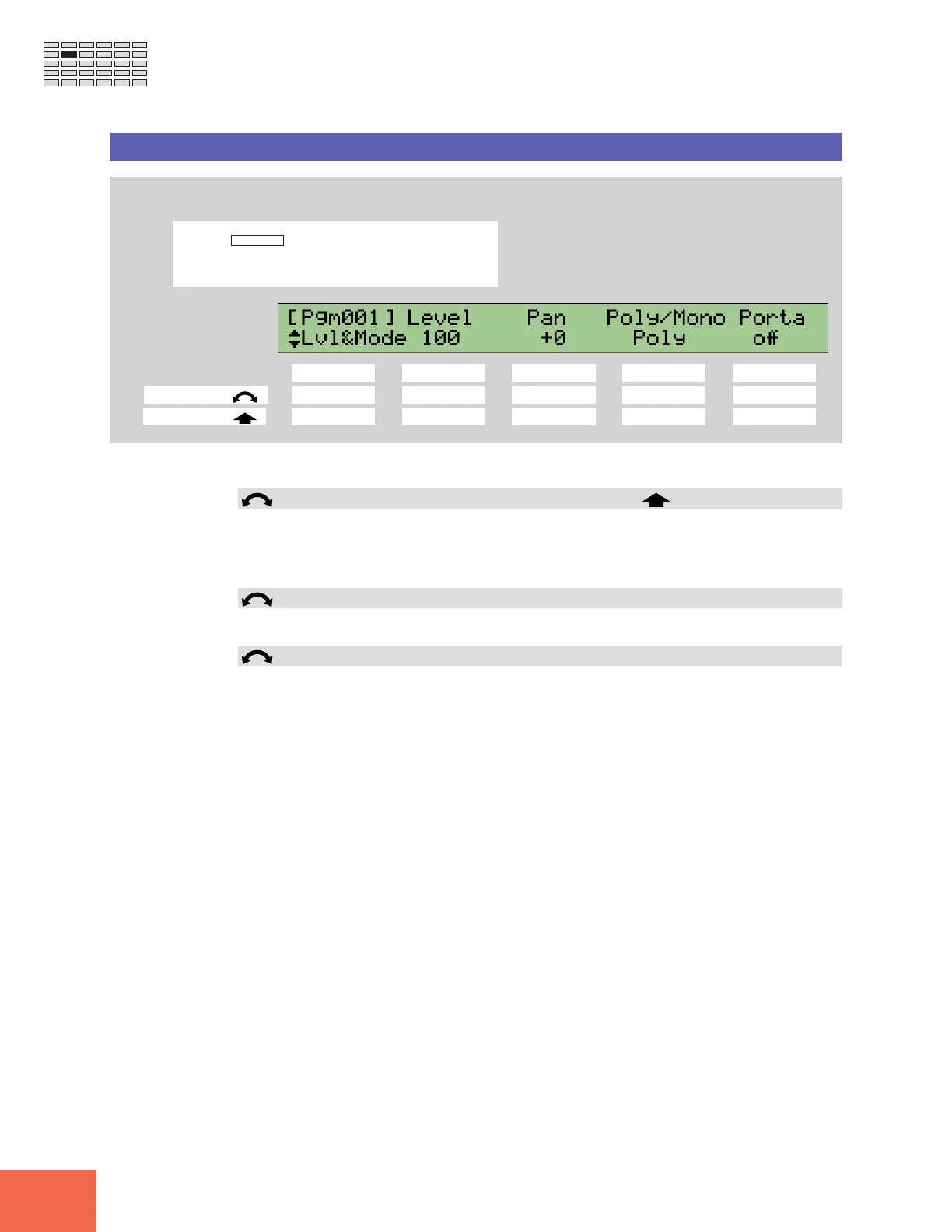
MAP/OUT - Lvl&Mode
Sets the sample’s level, pan, portamento, and poly/mono switch.
PROGRAM
TRIM / LOOP
RECORD
PROGRAM
TOTAL EQ
PLAY
EDIT
REC
DISK
UTILITY
SAMPLE
MAP / OUT
SETUP
SAMPLE
PANEL PLAY
EASY EDIT
FILTER
METER
SEQUENCE
SEQUENCE
EFFECT
EG
EFFECT
VOLUME
MASTER
SETUP
LFO
EXT CTRL
DISK
SYSTEM
CONTROL
MIDI / CTRL
MONITOR
IMPORT
MIDI
Turn Knob 1 to select Lvl&Mode.
Knob 1 Knob 2 Knob 3 Knob 4 Knob 5
Turn action ✔✔✔✔✔
Push action ✔ ----
Use this page to set the sample’s level, pan, portamento, and poly/mono switch.
Knob 1 Change Page Select P/S
• Turn the knob to change to a different page within the MAP/OUT function. Available
pages are: KeyRnge, VelRnge, Lvl&Mode (this page), Output, Pitch, Expand, and LvlScale.
• Push the knob to move to the Program/Sample Selection screen. (☞95)
Knob 2 Level = 0,...,127
Turn the knob to set the sample’s output level.
Knob 3 Pan = -63,...,+63
Turn the knob to set the sample’s pan (stereo position). Positive values set the pan to the
right; negative values move the pan to the left.
If you are working with a stereo sample, higher pan magnitudes will narrow the stereo
range while noticeably shifting the sound position. See the illustration below.



 To Next Page