305
Chapter 8 UTILITY Mode
Chapter 8
MIDI Function
MIDI Function
Use this function to set the various MIDI parameters.
MIDI - Receive
Sets the MIDI reception parameters.
PROGRAM
TRIM / LOOP
RECORD
PROGRAM
TOTAL EQ
PLAY
EDIT
REC
DISK
UTILITY
SAMPLE
MAP / OUT
SETUP
SAMPLE
PANEL PLAY
EASY EDIT
FILTER
METER
SEQUENCE
SEQUENCE
EFFECT
EG
EFFECT
VOLUME
MASTER
SETUP
LFO
EXT CTRL
DISK
SYSTEM
CONTROL
MIDI / CTRL
MONITOR
IMPORT
MIDI
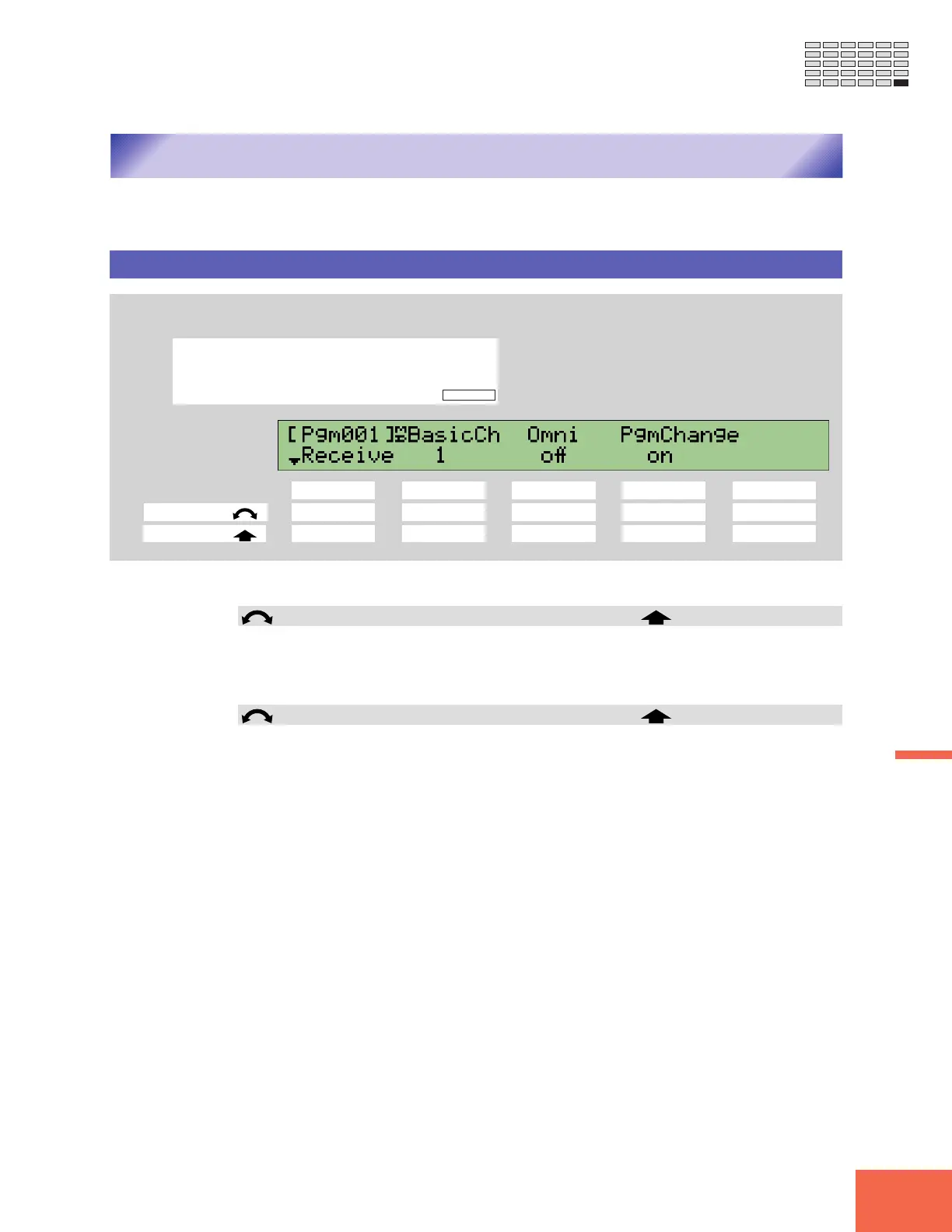
Turn Knob 1 to select Receive.
Knob 1 Knob 2 Knob 3 Knob 4 Knob 5
Turn action ✔✔✔✔ -
Push action ✔✔ ---
This page sets the A3000’s MIDI reception parameters.
Knob 1 Change Page Select P/S
• Turn the knob to change to a different page within the MIDI function. Available pages
are: Receive (this page), Adjust, RcvFlt, and Bulk.
• Push the knob to move to the Program/Sample Selection screen. (☞95)
Knob 2 BasicCh = 1,...,16 MIDI IN
• This value sets the A3000’s “Basic Receive” channel.
• If Omni=on (see explanation for Knob 4 below), then the BasicCh setting is mean-
ingless — since the A3000 accepts messages over all channels. If Omni=off, then the
BasicCh sets the channel used to receive control-change and program-change mes-
sages, and the default channel for playback (Note-On and Note-Off) messages.
• Playback messages (Note messages) on this channel control playback of all samples
whose ReceiveCh setting is set to Bch. (☞209)
• Control-change messages on this channel control playback of programs, in accord-
ance with each program’s controller setup. (☞135)
• Program-change messages on this channel cause the A3000 to change programs (pro-
vided that PgmChange is set on; see explanation for Knob 4 below).
• If you wish to set the channel from an external MIDI device, push the knob so that
the knob indicator begins blinking. Then transmit any channel message from the
MIDI device; the A3000 will detect the channel and display the value over the knob.
Lock in the setting in pushing the knob again or by changing to a different page.



 To Next Page