COMMAND Pages
256
Chapter 7 DISK Mode
PART_FMT (Format a Partition)
Formats the selected partition. (Fast format).
PROGRAM
TRIM / LOOP
RECORD
PROGRAM
TOTAL EQ
PLAY
EDIT
REC
DISK
UTILITY
SAMPLE
MAP / OUT
SETUP
SAMPLE
PANEL PLAY
EASY EDIT
FILTER
METER
SEQUENCE
SEQUENCE
EFFECT
EG
EFFECT
VOLUME
MASTER
SETUP
LFO
EXT CTRL
DISK
SYSTEM
CONTROL
MIDI / CTRL
MONITOR
IMPORT
MIDI
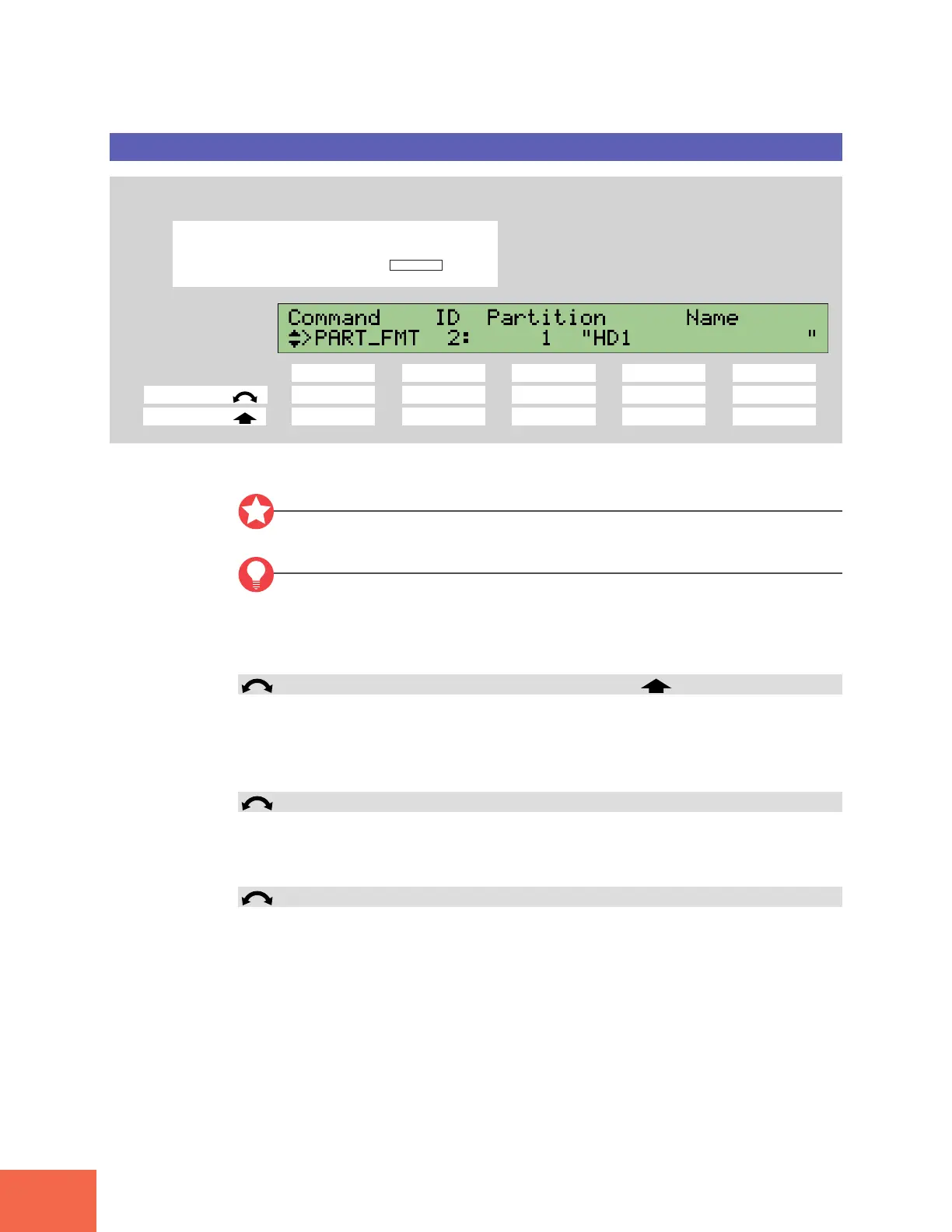
Press the COMMAND key, then turn Knob 1 to select >PART_FMT.
Knob 1 Knob 2 Knob 3 Knob 4 Knob 5
Turn action ✔✔✔ --
Push action ✔ --✔✔
Use this command to fast-format a specified partition on the SCSI disk.
Important
Formatting a partition causes loss of all data existing in that partition.
FYI
• You cannot use this command to format floppy disks. To format a floppy disk, use the
FD_FMT command page. (☞258).
• The A3000 uses a proprietary disk format for SCSI disks. This format is not recog-
nized by computers and other foreign devices.
Knob 1 Change Page >PART_FMT
• Turn the knob to change to a different command page.
• Push the knob when you are ready to execute the format. The A3000 returns a confir-
mation screen. Push Knob 5 (>YES) to proceed with the format, or Knob 4 (>NO) to
cancel.
Knob 2 ID = 0,...,7
Use this knob to select the SCSI ID of the disk containing the partition that you want to
format. Be careful to select the correct ID; do not select the wrong disk, or an unused
ID, or the ID of the A3000 itself.
Knob 3 Partition = 1,...,8
Turn the knob to select the partition that you want to format, by its partition number.
Note that the A3000 does not show partition numbers for non-existent partitions.



 To Next Page