158 8 Milling and Drilling
8.1 Milling and Drilling
Repeatable tool length offsets
Programming a tool
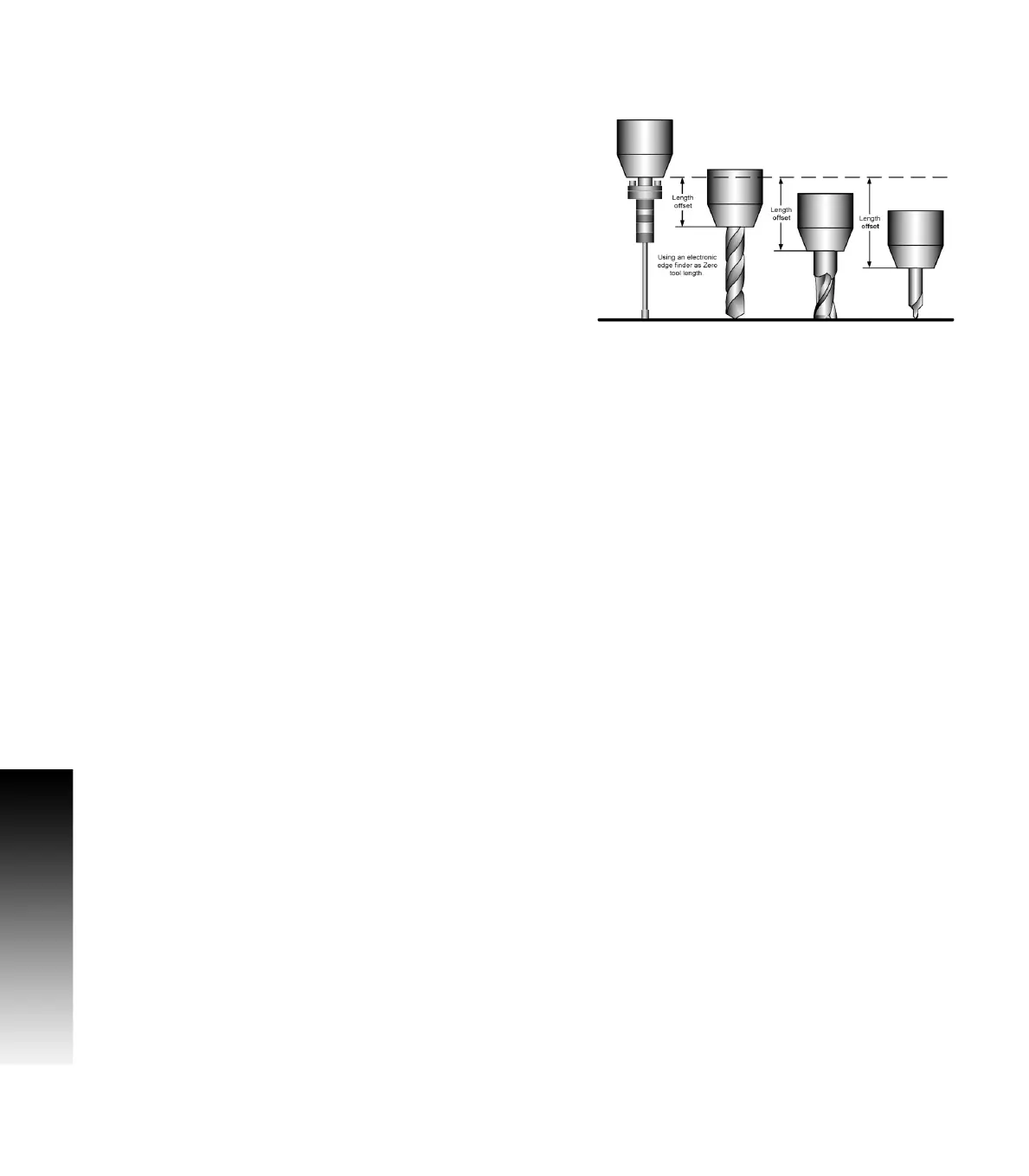
When a program is using the Tool Length function, there are two
requirements that must be followed to ensure that the tip of all
additional tools is actually where MILLPWR
G2
has calculated it to be.
All tools used must have a fixed, repeatable length.
The surface that the tool touches off on must be a repeatable
surface and used for all tools added to the program.
This also applies to all tools added to the Tool Table.
Setting the Datum using an electronic edge finder is for illustration
only, and is not a requirement.
Press the Datum soft key.
Touch the first tool to the top surface that will be used to set all other
tools.
Press the Z = 0 soft key.
The Z axis Datum is now set to 0.00.
All tools entered into the tool table will have length offsets relative to
the first tool Datum. All tools entered after the first tool, whether into
the tool table or into a program should have their length set using the
Teach Tool Length soft key.
Once you have identified the tools you will be using, you can
program the Tool Length Offsets into the Set Tool steps.
When all tools have been added to a program with their tool length
offset programmed, MILLPWR
G2
will retain the offset information
between each tool and the Datum.
If a program that is using tool offsets requires a change from where
the initial first tool datum was set, MILLPWR
G2
will reset the offset
information for the remaining tools.
When setting a the Datum, consideration of the height of the new
location can avoid possible tool collision with the part when running
the program. If necessary, reset the Z Retract height.
Tools and their offsets can be used from the Tool Table, and inserted
into a program. The Datum for the program can be set at a new
location as mentioned above. MILLPWR
G2
will reset the offset
information for the remaining tools to the new location. Their offset
will stay relevant to the new Datum.
After the tool information is established in the program, later you can
edit the values as needed to adjust for accuracy and wear.



 To Next Page