ACU-RITE MILLPWR
G2
161
8.1 Milling and Drilling
Position/Milling
MILLPWR
G2
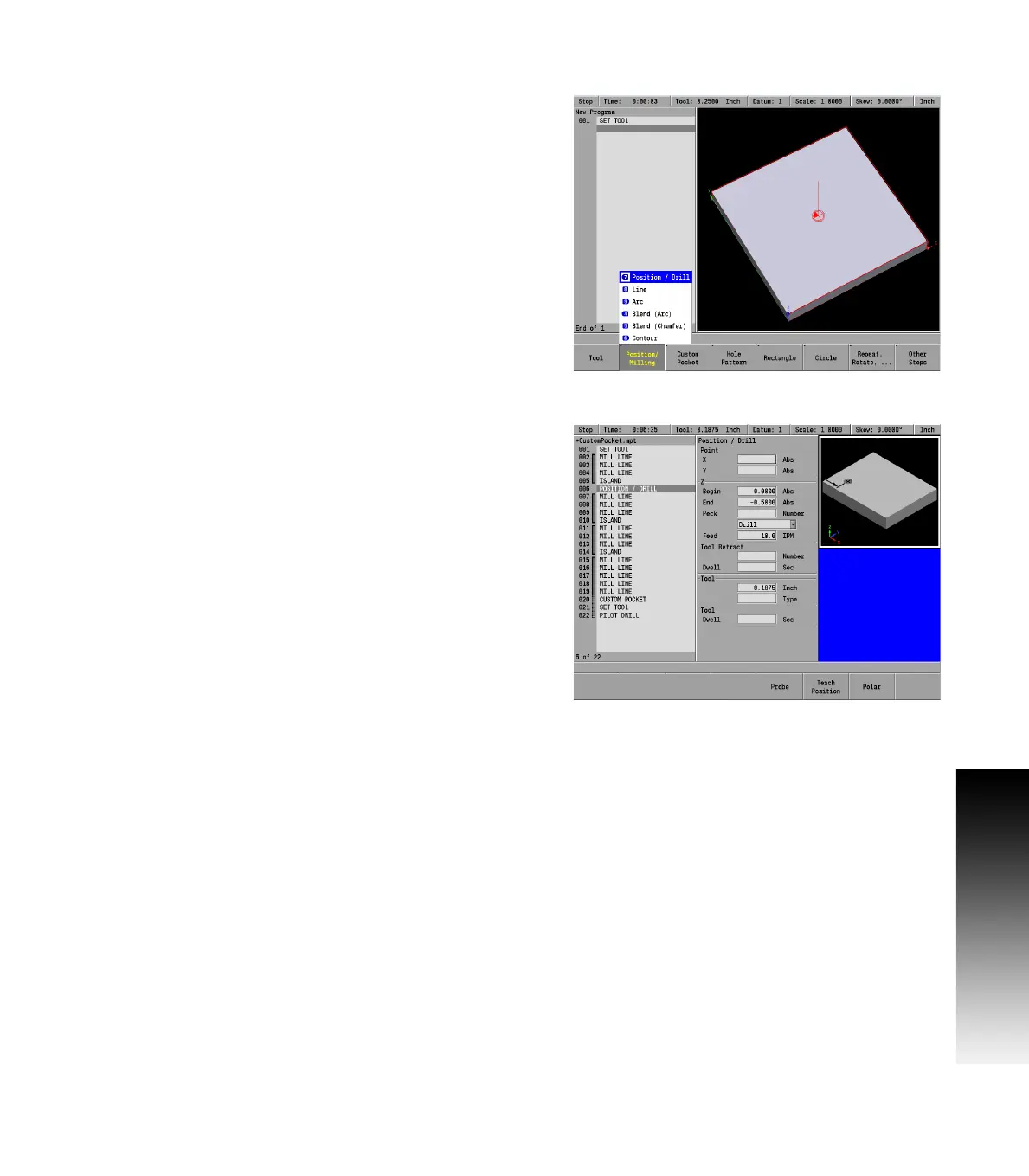
offers several Position / Milling functions that let you
program a Line, Arc, Blend (Arc), Blend (Chamfer), and Contour that
can be accessed directly using the Position/Milling soft key popup
menu.
Position / Drill
The Position / Drill function will move the table to specific position
based upon the X and Y axes coordinates entered.
Press the Position / Milling soft key.
From the PGM screen, press the Pos key to access the Position /
Drill dialogue.
Or press the Program Steps soft key, then press the Position /
Milling soft key, and select Position / Drill from the popup
menu.
In the Point field enter the X and Y axes coordinates.
In the Z field enter the Begin and End depths.
Enter either the number of pecks or the distance between each
peck (also know as Chip Break). If the option wanted is not
displayed, go to Job Setup and select the other.
Select the job option to be used: Drill, Bore, or Position using the
soft keys, or from the drop down menu.
Drill: Basic drilling cycle is generally used for center drilling or hole.
Bore: Generally used to make a pass in each direction on a bore or
to tap with a self-reversing tapping head. It feeds from the begin
depth to Z depth, and then feeds back to the retract height.
Position: Data can be entered to move the table to a position in the
X & Y direction. Z moves are done manually.



 To Next Page